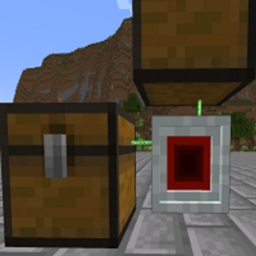
LaserIO in All the Mods 10
All the Mods 10 8.3 ships version 1.9.11 · First seen in 0.32
LaserIO is a mod in All the Mods 10 8.3, where it is version 1.9.11. Route Items, Fluids, and Energy around your world - with Lasers! (Summary from the mod's Modrinth page.)
LaserIO guide for All the Mods 10
Last verified for All the Mods 10 v8.3 on Oct 16, 2026 · text last changed Oct 16, 2026
Also applies to:All the Mons 0.3.0-beta to 1.3.0FTB Skies 2 1.0.1 to 1.24.0
- Sections
- 7
- Recipes shown
- 17
- Items named
- 22
- Quests covered
- 17
Every recipe and number here was checked against All the Mods 10 8.3, read from the running game on Oct 16, 2026.
What is LaserIO?
2 parts
LaserIO is a logistics mod for moving things around without a mess of pipes. In this pack it's version 1.9.11. The quest book describes it as DireWolf's continuation of EnderIO's Logistics, and it's all about moving items with lasers.[1][2]
Your starting point is the Logic Chip, which is the task of the first quest in the Basic Logistics chapter, "Laser IO" quest. The other quests in that chapter unlock after it.[2]
How it works
The Laser Node is the heart of the mod. It works with inventories on its four cardinal sides plus up and down. To reach farther inventories, you link a second node using the Laser Wrench: Shift Right Click the first node, then Right Click the second.[2]
A node does nothing by itself. Cards are how nodes interact with adjacent blocks, and you set them to modes like Insert, Extract or Stock. Cards only talk to other cards on the same channel, so one network can carry several separate routing setups.[3][4][5]
What you can move
- Item Card: moves items between inventories like chests and furnaces. By default it handles 8 items per 20 ticks.[6]
- Fluid Card: moves fluids between tanks.[7]
- Energy Card: moves energy between machines and batteries. Overclockers can't go into Energy cards.[8]
- Chemical Card: moves Mekanism chemicals. The quest text lists gas, infuse types and pigments.[2][9]
- Redstone Card: sends redstone signals across the network on their own dedicated redstone channel.[10]
Filters such as the Basic Filter control what the cards are allowed to move. Overclockers raise the limits: with 4 Card Overclockers, an Item Card can move 64 items per tick.[6][11]
The Card Cloner copies card settings from one card to another. The Card Holder stores your growing pile of cards in one inventory slot.[12][13]
Unverified The sources don't show LaserIO as part of the ATM Star quest path, and they don't say what stage of the pack it is meant for. It is only confirmed to have its own Basic Logistics quest chapter.
How do you get started with LaserIO?
6 parts
LaserIO moves items, fluids, energy and redstone signals around with Laser Nodes and Cards. The order below gets a working setup running first, then adds the quality-of-life upgrades. In the pack's quest book, the Basic Logistics chapter starts at "Laser IO" quest, and it all begins with the Logic Chip.[2][14]
First: make Logic Chips
The Logic Chip is the main crafting ingredient in LaserIO. It is the only item crafted with vanilla materials, and everything else in the mod uses a chip in one way or another, so make a few. You craft a Raw Logic Chip first, then smelt it.[15][16]
Crafting Shaped
| any redstone dust | any gold nugget | any redstone dust |
| any redstone dust | any gold nugget | any redstone dust |
Recipe id: laserio:logic_chip_raw
This is the in-pack recipe for the raw chip.
Smelt the raw chip in a furnace to get the finished chip.
Second: build your first Laser Node
The Laser Node is the heart of the mod. It interacts with the inventories next to it, and each side has a 3x3 grid of slots for Cards. Right click a side to open its UI. A node can work with several adjacent inventories at once.[2][14]
Crafting Shaped
| Empty slot | any glass blocks | Empty slot |
| any redstone dust | any redstone dust | |
| any iron ingot | any iron ingot | any iron ingot |
Recipe id: laserio:laser_connector
Craft the connector first, because it is an ingredient in the Node recipe below.
Crafting Shaped
| any iron ingot | any glass panes | any iron ingot |
| any glass panes | any glass panes | |
| any iron ingot | any glass panes | any iron ingot |
Recipe id: laserio:laser_node
Third: craft Item Cards
Cards are how a node interacts with adjacent blocks, and without them a node is worthless. Start with the Item Card. You need two: one set to Extract and one set to Insert. Put the Extract card on the node side facing the inventory you pull from, and the Insert card on the side facing the destination.[2][3]
Crafting Shaped
| any redstone dust | any lapi gems | any redstone dust |
| any quartz gem | any quartz gem | |
| any gold nugget | any gold nugget | any gold nugget |
Recipe id: laserio:card_item
Right click a card in your hand to open its settings. Extractor cards have a default Extract Amount of 1, and the maximum is 8 until you add Card Overclockers.[4][17]
Fourth: get the Laser Wrench
The Laser Wrench links nodes together so you can move things between inventories that are far apart. Shift-right click one block to select it, then right click the second block to connect them. The maximum range is 8 blocks. For longer runs, use a Laser Connector as a cheaper stop between nodes.[14][18][19]
Crafting Shaped
| any iron ingot | Empty slot | any iron ingot |
| Empty slot | Empty slot | |
| Empty slot | any iron ingot | Empty slot |
Recipe id: laserio:laser_wrench
Fifth: Card Holder and Card Cloner
Cards pile up in your inventory fast. The Card Holder stores them, and cards inside can stack to 64 as long as their NBT data matches. Shift-right click it to make it pull cards out of your inventory automatically. When you open a node, the holder shows up like a second inventory.[2][13]
Crafting Shaped
| any iron ingot | Empty slot | any iron ingot |
| any chest | any chest | |
| any iron ingot | Empty slot | any iron ingot |
Recipe id: laserio:card_holder
The Card Cloner copies settings between cards. In a node screen, left click a card to copy it and right click another to paste. If any necessary items are missing, the paste fails completely instead of applying part of the settings.[2][12]
Sixth: upgrade when you hit limits
An Item Card moves at most 8 items every 20 ticks. With 4 Card Overclocker installed, it reaches 64 items per tick. Node Overclockers are separate: a node side normally operates only one card per tick, and Node Overclocker let it handle more. Inserter cards do not need Node Overclockers to function.[6][20][21]
When you need to control what moves, craft a Basic Filter. Its slots are ghost slots that hold only an image of an item, and you can drag items in from JEI. It can allow or deny the listed items, and it can compare NBT data or ignore it. The Counting, Mod and Tag filters come after it in the same quest chapter.[2][22][23]
Crafting Shaped
| any glass panes | ||
| any glass panes | any glass panes | |
| any glass panes |
Recipe id: laserio:filter_basic
Crafting Shaped
| any redstone dust | any basic circuit | any redstone dust |
| any quartz gem | any quartz gem | |
| any gold nugget | any gold nugget | any gold nugget |
Recipe id: laserio:card_chemical
This is the pack's changed recipe for the Chemical Card.
How does LaserIO work?
8 parts
LaserIO is built around one idea: a Laser Node touches the blocks next to it, and cards tell it what to do with them. Without cards, nodes do nothing. Once you understand nodes, cards, channels and filters, the rest of the mod falls into place.[3][14]
Nodes and connections
Each side of a node has a 3x3 grid of slots that accept cards. Right click a side to open its UI, and use the buttons along the top to switch sides if the one you want is hard to reach. A node can work with several adjacent inventories at once, and it can move items, fluids, energy or redstone depending on the cards you put in.[14]
To link nodes, use the Laser Wrench. Shift-right click a block to select it (the currently selected block is highlighted green), then right click another block to connect them. The maximum range for a connection is 8 blocks. For longer gaps, the Laser Connector is a cheaper intermediary point between nodes.[14][18][19]
The Advanced Laser Connector connects to basic connectors and nodes up to 8 blocks away, but it can only pair with one other Advanced Connector. The link between the pair has infinite range, even across dimensions. Pairing with a new partner breaks the old link, and the Laser Wrench shows you the partner's coordinates.[24]
The network settings screen is available from any node screen. It lets you change the network color and the laser transparency (Alpha and Wrench Alpha). This is purely cosmetic and has no effect on how the network works.[25]
Cards and modes
There is a card for each thing you want to move: the Item Card for items, the Fluid Card for fluids, the Energy Card for energy, and the Redstone Card for redstone signals. The Chemical Card moves chemicals between inventories such as Mekanism tanks, and it is only available if Mekanism is installed.[6][7][8][9][10]
The guide currently lists three modes that item, fluid and energy cards each support. Insert cards are valid destinations for whatever extractors pull out. Extract cards remove things from their adjacent block and send them to an insert card. Stock cards look for the items in their filter and pull them from insert cards elsewhere on the network, and they require a filter set to Allow.[26]
Sensor mode moves nothing. It checks an adjacent inventory, tank or cell against its filter and, on a match, emits a redstone signal of strength 15 on the chosen redstone channel. It does nothing without a filter. With a basic filter it matches any amount, and with a counting filter it matches that amount or more. An exact button on counting filters makes it match that amount only. An And/Or button decides whether all filters or just one must match. Only 1 sensor card per side per redstone channel is recommended, to avoid race conditions.[27]
Channels and routing
Cards only interact with other cards on the same channel. That lets you run several independent routing setups through one network. For example, a cobblestone extractor on the Orange channel feeds only Orange inserters, and a coal extractor on the Black channel feeds only Black inserters. Put an Orange inserter above a furnace and a Black one below, and each item goes where you want it.[5]
The Sneaky setting picks which side of the adjacent block a card works on. A furnace takes items on its top side, so you would set an insert card to Up there, and another card to Sneaky Down to push fuel in from the bottom.[28]
Insert cards have a Priority setting. By default inserters work nearest first, but you can raise or lower priority so that, for example, priority 10 is served before 0, which is served before -10. Equal priorities fall back to nearest first.[29]
Extract cards have Round Robin, with three settings. False follows priority and fills the first inventory completely before the next. True sends items to destinations in priority order, evenly spread. Enforced follows the same rules as True, but the extractor stops if one destination is full until it frees up. Chunk unloading can change round robin behavior.[30]
A few more options matter for precise setups. Exact, on extract and stock modes, makes a card move items only once the full Extract Amount is available (or, for a stocker, the amount it needs if that is smaller). Regulate, on stock mode, keeps the inventory at exactly the counting filter's amount. With it on, excess items are removed if an inserter can accept them. With it off, excess stays put.[31][32]
Speed and overclockers
Extract and stock cards have an Extract Amount and a Tick Speed. Extract Amount defaults to 1 with a maximum of 8 without overclockers. Tick Speed defaults to 20 ticks, which is also its minimum, with a maximum of 1200. Left click raises a value by 1, right click lowers it, shift multiplies the step by 10 and control multiplies it by 64.[17][33]
The Card Overclocker speeds up individual cards. Each one you add raises the allowed extract amount to 16, 32, 48 and then 64, and lowers the minimum tick speed to 15, 10, 5 and then 1. So four Card Overclockers are needed to move 64 items every tick.[6][17][20][33]
- Item Card maximums by overclocker count (0 to 4): 8 items per 20 ticks, 16 per 15, 32 per 10, 48 per 5, and 64 per 1.[6]
- Fluid Cards use the same five steps (20, 15, 10, 5 and 1 ticks) with much higher millibucket ceilings at each step. The exact figures are listed in the in-game Fluid Cards guide.[7]
- Chemical Cards follow the same five steps too, again with their own millibucket ceilings. The exact figures are listed in the in-game Chemical Cards guide.[9]
Energy cards work differently. They can operate every tick by default, they do not accept overclockers, and they always move at most 1,000,000 FE per tick (you can lower this). They also have a limit percentage. On insert and stock modes it defaults to 100% and sets how full the target gets. On extract mode it defaults to 0% and sets how much is left behind. For example, a 1,000,000 FE cell with a 25% extract limit will not be drained below 250,000 FE. The percentage does not work on storage cells holding more than about 2.14 billion FE.[8][34]
Separately, the Node Overclocker works on the node side rather than the card. A node side can only operate one card per tick, so if you have three extractors, the second only runs when the first fails to do anything. Each Node Overclocker lets that side handle more cards per tick, and 8 of them cover all 9 slots. Inserter cards do not need them, only extractor and stocker cards.[14][21]
Filters
Filters control what cards are allowed to move. You can open one by right clicking it, or from inside a card. The Basic Filter uses ghost slots, which only hold an image of an item, and you can drag items into them from JEI. It has an Allow/Deny toggle and a Compare NBT option. With Compare NBT on, a damaged or enchanted sword is treated as different from a fresh one.[22][23]
- Counting Filter: sets a number from 1 to 4096. In a stocker it keeps that amount in stock, in an inserter it limits how many items can be sent in, and in an extractor it leaves that many behind. It has no Allow vs Deny button, since all counting filters are Allow mode.[35]
- Mod Filter: matches by source mod. A Laser Wrench in the filter matches all LaserIO items and blocks.[36]
- Tag Filter: matches by item tags, such as the ingots tag that covers iron, gold, copper and tin. The list is an 'or' list, and it does not support NBT comparison.[37]
- Data Filter: works like the Tag Filter but lists NBT tag labels. Adding the enchantments tag, for example, matches every enchanted item regardless of which enchantments it has.[16][38]
Redstone control
Redstone cards carry signals across the whole network on their own redstone channel, separate from the normal channels. Input mode takes a signal from something like dust, a lever or a button and sends it onto the network. Output mode emits a signal to things like dust, lamps or repeaters, with a weak setting (adjacent blocks only) and a strong setting (can pass through an adjacent block, like a lever).[10]
Every card also has a redstone mode. Ignored (the default) means the card always works. Low means it only works with no signal on its redstone channel, and high means it only works with a signal.[10][39]
Managing cards
The Card Holder stores your cards. Cards inside stack up to 64 if their NBT matches, but a stack larger than 1 disables its filter and overclocker slots. Shift-right click the holder to make it pull cards from your inventory automatically (it glows while active). Filters and overclockers can be stored too, but filters are only auto-added if they hold no data.[13]
The Card Cloner copies card settings. In a node screen, pick it up and left click a card to copy, then right click another card to paste. Overclockers and filters are taken from or returned to the currently available Card Holder, not your inventory. If any needed item is missing, the paste fails completely rather than partly applying.[12]
Crafting the basics
The Logic Chip is the main crafting ingredient. It is the only item made from vanilla materials, and everything else uses a chip somehow. You make a Raw Logic Chip first, then smelt it.[15][16]
Crafting Shaped
| any redstone dust | any gold nugget | any redstone dust |
| any redstone dust | any gold nugget | any redstone dust |
Recipe id: laserio:logic_chip_raw
This one is a smelting recipe, not a crafting grid.
The pack changed the recipe for the Chemical Card and its data-clearing recipe. Check the recipe below rather than assuming the mod's defaults.[16]
Crafting Shaped
| any redstone dust | any basic circuit | any redstone dust |
| any quartz gem | any quartz gem | |
| any gold nugget | any gold nugget | any gold nugget |
Recipe id: laserio:card_chemical
Unverified The sources here include no LaserIO config files for this pack, so any pack-specific tweaks to the transfer rates and limits described above could not be checked. The figures come from the mod's in-game guide.
How do you progress through LaserIO?
6 parts
LaserIO doesn't have formal tiers like a machine mod does. In this pack the progression is the "Basic Logistics" quest chapter, and almost everything in it unlocks as soon as you finish the first quest. From there you choose what to build next, so here is a sensible order.[2]
Step 1: The Logic Chip
The quest "Laser IO" quest asks you for a Logic Chip, and nearly every other quest in the chapter comes after it. You make a Raw Logic Chip first and then smelt it. Both recipes are the mod's own, not changed by the pack.[2][16]
Crafting Shaped
| any redstone dust | any gold nugget | any redstone dust |
| any redstone dust | any gold nugget | any redstone dust |
Recipe id: laserio:logic_chip_raw
Step 2: Nodes, connectors and the wrench
The Laser Node is the heart of the system. Cards go into its slots, and it works with adjacent inventories in all six directions. To reach farther inventories you link a second node using the Laser Wrench. The Laser Connector quest comes after the Laser Node quest and is for stringing nodes over longer distances.[2]
Crafting Shaped
| Empty slot | any glass blocks | Empty slot |
| any redstone dust | any redstone dust | |
| any iron ingot | any iron ingot | any iron ingot |
Recipe id: laserio:laser_connector
Crafting Shaped
| any iron ingot | any glass panes | any iron ingot |
| any glass panes | any glass panes | |
| any iron ingot | any glass panes | any iron ingot |
Recipe id: laserio:laser_node
Crafting Shaped
| any iron ingot | Empty slot | any iron ingot |
| Empty slot | Empty slot | |
| Empty slot | any iron ingot | Empty slot |
Recipe id: laserio:laser_wrench
There is also an Advanced Laser Connector with its own recipe, but it is not one of the quests in this chapter. It links to exactly one partner Advanced Connector, and that link has infinite range, even across dimensions. It does not chunk load, and nodes in unloaded chunks won't operate, so you have to handle chunk loading yourself. Basic connectors and nodes can be up to 8 blocks away from it.[2][16][24]
Crafting Shaped
| any ender pearl | any diamond gem | any ender pearl |
| any redstone dust | any redstone dust | |
| any gold ingot | any gold ingot | any gold ingot |
Recipe id: laserio:laser_connector_advanced
Step 3: Cards
Cards are how a node interacts with the blocks next to it. Without them a node does nothing. Each card type below has its own quest, and each of those quests comes after the first quest.[2][3]
- Item Card ("Item Card" quest): moves items. Set one card to Extract and another to Insert.[2]
- Fluid Card ("Fluid Card" quest): works like the Item Card, but between tanks.[2]
- Energy Card ("Energy Card" quest): moves energy the same way.[2]
- Chemical Card ("Chemical Card" quest): moves Mekanism gases, infuse types and pigments. It is only available when Mekanism is installed.[2][9]
- Redstone Card ("Redstone Card" quest): sends a redstone signal across the network. An Input card reads it and an Output card emits it elsewhere.[2][10]
Crafting Shaped
| any redstone dust | any lapi gems | any redstone dust |
| any quartz gem | any quartz gem | |
| any gold nugget | any gold nugget | any gold nugget |
Recipe id: laserio:card_item
Crafting Shaped
| any redstone dust | any basic circuit | any redstone dust |
| any quartz gem | any quartz gem | |
| any gold nugget | any gold nugget | any gold nugget |
Recipe id: laserio:card_chemical
The pack changed this recipe, so don't rely on what you remember from the base mod.
Step 4: Overclockers
Out of the box an Item Card moves 8 items per operation, and four Card Overclocker items in the card raise that to 64 items per tick. Fluid and Chemical Cards scale with overclockers too, and the in-game guide lists their exact values.[2][6][7][9]
Energy Cards are the exception. They can't take overclockers, and they always run at up to 1,000,000 FE per tick, which you can lower if you want. The Node Overclocker is separate and goes into the node itself to speed up how fast it does operations.[2][8]
Crafting Shaped
| Empty slot | any gold ingot | Empty slot |
| any redstone dust | any redstone dust | |
| any gold ingot | any gold ingot | any gold ingot |
Recipe id: laserio:overclocker_card
Crafting Shaped
| Empty slot | any diamond gem | Empty slot |
| any redstone dust | any redstone dust | |
| any diamond gem | any diamond gem | any diamond gem |
Recipe id: laserio:overclocker_node
Step 5: Filters
The Basic Filter is the base filter. You can set it to allow or deny, and to compare NBT data or ignore it. The Counting, Mod and Tag Filter quests all come after the Basic Filter quest, and each of those three is crafted from a Basic Filter.[2][16][23]
- Counting Filter: waits for a set number of items, and leaves that amount behind in the first inventory.[2]
- Mod Filter: matches any item from the same mod as the one you put in.[2]
- Tag Filter: filters by item tag, which you can pick from a list or type in yourself.[2]
Crafting Shaped
| any glass panes | ||
| any glass panes | any glass panes | |
| any glass panes |
Recipe id: laserio:filter_basic
The Data Filter (Data Filter) also has a recipe, but it is not one of the quests in this chapter.[2][16]
Step 6: Quality of life
Once you have a handful of cards, two items help a lot. The Card Cloner copies a card's settings with a left click and pastes them with a right click. The Card Holder stores your cards, and its contents show up like a second inventory when you open a node.[2][12][13]
Crafting Shaped
| any iron ingot | Empty slot | any iron ingot |
| any iron ingot | Empty slot | any iron ingot |
Recipe id: laserio:card_cloner
Crafting Shaped
| any iron ingot | Empty slot | any iron ingot |
| any chest | any chest | |
| any iron ingot | Empty slot | any iron ingot |
Recipe id: laserio:card_holder
How does LaserIO work with other mods?
5 parts
LaserIO mostly stands on its own, but a few spots in this pack tie it to other mods. Here is what the recipes, quests and in-game guide actually confirm.[2]
Mekanism: Chemical Cards
The biggest link is the Chemical Card. Its quest says it was added so LaserIO could work with Mekanism and its "other states of matter". Anything Pressurized Tubes can move, this card can move too: gas, infuse types and pigments.[2]
The in-game guide says Chemical Cards send chemicals between inventories such as Mekanism tanks, and that they are only available if Mekanism is installed. It also lists the maximum transfer per operation for each number of Card Overclockers, so check that page in the guide book for exact rates.[9]
Forge Energy and big energy cells
The Energy Card moves energy between machines and batteries. It can't take overclockers and always runs at a maximum of 1,000,000 FE per tick, though you can lower that.[8]
There is one catch with other mods. Forge Energy storage goes up to about 2.14 billion FE, and mods like Draconic Evolution or Mekanism have cells that hold more by bending how Forge Energy works. On cells above that size, the card's Energy Limit % setting won't work.[8]
Filters and other mods' items
The Mod Filter lets through (or blocks) every item from the same mod as the item you put in it. The quest uses two examples: an Apotheosis Gem allows only Apotheosis items, and a Mekanism Alloy allows only Mekanism items.[2]
The Tag Filter lets you pick an item tag, or type one in yourself if you know it. The quest also mentions that /kubejs hand shows the tags of the item you're holding.[2]
Wrench use
The Laser Wrench connects Laser Nodes to each other and to Laser Connectors. The quest also says it works as a Wrench for other Configs, so it can double as a general wrench.[2]
A pack-changed Guide Book recipe
The pack has a LaserIO recipe that produces the Patchouli Guide Book. The recipe dump marks it as changed by the pack, so don't assume it matches the mod's default. It is a shapeless recipe, and it uses the Logic Chip together with a Book.[16]
This recipe is changed by the pack.
Which All the Mods 10 quests use LaserIO?
3 parts
LaserIO has a single quest chapter in this pack, called Basic Logistics. Every quest in it is an item-submission quest for a LaserIO item, and they all branch out from one starting quest.[2]
Where it starts
The entry point is the "Laser IO" quest quest, which asks for the Logic Chip. Its text describes LaserIO as DireWolf's continuation of EnderIO's Logistics, all about moving items with lasers.[2]
Unlocked right after Laser IO
Once Laser IO is done, a whole set of quests opens at the same time, so you can take them in whatever order suits your build. Here is what each one asks for:[2]
- "Item Card" quest asks for the Item Card. The quest text says to set one card to Extract and put it on the side of the Laser Node you import from, then set another to Insert on the side you export to. It also mentions Round Robin, which extracts in order instead of taking the closest inventory first.[2]
- a quest in "Basic Logistics" asks for the Laser Node, which the quest calls the heart of LaserIO. It handles adjacent inventories in the four cardinal directions plus up and down. To reach farther inventories you link two nodes with the wrench, using Shift Right Click on the first and Right Click on the second.[2]
- a quest in "Basic Logistics" asks for the Laser Wrench, used to connect Laser Nodes to each other and to connectors. The quest text also says it works as a wrench for other configs.[2]
- "Fluid Card" quest asks for the Fluid Card. It works like the Item Card with Extract and Insert cards, moving fluid between tanks. The quest notes it does not move fluid sources in or out of the world.[2]
- "Energy Card" quest asks for the Energy Card, which moves energy the same way as items and fluids.[2]
- "Chemical Card" quest asks for the Chemical Card, the Mekanism-compatible card. The quest text lists gas, infuse types and pigments.[2]
- "Redstone Card" quest asks for the Redstone Card. You input a redstone signal with the card, then use an output card to send it somewhere else.[2]
- a quest in "Basic Logistics" asks for the Card Cloner. Left Click a card to copy its data, then Right Click another card to paste it.[2]
- a quest in "Basic Logistics" asks for the Card Holder. It stores multiple cards and opens like a second inventory when you open a Laser Node.[2]
- a quest in "Basic Logistics" asks for the Card Overclocker. The quest text says item extraction is limited to 8 items per operation and fluid extraction to 5 buckets, and that overclockers go in the top right of the card to raise that cap.[2]
- a quest in "Basic Logistics" asks for the Node Overclocker. These go in the bottom right of the node itself and boost how fast it does operations.[2]
- a quest in "Basic Logistics" asks for the Basic Filter. You put items into it and choose whitelist or blacklist, and whether it matches NBT data or not.[2]
Quests deeper in the chapter
Three filter quests unlock after the Basic Filter quest, a quest in "Basic Logistics". They are also the only filter quests in the chapter, so finish the basic one first.[2]
- a quest in "Basic Logistics" asks for the Counting Filter. You set a number, and the card waits until that many items are present before taking any. It also leaves that amount in the first inventory.[2]
- a quest in "Basic Logistics" asks for the Mod Filter. It whitelists or blacklists every item from the same mod as the one you put in.[2]
- a quest in "Basic Logistics" asks for the Tag Filter. You can pick a tag from an item or type one in yourself.[2]
The last quest, a quest in "Basic Logistics", unlocks after the Laser Node quest, a quest in "Basic Logistics". It asks for the Laser Connector, which you use to string Laser Nodes over long distances, linking it with the wrench as usual.[2]
What changed in LaserIO between versions?
All the Mods 10 8.1 ships LaserIO version 1.9.11. It has been in the pack since All the Mods 10 0.32 or earlier, so it is a long-standing part of the modpack.[1]
The only pack changelog entry the sources show for this mod is in All the Mods 10 6.1, which lists a LaserIO UEL update written as 1.9.11 -> 1.9.11. Both sides of that entry show the same version number, so the changelog does not show a version change for the jar.[40]
Unverified The mod's own changelog for the LaserIO jar that ships in this pack is not stored, so the sources here do not show what changed in 1.9.11 or in earlier LaserIO versions. Check the LaserIO release notes if you want that detail.
Sources
- All the Mods 10 8.1 mod list · pack file
- All the Mods 10 8.1 quests: "Basic Logistics" · pack file
- In-game guide: Cards (laserio) · official docs
- In-game guide: Basics (laserio) · official docs
- In-game guide: Channel (laserio) · official docs
- In-game guide: Item Cards (laserio) · official docs
- In-game guide: Fluid Cards (laserio) · official docs
- In-game guide: Energy Cards (laserio) · official docs
- In-game guide: Chemical Cards (laserio) · official docs
- In-game guide: Redstone Cards (laserio) · official docs
- In-game guide: Filters (laserio) · official docs
- In-game guide: Card Cloner (laserio) · official docs
- In-game guide: Card Holder (laserio) · official docs
- In-game guide: Laser Node (laserio) · official docs
- In-game guide: Logic Chips (laserio) · official docs
- All the Mods 10 8.1 recipe dump: recipes making LaserIO items · pack recipe dump
- In-game guide: Extract Amount (laserio) · official docs
- In-game guide: Laser Wrench (laserio) · official docs
- In-game guide: Laser Connector (laserio) · official docs
- In-game guide: Card Overclocker (laserio) · official docs
- In-game guide: Node Overclocker (laserio) · official docs
- In-game guide: Basic Filter (laserio) · official docs
- In-game guide: Basic Mechanics (laserio) · official docs
- In-game guide: Adv. Connector (laserio) · official docs
- In-game guide: Network Settings (laserio) · official docs
- In-game guide: Modes (laserio) · official docs
- In-game guide: Sensor Mode (laserio) · official docs
- In-game guide: Sneaky (laserio) · official docs
- In-game guide: Priority (laserio) · official docs
- In-game guide: Round Robin (laserio) · official docs
- In-game guide: Exact (laserio) · official docs
- In-game guide: Regulate (laserio) · official docs
- In-game guide: Tick Speed (laserio) · official docs
- In-game guide: Limit (laserio) · official docs
- In-game guide: Counting Filter (laserio) · official docs
- In-game guide: Mod Filter (laserio) · official docs
- In-game guide: Tag Filter (laserio) · official docs
- In-game guide: NBT Filter (laserio) · official docs
- In-game guide: Redstone Mode (laserio) · official docs
- All the Mods 10 changelog (All the Mods 10 6.1) · changelog
Where this guide comes from
Written from what All the Mods 10 itself ships: its files and recipes, the in-game guidebooks and the mods' own pages. Every statement links to the source it came from, and the numbers are checked against the pack before publishing.
Guide last verified Oct 16, 2026.
Guides for other versions: 0.32 to 2.12
Report wrong info
Version in each release
148 releases, first in 0.32
| All the Mods 10 | Version | Jar | Where it came from |
|---|---|---|---|
| 8.3 Oct 15, 2026 | 1.9.11 | laserio-1.9.11.jar | From the published release |
| 8.2 Sep 22, 2026 | 1.9.11 | laserio-1.9.11.jar | From pack files |
| 8.1 Aug 29, 2026 | 1.9.11 | laserio-1.9.11.jar | From pack files |
| 8.0 Aug 14, 2026 | 1.9.11 | laserio-1.9.11.jar | From pack files |
| 7.3 Aug 2, 2026 | 1.9.11 | laserio-1.9.11.jar | From pack files |
| 7.2 Jul 20, 2026 | 1.9.11 | laserio-1.9.11.jar | From pack files |
| 7.1 Jun 26, 2026 | 1.9.11 | laserio-1.9.11.jar | From pack files |
| 7.0 May 15, 2026 | 1.9.11 | laserio-1.9.11.jar | From pack files |
| 6.6 Apr 7, 2026 | 1.9.11 | laserio-1.9.11.jar | From pack files |
| 6.5 Apr 7, 2026 | 1.9.11 | laserio-1.9.11.jar | From pack files |
| 6.4 Apr 4, 2026 | 1.9.11 | laserio-1.9.11.jar | From pack files |
| 6.3 Apr 2, 2026 | 1.9.11 | laserio-1.9.11.jar | From pack files |
| 6.2.1 Mar 31, 2026 | 1.9.11 | laserio-1.9.11.jar | From the published release |
| 6.2 Mar 24, 2026 | 1.9.11 | laserio-1.9.11.jar | From pack files |
| 6.1 Mar 7, 2026 | 1.9.11 | laserio-1.9.11.jar | From pack files |
| 6.0 Feb 25, 2026 | 1.9.11 | laserio-1.9.11.jar | From the published release |
| 5.5 Jan 31, 2026 | 1.9.11 | laserio-1.9.11.jar | From the published release |
| 5.4 Dec 21, 2025 | 1.9.11 | laserio-1.9.11.jar | From the published release |
| 5.3.1 Dec 4, 2025 | 1.9.11 | laserio-1.9.11.jar | From the published release |
| 5.3 Dec 2, 2025 | 1.9.11 | - | Reconstructed |
| 5.2 Nov 28, 2025 | 1.9.11 | laserio-1.9.11.jar | From the published release |
| 5.1 Nov 14, 2025 | 1.9.11 | laserio-1.9.11.jar | From the published release |
| 5.0 Nov 13, 2025 | 1.9.11 | laserio-1.9.11.jar | From the published release |
| 4.15 Nov 11, 2025 | 1.9.11 | laserio-1.9.11.jar | From the published release |
| 4.14 Oct 18, 2025 | 1.9.11 | laserio-1.9.11.jar | From the published release |
| 4.13 Oct 18, 2025 | 1.9.11 | laserio-1.9.11.jar | From the published release |
| 4.12 Oct 2, 2025 | 1.9.11 | laserio-1.9.11.jar | From the published release |
| 4.11 Sep 20, 2025 | 1.9.11 | laserio-1.9.11.jar | From the published release |
| 4.10 Aug 24, 2025 | 1.9.11 | laserio-1.9.11.jar | From the published release |
| 4.9 Aug 23, 2025 | 1.9.11 | laserio-1.9.11.jar | From the published release |
| 4.8 Aug 23, 2025 | 1.9.11 | laserio-1.9.11.jar | From the published release |
| 4.7 Aug 23, 2025 | 1.9.11 | - | Reconstructed |
| 4.6 Aug 19, 2025 | 1.9.11 | laserio-1.9.11.jar | From the published release |
| 4.5 Jul 29, 2025 | 1.9.11 | laserio-1.9.11.jar | From the published release |
| 4.4 Jul 13, 2025 | 1.9.11 | laserio-1.9.11.jar | From the published release |
| 4.3 Jul 12, 2025 | 1.9.11 | laserio-1.9.11.jar | From the published release |
| 4.2 Jun 26, 2025 | 1.9.11 | laserio-1.9.11.jar | From the published release |
| 4.1 Jun 24, 2025 | 1.9.11 | laserio-1.9.11.jar | From the published release |
| 4.0 Jun 17, 2025 | 1.9.11 | laserio-1.9.11.jar | From the published release |
| 3.2 Jun 1, 2025 | 1.9.11 | laserio-1.9.11.jar | From the published release |
| 3.0 May 20, 2025 | 1.9.11 | laserio-1.9.11.jar | From the published release |
| 2.47 May 6, 2025 | 1.9.11 | laserio-1.9.11.jar | From the published release |
| 2.44 Apr 15, 2025 | 1.9.11 | laserio-1.9.11.jar | From the published release |
| 2.43 Apr 13, 2025 | 1.9.11 | laserio-1.9.11.jar | From the published release |
| 2.42 Apr 2, 2025 | 1.9.11 | - | Reconstructed |
| 2.41 Mar 16, 2025 | 1.9.11 | laserio-1.9.11.jar | From the published release |
| 2.40 Mar 15, 2025 | 1.9.11 | laserio-1.9.11.jar | From the published release |
| 2.39 Mar 6, 2025 | 1.9.11 | laserio-1.9.11.jar | From the published release |
| 2.38 Feb 27, 2025 | 1.9.11 | laserio-1.9.11.jar | From the published release |
| 2.37 Feb 26, 2025 | 1.9.11 | laserio-1.9.11.jar | From the published release |
| 2.36 Feb 16, 2025 | 1.9.11 | laserio-1.9.11.jar | From the published release |
| 2.34 Feb 7, 2025 | 1.9.11 | laserio-1.9.11.jar | From the published release |
| 2.33 Feb 6, 2025 | 1.9.11 | laserio-1.9.11.jar | From the published release |
| 2.32 Feb 2, 2025 | 1.9.11 | laserio-1.9.11.jar | From the published release |
| 2.31 Jan 31, 2025 | 1.9.11 | laserio-1.9.11.jar | From the published release |
| 2.30 Jan 27, 2025 | 1.9.11 | laserio-1.9.11.jar | From the published release |
| 2.29 Jan 25, 2025 | 1.9.11 | laserio-1.9.11.jar | From the published release |
| 2.28 Jan 23, 2025 | 1.9.11 | laserio-1.9.11.jar | From the published release |
| 2.26 Jan 22, 2025 | 1.9.11 | laserio-1.9.11.jar | From the published release |
| 2.25 | 1.9.11 | laserio-1.9.11.jar | From the published release |
| 2.24 Jan 14, 2025 | 1.9.11 | laserio-1.9.11.jar | From the published release |
| 2.23 Jan 11, 2025 | 1.9.11 | laserio-1.9.11.jar | From the published release |
| 2.22 Jan 11, 2025 | 1.9.11 | laserio-1.9.11.jar | From the published release |
| 2.21 Jan 10, 2025 | 1.9.11 | laserio-1.9.11.jar | From the published release |
| 2.20 Jan 7, 2025 | 1.9.11 | laserio-1.9.11.jar | From the published release |
| 2.19 Jan 6, 2025 | 1.9.11 | laserio-1.9.11.jar | From the published release |
| 2.18 Jan 4, 2025 | 1.9.11 | laserio-1.9.11.jar | From the published release |
| 2.17 Jan 3, 2025 | 1.9.11 | laserio-1.9.11.jar | From the published release |
| 2.16 Jan 1, 2025 | 1.9.11 | laserio-1.9.11.jar | From the published release |
| 2.15 Dec 31, 2024 | 1.9.11 | laserio-1.9.11.jar | From the published release |
| 2.14 Dec 31, 2024 | 1.9.11 | laserio-1.9.11.jar | From the published release |
| 2.13 Dec 28, 2024 | 1.9.11 | laserio-1.9.11.jar | From the published release |
| 2.12 Dec 26, 2024 | 1.9.11 | laserio-1.9.11.jar | From the published release |
| 2.11 Dec 26, 2024 | 1.9.11 | laserio-1.9.11.jar | From the published release |
| 2.10 Dec 23, 2024 | 1.9.11 | laserio-1.9.11.jar | From the published release |
| 2.9 Dec 23, 2024 | 1.9.11 | laserio-1.9.11.jar | From the published release |
| 2.8 Dec 21, 2024 | 1.9.11 | laserio-1.9.11.jar | From the published release |
| 2.7 Dec 20, 2024 | 1.9.11 | laserio-1.9.11.jar | From the published release |
| 2.6 Dec 15, 2024 | 1.9.11 | laserio-1.9.11.jar | From the published release |
| 2.5 Dec 14, 2024 | 1.9.11 | laserio-1.9.11.jar | From the published release |
| 2.4 Dec 14, 2024 | 1.9.11 | laserio-1.9.11.jar | From the published release |
| 2.3 Dec 12, 2024 | 1.9.11 | laserio-1.9.11.jar | From the published release |
| 2.2 Dec 11, 2024 | 1.9.11 | laserio-1.9.11.jar | From the published release |
| 2.1 Dec 8, 2024 | 1.9.11 | laserio-1.9.11.jar | From the published release |
| 2.0 Dec 7, 2024 | 1.9.11 | laserio-1.9.11.jar | From the published release |
| 1.27 Dec 5, 2024 | 1.9.11 | laserio-1.9.11.jar | From the published release |
| 1.26 Dec 4, 2024 | 1.9.11 | laserio-1.9.11.jar | From the published release |
| 1.25 Nov 27, 2024 | 1.9.11 | laserio-1.9.11.jar | From the published release |
| 1.24 Nov 24, 2024 | 1.9.11 | laserio-1.9.11.jar | From the published release |
| 1.23 Nov 23, 2024 | 1.9.11 | laserio-1.9.11.jar | From the published release |
| 1.22 Nov 18, 2024 | 1.9.11 | laserio-1.9.11.jar | From the published release |
| 1.20 Nov 16, 2024 | 1.9.11 | laserio-1.9.11.jar | From the published release |
| 1.19 Nov 13, 2024 | 1.9.11 | laserio-1.9.11.jar | From the published release |
| 1.18 Nov 11, 2024 | 1.9.11 | laserio-1.9.11.jar | From the published release |
| 1.17a Nov 9, 2024 | 1.9.11 | laserio-1.9.11.jar | From the published release |
| 1.17 Nov 9, 2024 | 1.9.11 | laserio-1.9.11.jar | From the published release |
| 1.16 Nov 4, 2024 | 1.9.11 | laserio-1.9.11.jar | From the published release |
| 1.15 Nov 1, 2024 | 1.9.11 | laserio-1.9.11.jar | From the published release |
| 1.14 Oct 31, 2024 | 1.9.11 | laserio-1.9.11.jar | From the published release |
| 1.13 Oct 30, 2024 | 1.9.11 | laserio-1.9.11.jar | From the published release |
| 1.12 Oct 30, 2024 | 1.9.11 | laserio-1.9.11.jar | From the published release |
| 1.11 Oct 28, 2024 | 1.9.11 | laserio-1.9.11.jar | From the published release |
| 1.10 Oct 28, 2024 | 1.9.11 | laserio-1.9.11.jar | From the published release |
| 1.9 Oct 27, 2024 | 1.9.11 | laserio-1.9.11.jar | From the published release |
| 1.8 Oct 27, 2024 | 1.9.11 | laserio-1.9.11.jar | From the published release |
| 1.7 Oct 24, 2024 | 1.9.11 | laserio-1.9.11.jar | From the published release |
| 1.6 Oct 23, 2024 | 1.9.11 | laserio-1.9.11.jar | From the published release |
| 1.5 Oct 21, 2024 | 1.9.11 | laserio-1.9.11.jar | From the published release |
| 1.4 Oct 21, 2024 | 1.9.11 | laserio-1.9.11.jar | From the published release |
| 1.3 Oct 20, 2024 | 1.9.11 | laserio-1.9.11.jar | From the published release |
| 1.2 Oct 19, 2024 | 1.9.11 | laserio-1.9.11.jar | From the published release |
| 1.1 Oct 16, 2024 | 1.9.11 | laserio-1.9.11.jar | From the published release |
| 1.0 Oct 13, 2024 | 1.9.11 | laserio-1.9.11.jar | From the published release |
| 0.66 Oct 11, 2024 | 1.9.11 | laserio-1.9.11.jar | From the published release |
| 0.65 Oct 9, 2024 | 1.9.11 | laserio-1.9.11.jar | From the published release |
| 0.64 Oct 6, 2024 | 1.9.11 | laserio-1.9.11.jar | From the published release |
| 0.63 Oct 6, 2024 | 1.9.11 | laserio-1.9.11.jar | From the published release |
| 0.62 Oct 4, 2024 | 1.9.11 | laserio-1.9.11.jar | From the published release |
| 0.61 Oct 2, 2024 | 1.9.11 | laserio-1.9.11.jar | From the published release |
| 0.60 Sep 29, 2024 | 1.9.11 | laserio-1.9.11.jar | From the published release |
| 0.59 Sep 28, 2024 | 1.9.11 | laserio-1.9.11.jar | From the published release |
| 0.58 Sep 27, 2024 | 1.9.11 | laserio-1.9.11.jar | From the published release |
| 0.57 Sep 25, 2024 | 1.9.11 | laserio-1.9.11.jar | From the published release |
| 0.56 Sep 23, 2024 | 1.9.11 | laserio-1.9.11.jar | From the published release |
| 0.55 Sep 21, 2024 | 1.9.11 | laserio-1.9.11.jar | From the published release |
| 0.54 Sep 20, 2024 | 1.9.11 | laserio-1.9.11.jar | From the published release |
| 0.53 Sep 18, 2024 | 1.9.11 | laserio-1.9.11.jar | From the published release |
| 0.52 Sep 11, 2024 | 1.9.10 | laserio-1.9.10.jar | From the published release |
| 0.51 Sep 10, 2024 | 1.9.10 | laserio-1.9.10.jar | From the published release |
| 0.50 Sep 10, 2024 | 1.9.10 | laserio-1.9.10.jar | From the published release |
| 0.49 Sep 10, 2024 | 1.9.10 | laserio-1.9.10.jar | From the published release |
| 0.48 Sep 8, 2024 | 1.9.10 | laserio-1.9.10.jar | From the published release |
| 0.47 Sep 6, 2024 | 1.9.10 | laserio-1.9.10.jar | From the published release |
| 0.46 Sep 6, 2024 | 1.9.10 | laserio-1.9.10.jar | From the published release |
| 0.45 Sep 4, 2024 | 1.9.10 | laserio-1.9.10.jar | From the published release |
| 0.44 Sep 2, 2024 | 1.9.10 | laserio-1.9.10.jar | From the published release |
| 0.43 Sep 1, 2024 | 1.9.10 | laserio-1.9.10.jar | From the published release |
| 0.42 Aug 31, 2024 | 1.9.10 | laserio-1.9.10.jar | From the published release |
| 0.41 Aug 29, 2024 | 1.9.10 | laserio-1.9.10.jar | From the published release |
| 0.40 Aug 26, 2024 | 1.9.10 | laserio-1.9.10.jar | From the published release |
| 0.39 Aug 26, 2024 | 1.9.10 | laserio-1.9.10.jar | From the published release |
| 0.38 Aug 23, 2024 | 1.9.9 | laserio-1.9.9.jar | From the published release |
| 0.37 Aug 23, 2024 | 1.9.9 | laserio-1.9.9.jar | From the published release |
| 0.36 Aug 21, 2024 | 1.9.9 | laserio-1.9.9.jar | From the published release |
| 0.35 Aug 19, 2024 | 1.9.9 | laserio-1.9.9.jar | From the published release |
| 0.34 Aug 17, 2024 | 1.9.8 | laserio-1.9.8.jar | From the published release |
| 0.33 Aug 14, 2024 | 1.9.7 | laserio-1.9.7.jar | From the published release |
| 0.32 Aug 13, 2024 | 1.9.7 | laserio-1.9.7.jar | From the published release |
"From pack files" means the list came from the pack's own files; "from the published release" means ForgeBase read the jars of the release itself.
Items and blocks
All the Mods 10 quests (17)
Quests from the pack's FTB Quests book that ask for this mod's items.
Basic Logistics (8)
- Chemical Card
- Energy Card
- Fluid Card
- Item Card
- Laser IO
- Redstone Card
- A quest in "Basic Logistics"
- A quest in "Basic Logistics"
Comments and tips
Loading comments...