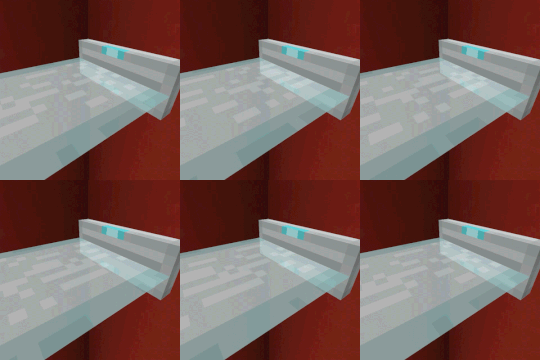
Laser Bridges & Doors in All the Mons
All the Mons 1.3.0 ships version 6 · First seen in 0.3.0-beta
Laser Bridges & Doors is a mod in All the Mons 1.3.0, where it is version 6. Adds laser sources that create laser platforms and doors when powered (Summary from the mod's Modrinth page.)
Changed in 1.3.0
8 new recipes · 2 new items
Compared with 1.2.0, the last version we have recipe data for. Everything that changed in 1.3.0 →
Laser Bridges & Doors guide for All the Mons
Last verified for All the Mons v1.3.0 on Oct 13, 2026 · text last changed Oct 13, 2026
Also applies to:All the Mods 10 1.8 to 8.2All the Mods 11 0.1.0 to 0.12.0-betaFTB Evolution 2 1.0.2 to 1.4.0FTB Skies 2 1.0.1 to 1.24.0FTB Skies 2: Aero 1.0.3 to 1.10.0
- Sections
- 5
- Recipes shown
- 12
- Items named
- 4
1 section is written for this pack; 4 are shared from another pack's guide.
Every recipe and number here was checked against All the Mons 1.3.0, read from the running game on Sep 18, 2026.
What is Laser Bridges & Doors?
2 parts
Same as in the All the Mods 10 2.38 guide
Laser Bridges & Doors is a small, decorative redstone mod that gives you futuristic laser bridges, doors and fences. You place a laser source block, give it a redstone signal, and it projects a laser structure outward. This pack ships version 1.21.1-1-neoforge of the mod.[1][2]
How it works
- The laser only forms while the source block is powered by redstone, so a lever, button or pressure plate is enough to open and close a laser door or bridge.[1]
- The length of the laser depends on the redstone signal strength and updates as the signal changes. A weaker signal gives you a shorter bridge.[1]
- You can recolor a laser source by clicking it with a dye in hand, or have a dispenser apply the dye for you.[1]
- There are full block laser sources for more complex redstone contraptions, plus a Laser Fence Source Block variant for laser fences.[1]
The mod is configurable. One option sets the maximum laser length at full power, and all partial lengths are calculated from it. The mod's own default is 15 blocks. Another option lists the blocks that lasers are allowed to cut through and replace.[1]
Unverified The sources don't confirm whether this pack keeps the mod's default maximum laser length or changes it. Test it in game before you plan a long bridge.
Who it's for
If you like building bases with a sci-fi look, secret entrances or redstone-controlled walkways, this mod is for you. Its job is style and redstone fun rather than tech or resource progression.[1]
Unverified The sources don't document a place for this mod in the pack's progression, and no in-pack recipe for the laser source blocks could be confirmed. Check the recipe viewer in game. This site does hold All the Mons's own recipes, read from the pack itself: look the item up in the item browser.
How do you get started with Laser Bridges & Doors?
4 parts
Same as in the All the Mods 10 8.1 guide
Everything in this mod starts with one block: the Laser Source. Give it a redstone signal and it projects futuristic laser bridges, doors and fences. The length of the laser depends on the redstone signal strength and updates dynamically.[1]
Step 1: Craft a Laser Source
Make this first, because every other item in the mod is built from it. The pack changed the mod's own recipe for the Laser Source and also adds a second version through KubeJS. Both are shown below, and either one gets you the block.[3]
Crafting Shaped
| any iron ingot | any iron ingot | |
| any iron ingot | any iron ingot | |
| any iron ingot | any iron ingot | any iron ingot |
Recipe id: laserbridges:laser_source_block
The mod's own recipe, changed by the pack.
Shaped (kubejs)
| any iron ingot | any glass blocks | any iron ingot |
| any iron ingot | any iron ingot | |
| any iron ingot | any iron ingot | any iron ingot |
Recipe id: kubejs:kjs/laserbridges_laser_source_block
An extra recipe added by the pack through KubeJS.
Step 2: Switch to a Laser Fence Source if you need fences
The Laser Fence Source is the fence version of the same block, so you don't need a separate build for it. Put a Laser Source in the crafting grid to get a Laser Fence Source. The swap works in both directions, so you can change your mind later.[1][3]
Laser Source into Laser Fence Source.
Laser Fence Source back into Laser Source.
The pack also adds a direct crafting recipe for the fence version, so you can skip the swap if you only want fences.[3]
Crafting Shaped
Recipe id: deimos:deimosgeneratedcrafting1
Crafts the Laser Fence Source directly.
Step 3: Upgrade to full blocks for bigger contraptions
Once you're comfortable with the basics, make the full block versions. The mod recommends full block laser sources for more complicated redstone contraptions. In this pack, the Laser Source Block and the Laser Fence Source Block are each crafted from their matching basic source.[1][3]
Crafting Shaped
| Empty slot | Empty slot | |
Recipe id: deimos:deimosgeneratedcrafting4
Laser Source Block, made from a Laser Source.
Crafting Shaped
| Empty slot | ||
| Empty slot |
Recipe id: deimos:deimosgeneratedcrafting5
Laser Fence Source Block, made from a Laser Fence Source.
The pack also adds swap recipes between the two full blocks, in both directions, just like the basic pair.[3]
Step 4: Power it and color it
Place your source and feed it redstone to see the laser appear. You can also color a source by clicking it with a dye, or by using a dispenser to apply the dye.[1]
How does Laser Bridges & Doors work?
4 parts
Same as in the All the Mods 10 8.1 guide
Laser Bridges & Doors runs on redstone. When a laser source block is activated by a redstone signal, it forms a futuristic laser bridge, door or fence.[1]
Redstone controls the length
The length of the laser depends on the strength of the redstone signal, and it updates dynamically as the signal changes. A fully powered source produces the maximum length, and every shorter length is calculated from that maximum.[1]
The mod's own default for that maximum is 15, set by the max_length option in config/laserbridges.json. A second option, blocks_cut_through_by_lasers, is a list of blocks that lasers can replace.[1]
Unverified The sources here do not show this pack's values for max_length or for the blocks_cut_through_by_lasers list. Those live in the mod's config file (laserbridges.json), so check them there or in the in-game config screen.
The source blocks
The Laser Source is the bridge-style source, and the Laser Fence Source is its fence counterpart. You can convert one into the other in the crafting grid, and it works both ways.[1][3]
Converts a Laser Source into a Laser Fence Source.
Converts it back into a Laser Source.
The pack changed the crafting recipe for the Laser Source compared with the mod's own description. The pack's version accepts any iron ingot, and the pack also adds a KubeJS recipe that accepts any glass block. The rendered recipes below are the ones that count in this pack.[1][3]
Crafting Shaped
| any iron ingot | any iron ingot | |
| any iron ingot | any iron ingot | |
| any iron ingot | any iron ingot | any iron ingot |
Recipe id: laserbridges:laser_source_block
The pack-changed recipe for the Laser Source.
Shaped (kubejs)
| any iron ingot | any glass blocks | any iron ingot |
| any iron ingot | any iron ingot | |
| any iron ingot | any iron ingot | any iron ingot |
Recipe id: kubejs:kjs/laserbridges_laser_source_block
An extra pack recipe that accepts any glass block.
Full block versions
The mod's project page recommends full block laser sources for building more complicated redstone contraptions. In this pack those are the Laser Source Block and the Laser Fence Source Block. Each is crafted from its matching standard source, and the two full block types can be converted into each other.[1][3]
Crafting Shaped
| Empty slot | Empty slot | |
Recipe id: deimos:deimosgeneratedcrafting4
Crafts the Laser Source Block.
Crafting Shaped
| Empty slot | ||
| Empty slot |
Recipe id: deimos:deimosgeneratedcrafting5
Crafts the Laser Fence Source Block.
Crafting Shapeless
Recipe id: deimos:deimosgeneratedcrafting6
Converts a Laser Source Block into a Laser Fence Source Block.
Converts it back into a Laser Source Block.
Coloring
You can color a laser source block by clicking it with a dye in hand. A dispenser can apply the dye too.[1]
How do you progress through Laser Bridges & Doors?
3 parts
Same as in the All the Mods 10 8.1 guide
The sources for this mod show a short chain of crafting steps rather than a ladder of power tiers. You start with a basic source, you can swap it between two kinds, and you can then upgrade either kind to a full-block version.[3]
Unverified The quest sources here do not show any quest involving this mod, so this section follows the recipes only.
Step 1: The basic sources
Your entry point is the Laser Source. Its fence counterpart is the Laser Fence Source. The pack changed the mod's own Laser Source recipe, so what you see below is the pack's version, not the mod default.[3]
Crafting Shaped
| any iron ingot | any iron ingot | |
| any iron ingot | any iron ingot | |
| any iron ingot | any iron ingot | any iron ingot |
Recipe id: laserbridges:laser_source_block
This is the mod's own Laser Source recipe, as changed by the pack.
The pack also adds its own recipes for the same result, including one that takes any glass block. Use whichever fits what is in your inventory.[3]
Shaped (kubejs)
| any iron ingot | any glass blocks | any iron ingot |
| any iron ingot | any iron ingot | |
| any iron ingot | any iron ingot | any iron ingot |
Recipe id: kubejs:kjs/laserbridges_laser_source_block
Crafting Shaped
Recipe id: deimos:deimosgeneratedcrafting0
The Laser Fence Source can be crafted directly with its own pack-added recipe.[3]
Crafting Shaped
Recipe id: deimos:deimosgeneratedcrafting1
Switching between the two kinds
You do not have to commit to one kind. The mod has a shapeless recipe that turns a Laser Source into a Laser Fence Source, and another that turns it back.[3]
The pack adds its own conversion recipes that do the same job.[3]
Step 2: Full-block versions
The next step is the full-block form: the Laser Source Block and the Laser Fence Source Block. Each one is crafted from its matching basic source, and both recipes are added by the pack.[3]
Crafting Shaped
| Empty slot | Empty slot | |
Recipe id: deimos:deimosgeneratedcrafting4
Pack-added recipe for the Laser Source Block.
Crafting Shaped
| Empty slot | ||
| Empty slot |
Recipe id: deimos:deimosgeneratedcrafting5
Pack-added recipe for the Laser Fence Source Block.
The pack also adds shapeless recipes that swap the full blocks between the two kinds, in both directions.[3]
Crafting Shapeless
Recipe id: deimos:deimosgeneratedcrafting6
What changed in Laser Bridges & Doors between versions?
1 part
All the Mons 1.3.0 ships Laser Bridges & Doors 6. The mod has been in the pack since All the Mons 0.3.0-beta or earlier. I have no pack changelog entries for this mod, so everything below comes from the mod's own changelogs.[4]
Changes in the mod's own changelogs
Sources
- Laser Bridges & Doors project page (modrinth) · official mod data
- All the Mods 10 2.38 mod list · pack file
- All the Mods 10 8.1 recipe dump: recipes making Laser Bridges & Doors items · pack recipe dump
- All the Mons 1.3.0 mod list · pack file
- Laser Bridges & Doors 6 changelog · changelog
- Laser Bridges & Doors 5.3 changelog · changelog
Where this guide comes from
Written from what All the Mons itself ships: its files and recipes, the in-game guidebooks and the mods' own pages. Every statement links to the source it came from, and the numbers are checked against the pack before publishing.
Guide last verified Oct 13, 2026.
Guides for other versions: 0.3.0-beta to 1.2.0
Report wrong info
Version in each release
28 releases, first in 0.3.0-beta
| All the Mons | Version | Jar | Where it came from |
|---|---|---|---|
| 1.3.0 Sep 6, 2026 | 6 | laserbridges-1.21.1-neoforge-6.jar | From the published release |
| 1.2.0 Aug 3, 2026 | 5.3 | laserbridges-1.21.1-neoforge-5.3.jar | From the published release |
| 1.1.1 Jul 14, 2026 | 5.3 | laserbridges-1.21.1-neoforge-5.3.jar | From the published release |
| 1.1.0 Jul 14, 2026 | 5.3 | laserbridges-1.21.1-neoforge-5.3.jar | From the published release |
| 1.0.1 Jul 2, 2026 | 5.3 | laserbridges-1.21.1-neoforge-5.3.jar | From the published release |
| 1.0.0 Jul 2, 2026 | 5.3 | laserbridges-1.21.1-neoforge-5.3.jar | From the published release |
| 1.0.0-rc.7 Jun 14, 2026 | 5.3 | laserbridges-1.21.1-neoforge-5.3.jar | From the published release |
| 1.0.0-rc.6 May 20, 2026 | 5.3 | laserbridges-1.21.1-neoforge-5.3.jar | From the published release |
| 1.0.0-rc.5 May 14, 2026 | 5.3 | laserbridges-1.21.1-neoforge-5.3.jar | From the published release |
| 1.0.0-rc.4 Apr 21, 2026 | 5.3 | laserbridges-1.21.1-neoforge-5.3.jar | From the published release |
| 1.0.0-rc.2 Apr 19, 2026 | 5.3 | laserbridges-1.21.1-neoforge-5.3.jar | From the published release |
| 1.0.0-rc.1 Apr 18, 2026 | 5.3 | laserbridges-1.21.1-neoforge-5.3.jar | From the published release |
| 0.18.0-beta Apr 8, 2026 | 5.3 | laserbridges-1.21.1-neoforge-5.3.jar | From the published release |
| 0.17.0-beta Apr 7, 2026 | 5.3 | laserbridges-1.21.1-neoforge-5.3.jar | From the published release |
| 0.16.0-beta Apr 5, 2026 | 5.3 | laserbridges-1.21.1-neoforge-5.3.jar | From the published release |
| 0.15.0-beta Apr 2, 2026 | 5.3 | laserbridges-1.21.1-neoforge-5.3.jar | From the published release |
| 0.14.1-beta Mar 31, 2026 | 5.3 | laserbridges-1.21.1-neoforge-5.3.jar | From the published release |
| 0.14.0-beta Mar 18, 2026 | 5.3 | laserbridges-1.21.1-neoforge-5.3.jar | From the published release |
| 0.13.0-beta Mar 18, 2026 | 5.3 | laserbridges-1.21.1-neoforge-5.3.jar | From the published release |
| 0.12.0-beta Mar 6, 2026 | 5.3 | laserbridges-1.21.1-neoforge-5.3.jar | From the published release |
| 0.11.0-beta Feb 24, 2026 | 5.3 | laserbridges-1.21.1-neoforge-5.3.jar | From the published release |
| 0.10.0-beta Feb 6, 2026 | 5.3 | laserbridges-1.21.1-neoforge-5.3.jar | From the published release |
| 0.9.0-beta Jan 30, 2026 | 5.3 | laserbridges-1.21.1-neoforge-5.3.jar | From the published release |
| 0.8.0-beta Jan 30, 2026 | 5.3 | laserbridges-1.21.1-neoforge-5.3.jar | From the published release |
| 0.7.0-beta Jan 29, 2026 | 5.3 | laserbridges-1.21.1-neoforge-5.3.jar | From the published release |
| 0.6.0-beta Jan 26, 2026 | 5.3 | laserbridges-1.21.1-neoforge-5.3.jar | From the published release |
| 0.4.0-beta Jan 25, 2026 | 5.3 | laserbridges-1.21.1-neoforge-5.3.jar | From the published release |
| 0.3.0-beta Jan 22, 2026 | 5.3 | laserbridges-1.21.1-neoforge-5.3.jar | From the published release |
"From pack files" means the list came from the pack's own files; "from the published release" means ForgeBase read the jars of the release itself.
Comments and tips
Loading comments...