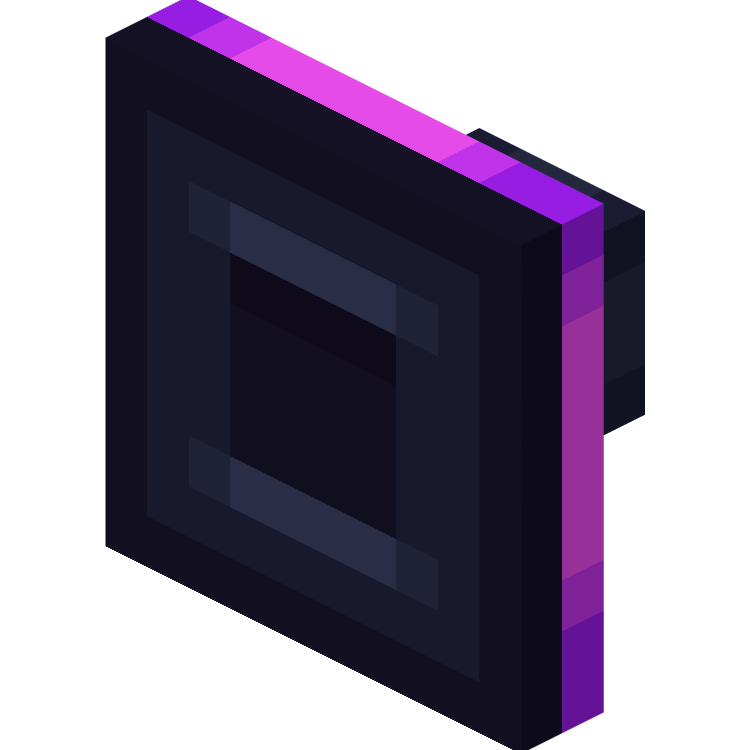
Cable Tiers in FTB Evolution 2
FTB Evolution 2 1.4.0 ships version 26.1.2-1.0.3 · First seen in 1.0.2
Cable Tiers is a mod in FTB Evolution 2 1.4.0, where it is version 26.1.2-1.0.3. Adds better Exporter, Importer, Constructor, Destructor, Disk Interface, Autocrafter, Interface, Requester from Refined Storage and RSRequestify (Summary from the mod's Modrinth page.)
Cable Tiers guide for FTB Evolution 2
Last verified for FTB Evolution 2 v1.4.0 on Oct 13, 2026 · text last changed Oct 13, 2026
Also applies to:All the Mods 10 2.44 to 4.10All the Mods 11 0.1.0 to 0.12.0-betaProject Infinity 0.1 0.0.45.4
- Sections
- 6
- Recipes shown
- 8
- Items named
- 19
4 sections are written for this pack; 2 are shared from another pack's guide.
Every recipe and number here was checked against FTB Evolution 2 1.4.0, read from the running game on Oct 17, 2026.
What is Cable Tiers?
3 parts
Same as in the All the Mods 10 4.10 guide
Cable Tiers is an add-on for Refined Storage and RSRequestify. It gives you upgraded versions of the Importer, Exporter, Constructor, Destructor, Disk Manipulator, Interface and Requester. The project page also lists the Autocrafter in its title. If your storage network is already running and you want more throughput without building a lot more cables, this mod is for you.[1]
The three tiers
- Elite: 9 more filter slots and 2x faster.[1]
- Ultra: 27 more filter slots, 5x faster, with a stack upgrade integrated.[1]
- Mega: 45 more filter slots, 6.5x faster, with a stack upgrade integrated.[1]
Those figures come from the mod's project page. I have no pack-specific config or recipe changes to show you for them.[1]
Special features
In this pack
The pack includes Cable Tiers 1.21.1-0.2.6 for NeoForge. It was first added in version 2.43 or earlier, so it is a long-standing part of the modlist.[2]
Unverified The sources I have do not show this mod on the ATM Star path or in any quest, and no in-jar guidebook was found. Treat it as an optional upgrade for your Refined Storage setup rather than a guided progression step.
How do you get started with Cable Tiers?
3 parts
Same as in the All the Mods 11 0.8.0-beta guide
Cable Tiers adds better versions of the Importer, Exporter, Constructor, Destructor, Disk Interface, Autocrafter and Interface from Refined Storage. They come in Elite, Ultra and Mega tiers. So your first goal is to get a Refined Storage network running, then swap its busiest parts for tiered ones.[1]
What each tier gives you
- Elite: 9 more filter slots and 2x faster.[1]
- Ultra: 27 more filter slots, 5x faster, with a stack upgrade integrated.[1]
- Mega: 45 more filter slots, 6.5x faster, with a stack upgrade integrated.[1]
Suggested order
The sources don't set a required progression, so this order is my suggestion. It starts at the lowest tier and with the parts that move items in and out of your network.[1][3]
- Get a working Refined Storage network first. Cable Tiers parts are improved versions of the Refined Storage ones, so you need a network to plug them into.[1]
- Make an Elite Importer and an Elite Exporter for your main storage. They are the first tier, and they give you more filter slots and a speed boost.[1][3]
- Add an Elite Interface and an Elite Autocrafter once you want to automate crafting.[3]
- Move up to the Ultra and Mega versions when you want the integrated stack upgrade and more speed, for example Ultra Exporter and Mega Exporter. Each has its own recipe in the pack.[1][3]
First recipes to look at
Crafting Shaped
| Iron Block | Importer | Iron Block |
| Importer | Advanced Processor | Importer |
| Iron Block | Importer | Iron Block |
Recipe id: cabletiers:elite_importer
The Elite Importer, as crafted in this pack.
Crafting Shaped
| Iron Block | Exporter | Iron Block |
| Exporter | Advanced Processor | Exporter |
| Iron Block | Exporter | Iron Block |
Recipe id: cabletiers:elite_exporter
The Elite Exporter, as crafted in this pack.
Crafting Shaped
| Iron Block | Interface | Iron Block |
| Interface | Advanced Processor | Interface |
| Iron Block | Interface | Iron Block |
Recipe id: cabletiers:elite_interface
The Elite Interface, as crafted in this pack.
Crafting Shaped
| Iron Block | Autocrafter | Iron Block |
| Autocrafter | Advanced Processor | Autocrafter |
| Iron Block | Autocrafter | Iron Block |
Recipe id: cabletiers:elite_autocrafter
The Elite Autocrafter, as crafted in this pack.
The tiered blocks also come in colored variants, and the pack includes recoloring recipes for them. You can leave colors until your network is set up.[3]
How does Cable Tiers work?
8 parts
Cable Tiers gives you upgraded versions of the Refined Storage devices you already use: Importers, Exporters, Constructors, Destructors, Disk Interfaces, Interfaces and Autocrafters. They come in Elite, Ultra and Mega tiers, plus a Creative tier. Every device has the same job as its Refined Storage counterpart. What changes is speed, filter or slot counts, energy use and a few extras.[1][5]
What each tier gives you
The mod's project page lists the filter slot bonus per tier: Elite adds 9 filter slots, Ultra adds 27 and Mega adds 45. In game, the tooltips show this as the total number of filter slots on the device.[1][5]
Speed is set per device in the pack's config. Autocrafters use a speed of 2 for Elite, 5 for Ultra, 8 for Mega and 100 for Creative. Importers, Exporters, Constructors and Destructors use the same 2, 5 and 8 for the three main tiers, and 15,000 for Creative. All of these match the mod defaults, so the pack has not changed them.[6]
- Elite Autocrafter speed: tieredAutocrafters.eliteSpeed is 2.[6]
- Ultra Autocrafter speed: tieredAutocrafters.ultraSpeed is 5.[6]
- Mega Autocrafter speed: tieredAutocrafters.megaSpeed is 8.[6]
Energy use
Each device has its own energy usage option. In this pack the values below are all left at the mod defaults. Note that the Mega tier uses the most energy at each step.[6]
- Autocrafters, Constructors, Destructors and Interfaces: 5 for Elite, 9 for Ultra, 17 for Mega.[6]
- Importers and Exporters: 4 for Elite, 8 for Ultra, 16 for Mega.[6]
- Disk Interfaces: 7 for Elite, 11 for Ultra, 19 for Mega.[6]
Integrated Stack Upgrade
Constructors, Exporters, Importers and Disk Interfaces have a setting for whether the Stack Upgrade is built in. In this pack it is off for Elite and on for Ultra and Mega. So an Elite Constructor needs the upgrade added separately, while a Mega Constructor already has it. The device tooltip says "Has a Stack Upgrade integrated" when it applies.[5][6]
Autocrafters
Autocrafters also differ in pattern capacity. The Ultra Autocrafter has 54 pattern slots, the Mega Autocrafter has 108 and the Creative Autocrafter has 216. You can see this in the Ultra Autocrafter and Mega Autocrafter, and the tooltip reports the total number of input slots.[5][6]
Cable Tiers adds an import mode to its Autocrafters. You can pick one of five options:[1][5]
- Do not import.[5]
- Import everything.[5]
- Import outputs from inserted pattern.[5]
- Import only requested resources.[5]
- Import only requested resources including sub-ingredients.[5]
The pattern grid also gets a "Change input sides (Cable Tiers)" option, which lets you change the side from which resources are inserted during autocrafting. The side picker offers Down, East, North, South, Up and West, plus None, and its help text says the chosen resources are the ones inserted into the target inventory.[1][5]
Interfaces
Interfaces are about throughput. Each tier has a transfer quota multiplier: 50 for Elite, 100 for Ultra and 200 for Mega. The Creative tier is set to 9,223,372,036,854,776,000. The tooltip shows both the multiplier and the total number of input/output slots. Check Elite Interface and Mega Interface in game for the exact slot counts.[5][6]
Filters
The extra filter slots on the Importers, Exporters, Constructors and Destructors are where the tiers pay off. The mod also adds tag filtering. Click a filter slot to open the advanced filter, choose Tag Filter, then press Done.[1][5]
How the pack groups the devices
The pack's scripts put the base Refined Storage device and its Cable Tiers versions together in shared item tags: ftb:tiered_constructors, ftb:tiered_destructors, ftb:tiered_importers, ftb:tiered_exporters and ftb:tiered_interfaces. Each tag holds the base device plus the Elite, Ultra, Mega and Creative versions. That means recipes can accept any tier of a device.[7]
Crafting and colours
The Elite, Ultra and Mega devices have shaped crafting recipes in the pack. Here are two examples:[8]
Crafting Shaped
| Iron Block | Interface | Iron Block |
| Interface | Advanced Processor | Interface |
| Iron Block | Interface | Iron Block |
Recipe id: cabletiers:elite_interface
Crafting Shaped
| Netherite Block | Netherite Block | |
| Dragon Head | ||
| Netherite Block | Netherite Block |
Recipe id: cabletiers:mega_interface
Black versions of the devices, such as Black Elite Importer, are made with Refined Storage's recoloring recipe type rather than by crafting from scratch.[8]
How do you progress through Cable Tiers?
3 parts
Cable Tiers adds upgraded versions of the Refined Storage cable devices. The tiers you can craft directly in this pack are Elite, Mega and Ultra. A Creative tier also shows up among the colored variants.[8]
The tiers and what they cover
- Elite: Elite Importer, Elite Exporter, Elite Constructor, Elite Destructor, Elite Autocrafter, Elite Disk Interface and Elite Interface.[8]
- Mega: the same kinds of devices, for example Mega Importer and Mega Interface.[8]
- Ultra: the same kinds of devices again, for example Ultra Importer and Ultra Interface.[8]
- Creative: colored variants such as Black Creative Importer and Black Creative Autocrafter. The ones in the sources are recoloring results, not shaped crafting recipes.[8]
Crafting the Elite, Mega and Ultra devices
Each Elite, Mega and Ultra device has its own shaped crafting recipe in the pack. Here is the interface at each tier, and every other device has its own recipe in the same way.[8]
Crafting Shaped
| Iron Block | Interface | Iron Block |
| Interface | Advanced Processor | Interface |
| Iron Block | Interface | Iron Block |
Recipe id: cabletiers:elite_interface
Elite Interface.
Crafting Shaped
| Netherite Block | Netherite Block | |
| Dragon Head | ||
| Netherite Block | Netherite Block |
Recipe id: cabletiers:mega_interface
Mega Interface.
Crafting Shaped
| Diamond Block | Diamond Block | |
| Advanced Processor | ||
| Diamond Block | Diamond Block |
Recipe id: cabletiers:ultra_interface
Ultra Interface.
The importers have their own recipes too, so you can compare how the tiers differ for the same device.[8]
Crafting Shaped
| Iron Block | Importer | Iron Block |
| Importer | Advanced Processor | Importer |
| Iron Block | Importer | Iron Block |
Recipe id: cabletiers:elite_importer
Crafting Shaped
| Netherite Block | Netherite Block | |
| Dragon Head | ||
| Netherite Block | Netherite Block |
Recipe id: cabletiers:mega_importer
Crafting Shaped
| Diamond Block | Diamond Block | |
| Advanced Processor | ||
| Diamond Block | Diamond Block |
Recipe id: cabletiers:ultra_importer
Colored variants
The pack has 384 recoloring recipes that produce colored Cable Tiers devices. They use the Refined Storage recoloring recipe type, and the colors visible in the sources are black, blue, brown and cyan. For black, the sources show recoloring results for the Elite, Mega, Ultra and Creative importers, exporters, constructors, destructors, autocrafters and disk interfaces.[8]
The black Creative and Elite blocks in the sources drop themselves when broken and keep a custom name if you gave them one.[9][10][11][12][13][14][15][16][17][18][19]
Which Cable Tiers config options matter?
5 parts
Everything for Cable Tiers lives in one file, config/cabletiers-common.toml. Good news: every numeric value in this pack matches the mod default, so the pack hasn't rebalanced any speeds, energy costs, slot counts or quotas. What you see below is what the mod ships with.[6]
Speed
Each tiered part has a speed option per tier. Elite is set to 2, Ultra to 5 and Mega to 8 for the Autocrafter, Constructor, Destructor, Exporter and Importer. Creative is 100 for Autocrafters and 15,000 for the Constructor, Destructor, Exporter and Importer.[6]
- tieredAutocrafters.eliteSpeed, tieredAutocrafters.ultraSpeed and tieredAutocrafters.megaSpeed are 2, 5 and 8.[6]
- tieredAutocrafters.creativeSpeed is 100, while tieredImporters.creativeSpeed (and the Exporter, Constructor and Destructor equivalents) is 15,000.[6]
Autocrafter pattern slots
Pattern capacity is set per tier: tieredAutocrafters.ultraPatternSlotCount is 54, tieredAutocrafters.megaPatternSlotCount is 108 and tieredAutocrafters.creativePatternSlotCount is 216. All of these are the mod defaults.[6]
Integrated stack upgrade
The Constructor, Exporter, Importer and Disk Interface each have a stack upgrade toggle per tier. In this pack Elite is false and Ultra and Mega are true, so Ultra and Mega versions come with the stack upgrade built in while Elite does not. The Destructor has no such option in this file.[6]
- tieredImporters.eliteStackUpgradeIntegrated is false, while tieredImporters.ultraStackUpgradeIntegrated and tieredImporters.megaStackUpgradeIntegrated are true.[6]
- The Exporter, Constructor and Disk Interface follow the same pattern, for example tieredDiskInterfaces.megaStackUpgradeIntegrated.[6]
Interface transfer quota
Interfaces use a transfer quota multiplier: tieredInterfaces.eliteTransferQuotaMultiplier is 50, tieredInterfaces.ultraTransferQuotaMultiplier is 100 and tieredInterfaces.megaTransferQuotaMultiplier is 200. tieredInterfaces.creativeTransferQuotaMultiplier is 9223372036854776000, which is also the mod default.[6]
Energy usage
Energy cost climbs with tier, and again the pack keeps the defaults. Elite, Ultra and Mega cost 5, 9 and 17 for Autocrafters, Constructors, Destructors and Interfaces. Exporters and Importers cost 4, 8 and 16, and Disk Interfaces cost 7, 11 and 19.[6]
What changed in Cable Tiers between versions?
2 parts
FTB Evolution 2 1.1.0 ships Cable Tiers version 26.1.2-1.0.3, and the mod has been in the pack since FTB Evolution 2 1.0.2 or earlier. Here are the mod's own changelog entries for the two most recent releases.[20]
26.1.2-1.0.3 (the version in this pack)
- Better performance for the importer and destructor, mostly when they are idle.[21]
- Better performance for the exporter and constructor, also mostly when idle.[21]
26.1.2-1.0.2
- Better performance for sided input.[22]
- Fixed a rare crash.[22]
- Refined Types support was re-added.[22]
The sources here include no pack changelog entries for this mod, so there is nothing to report on how it changed between pack releases beyond the mod's own notes above.[20]
Sources
- Cable Tiers project page (modrinth) · official mod data
- All the Mods 10 4.10 mod list · pack file
- All the Mods 11 0.8.0-beta recipe dump: recipes making Cable Tiers items · pack recipe dump
- cabletiers tooltips and descriptions (English lang file) · official mod data
- cabletiers names, screen text and descriptions (English lang file) · official mod data
- FTB Evolution 2 1.1.0 config: config/cabletiers-common.toml · pack file
- kubejs/server_scripts/tags/item.js (FTB Evolution 2's own script) · pack file
- FTB Evolution 2 1.1.0 recipe dump: recipes making Cable Tiers items · pack recipe dump
- data/cabletiers/loot_table/blocks/black_creative_autocrafter.json (cabletiers's jar) · official mod data
- data/cabletiers/loot_table/blocks/black_creative_constructor.json (cabletiers's jar) · official mod data
- data/cabletiers/loot_table/blocks/black_creative_destructor.json (cabletiers's jar) · official mod data
- data/cabletiers/loot_table/blocks/black_creative_disk_interface.json (cabletiers's jar) · official mod data
- data/cabletiers/loot_table/blocks/black_creative_exporter.json (cabletiers's jar) · official mod data
- data/cabletiers/loot_table/blocks/black_creative_importer.json (cabletiers's jar) · official mod data
- data/cabletiers/loot_table/blocks/black_elite_autocrafter.json (cabletiers's jar) · official mod data
- data/cabletiers/loot_table/blocks/black_elite_constructor.json (cabletiers's jar) · official mod data
- data/cabletiers/loot_table/blocks/black_elite_destructor.json (cabletiers's jar) · official mod data
- data/cabletiers/loot_table/blocks/black_elite_disk_interface.json (cabletiers's jar) · official mod data
- data/cabletiers/loot_table/blocks/black_elite_exporter.json (cabletiers's jar) · official mod data
- FTB Evolution 2 1.1.0 mod list · pack file
- Cable Tiers 26.1.2-1.0.3 changelog · changelog
- Cable Tiers 26.1.2-1.0.2 changelog · changelog
Where this guide comes from
Written from what FTB Evolution 2 itself ships: its files and recipes, the in-game guidebooks and the mods' own pages. Every statement links to the source it came from, and the numbers are checked against the pack before publishing.
Guide last verified Oct 13, 2026.
Report wrong info
Version in each release
9 releases, first in 1.0.2
| FTB Evolution 2 | Version | Jar | Where it came from |
|---|---|---|---|
| 1.4.0 Oct 17, 2026 | 26.1.2-1.0.3 | cabletiers-neoforge-26.1.2-1.0.3.jar | From the published release |
| 1.3.2 Oct 16, 2026 | 26.1.2-1.0.3 | cabletiers-neoforge-26.1.2-1.0.3.jar | From the published release |
| 1.3.1 Oct 15, 2026 | 26.1.2-1.0.3 | cabletiers-neoforge-26.1.2-1.0.3.jar | From the published release |
| 1.3.0 Oct 14, 2026 | 26.1.2-1.0.3 | cabletiers-neoforge-26.1.2-1.0.3.jar | From the published release |
| 1.2.2 Oct 13, 2026 | 26.1.2-1.0.3 | cabletiers-neoforge-26.1.2-1.0.3.jar | From the published release |
| 1.2.1 Oct 12, 2026 | 26.1.2-1.0.3 | cabletiers-neoforge-26.1.2-1.0.3.jar | From the published release |
| 1.2.0 Oct 12, 2026 | 26.1.2-1.0.3 | cabletiers-neoforge-26.1.2-1.0.3.jar | From the published release |
| 1.1.0 Oct 10, 2026 | 26.1.2-1.0.3 | cabletiers-neoforge-26.1.2-1.0.3.jar | From the published release |
| 1.0.2 Oct 8, 2026 | 26.1.2-1.0.2 | cabletiers-neoforge-26.1.2-1.0.2.jar | From the published release |
"From pack files" means the list came from the pack's own files; "from the published release" means ForgeBase read the jars of the release itself.
Items and blocks
388 items from the 1.4.0 recipe dump.
Black Creative Autocrafter
Black Creative Constructor
Black Creative Destructor
Black Creative Disk Interface
Black Creative Exporter
Black Creative Importer
Black Elite Autocrafter
Black Elite Constructor
Black Elite Destructor
Black Elite Disk Interface
Black Elite Exporter
Black Elite Importer
Black Mega Autocrafter
Black Mega Constructor
Black Mega Destructor
Black Mega Disk Interface
Black Mega Exporter
Black Mega Importer
Black Ultra Autocrafter
Black Ultra Constructor
Black Ultra Destructor
Black Ultra Disk Interface
Black Ultra Exporter
Black Ultra Importer
Blue Creative Autocrafter
Blue Creative Constructor
Blue Creative Destructor
Blue Creative Disk Interface
Blue Creative Exporter
Blue Creative Importer
Blue Elite Autocrafter
Blue Elite Constructor
Blue Elite Destructor
Blue Elite Disk Interface
Blue Elite Exporter
Blue Elite Importer
Blue Mega Autocrafter
Blue Mega Constructor
Blue Mega Destructor
Blue Mega Disk Interface
Blue Mega Exporter
Blue Mega Importer
Blue Ultra Autocrafter
Blue Ultra Constructor
Blue Ultra Destructor
Blue Ultra Disk Interface
Blue Ultra Exporter
Blue Ultra Importer
Brown Creative Autocrafter
Brown Creative Constructor
Brown Creative Destructor
Brown Creative Disk Interface
Brown Creative Exporter
Brown Creative Importer
Brown Elite Autocrafter
Brown Elite Constructor
Brown Elite Destructor
Brown Elite Disk Interface
Brown Elite Exporter
Brown Elite Importer
...and 328 more.
Config options (how FTB Evolution 2 sets them)
60 settings shipped in the pack's config files; 0 differ from the mod's documented default.
Show settings
| Setting | FTB Evolution 2 value | Mod default |
|---|---|---|
tieredConstructors.eliteStackUpgradeIntegrated config/cabletiers-common.toml | false | not documented |
tieredConstructors.megaStackUpgradeIntegrated config/cabletiers-common.toml | true | not documented |
tieredConstructors.ultraStackUpgradeIntegrated config/cabletiers-common.toml | true | not documented |
tieredDiskInterfaces.eliteStackUpgradeIntegrated config/cabletiers-common.toml | false | not documented |
tieredDiskInterfaces.megaStackUpgradeIntegrated config/cabletiers-common.toml | true | not documented |
tieredDiskInterfaces.ultraStackUpgradeIntegrated config/cabletiers-common.toml | true | not documented |
Comments and tips
Loading comments...