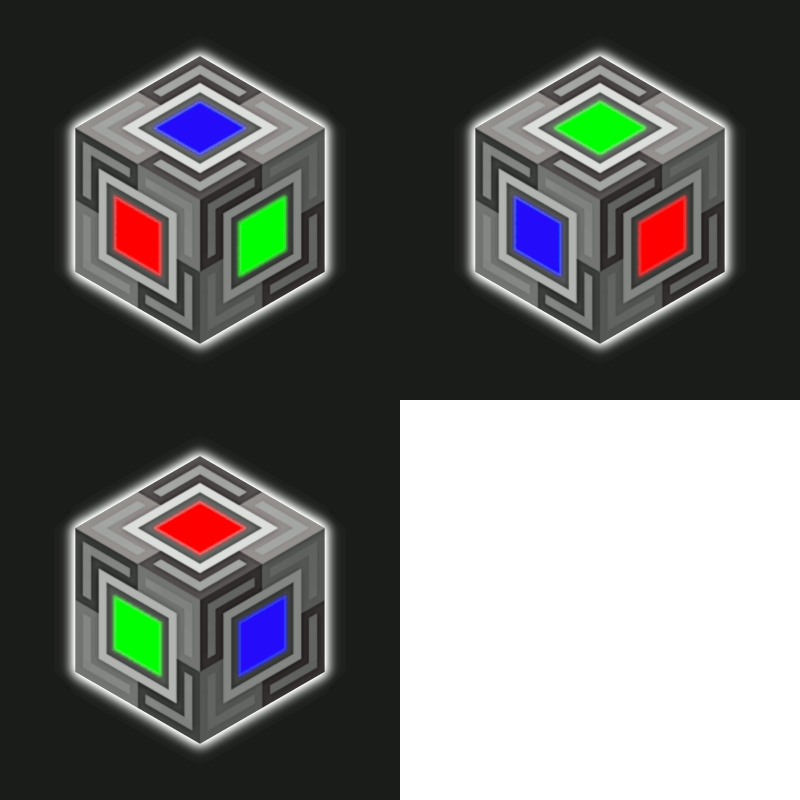
BetterBlockZ in FTB Skies 2: Aero
FTB Skies 2: Aero 1.13.0 ships version 0.2.10-1.21.1-neoforge · First seen in 1.0.3
BetterBlockZ is a mod in FTB Skies 2: Aero 1.13.0, where it is version 0.2.10-1.21.1-neoforge. BetterBlockZ(Ztones Continuation) adds a variety of decorative block sets, ranging from modern and futuristic to fantasy and beyond. (Summary from the mod's Modrinth page.)
BetterBlockZ guide for FTB Skies 2: Aero
Last verified for FTB Skies 2: Aero v1.10.0 on Oct 17, 2026 · text last changed Oct 17, 2026
This is the newest guide. It hasn't been checked against 1.13.0 yet.
Also applies to:FTB Evolution 2 1.0.2 to 1.4.0FTB StoneBlock 4 1.1.1 to 1.23.0Project Infinity 0.1 0.0.49.0 to 0.0.51.4-hotfix-2
- Sections
- 7
- Recipes shown
- 16
- Items named
- 44
5 sections are written for this pack; 2 are shared from another pack's guide.
Every recipe and number here was checked against FTB Skies 2: Aero 1.10.0, read from the running game on Sep 22, 2026.
What is BetterBlockZ?
3 parts
Same as in the FTB StoneBlock 4 1.21.0 guide
BetterBlockZ is a decorative building mod. It continues Ztones and adds modern, industrial, fantasy and futuristic block sets, with expanded variants and reworked textures. The pack ships version 0.2.10 for NeoForge 1.21.1, and the mod's author thanks the FTB team for including it.[1][2]
It is for builders. If you want your base to look like more than a pile of cobble, this is your palette. It doesn't add machines or progression content.[1]
What you get
- Block types: standard blocks, pillars you can rotate like logs, fully rotatable blocks for diagonal textures, and CTM (connected texture) variants on select blocks.[1]
- Lighting: Cyber Lights are no-shade, full-color light blocks that Redstone can toggle. They come as flat blocks and panels for walls, floors or ceilings. The Zeon set is neon-style, its blocks all emit light, and it comes in 16 colors.[1]
- Building tools: Cycler, Checkered Cycler, Placer, Cobble Crafter, Block Extender, Block Replacer and the BlockZ Master, which combines the 4 main tools.[1]
Switching variants
While holding a block, you can sneak and right-click in air, hold Alt and scroll the mouse wheel, or press V to open a selection screen. In your inventory, hover the block and use Alt plus the mouse wheel. Alt and V are default keybinds, so rebind them if another mod uses the same keys. For blocks already placed, use the Cycler tool in Block, Line or Area mode.[1]
Crafting in a nutshell
Each set has a base variant with a standard crafting recipe. Every other variant comes from the Stonecutter, and AE2 can auto-craft those Stonecutter recipes.[1]
How do you get started with BetterBlockZ?
5 parts
BetterBlockZ is a decorative mod with modern, industrial, fantasy and futuristic block sets. Everything starts from one item, so your first job is simple: get BlockZ Core going.[1]
Step 1: Make BlockZ Core
BlockZ Core is the main ingredient for every set, and one craft gives you 8 of them. The pack has a few recipe variants that all give the same result, and this is one of them.[1][3]
Crafting Shaped
Recipe id: betterblockz:blockz_core_stone
Step 2: Craft the base block of a set
Each set has a base variant that you craft by combining Core with a set-specific material. Azur Base is a good first one to try, and one craft makes 8.[1][3]
Crafting Shaped
Recipe id: betterblockz:azur_custom
Watch out for Ztyl Base. The pack changed this recipe from the mod's own, so use the one below and don't rely on what you may have seen elsewhere. One craft makes 16.[3]
Crafting Shaped
Recipe id: betterblockz:ztyl_blockz_0
Step 3: Make BlockZ Aurora
BlockZ Aurora is the next building block to make. One craft makes 16, so a single batch goes a long way.[3]
Crafting Shaped
| any dye | ||
| any dye | any dye | |
| any dye |
Recipe id: betterblockz:aurora_blockz
Crafting Shaped
Recipe id: betterblockz:agon_custom
Several set bases build on Aurora. Agon White is one example, and one craft makes 8.
Step 4: Get the other variants
The base variant has a standard crafting recipe, and all other variants are accessible through Stonecutter recipes, so keep a Stonecutter nearby while you build. The mod's page says AE2 fully supports auto-crafting with Stonecutter recipes.[1]
You can also switch variants without crafting. While holding a block, sneak and right-click in the air, hold Alt and scroll the mouse wheel, or press V to open the selection screen. In your inventory, hover the block and use Alt and the mouse wheel. Alt and V are default keybinds, so if another mod uses them, rebind them in the controls menu.[1]
Step 5: Build your toolkit
The mod's page describes the BlockZ Crafter as a portable crafting table and cobblestone placer. Keep in mind that the page also notes not all tools are currently available on Forge.[1][3]
Crafting Shaped
| Empty slot | Empty slot |
Recipe id: betterblockz:cobble_crafter
The page lists the BlockZ Placer, which places a saved block in Line or Area mode with an undo feature, and the BlockZ Replacer, which selects and replaces blocks dynamically. It also lists the BlockZ Extender, which extends connected blocks. The same note applies: not all tools are currently available on Forge.[1][3]
Crafting Shaped
| Empty slot | Empty slot |
Recipe id: betterblockz:auto_placer
Crafting Shaped
| Empty slot | Empty slot |
Recipe id: betterblockz:block_replacer
Crafting Shaped
| Empty slot | Empty slot |
Recipe id: betterblockz:block_extend
The BlockZ Cycler (the Cycler) changes the variants of blocks already placed in the world, in Block, Line and Area modes. Once you have the main tools, the BlockZ Master combines four of them into one item, as the mod's page describes, again with the caveat that not all tools are currently available on Forge.[1][3]
How does BetterBlockZ work?
7 parts
BetterBlockZ is a decorative mod, so there are no machines, multiblocks, power or fluids to wire up here. The systems that matter are how you craft block sets, how you switch between variants, and how the lights and building tools behave. That is what this section covers.[1]
Block types
- Standard: regular blocks with no special properties or orientation.[1]
- Pillar: rotatable along the X and Y axes, similar to logs.[1]
- Rotatable: fully rotatable blocks for diagonal textures, placeable on floors and walls.[1]
- CTM: connected textures on select variants. These need Athena installed.[1]
How crafting works
Every set follows the same pattern. The base variant of a set has a normal crafting recipe, and every other variant comes from the Stonecutter. BlockZ Core is the main ingredient for all sets.[1]
Core has three recipe variants in the pack, and each one gives 8 cores.[3]
Crafting Shaped
Recipe id: betterblockz:blockz_core_cobble
The Stonecutter side is huge. The pack has 2,724 stonecutting recipes that turn BetterBlockZ blocks into other BetterBlockZ blocks, covering 1,473 different results. The mod page also says AE2 fully supports autocrafting with Stonecutter recipes.[1][3]
Set base recipes
Some set bases are made straight from Core, while others build on another set's base. Agon White gives 8 per craft.[3]
Crafting Shaped
Recipe id: betterblockz:agon_custom
Amber Core Base also gives 8 per craft and builds on another set's base.[3]
Crafting Shaped
Recipe id: betterblockz:ambercore_custom
The pack has changed the recipe for Ztyl Base. The recipe dump marks it as changed by the pack, so don't rely on the mod's own default. It gives 16 per craft.[3]
Crafting Shaped
Recipe id: betterblockz:ztyl_blockz_0
Switching variants
You don't have to craft each variant by hand. While holding a block, you can sneak and right-click in the air, hold Alt and scroll the mouse wheel, or press V to open a selection screen. In your inventory, hover the block and use Alt plus the mouse wheel.[1]
For blocks that are already placed, use the BlockZ Cycler tool, which has Block, Line and Area modes.[1]
Cyber Lights
Cyber Lights are no-shade, full-color light blocks, and redstone can toggle them on and off. They come as flat blocks and as panels, and you can place them on walls, floors or ceilings.[1]
Converting between shapes is done with crafting. One Cyber Light White gives 4 of Cyber Light ◇ White.[3]
The alt block can then be turned into a Cyber Light Panel White by a shapeless craft. Panel colors are changed from the white panel with the Stonecutter, for example to Cyber Light Panel Light Gray.[3]
Cyber Light Bar White and Cyber Light Bar (Vertical) White each convert back into 2 alt blocks. The alt block can be crafted into the bar again.[3]
Crafting Shaped
| Empty slot | ||
| Empty slot | Empty slot | Empty slot |
| Empty slot | Empty slot | Empty slot |
Recipe id: betterblockz:cyberlight_bar_from_alt
Building tools
The mod page lists several tools: Cycler, Checkered Cycler, Placer, Cobble Crafter, Block Extender, Block Replacer and BlockZ Master, which combines 4 main tools. The BlockZ Placer places a saved block in Line or Area mode and has an undo feature. This pack has a crafting recipe for it.[1][3]
Crafting Shaped
| Empty slot | Empty slot |
Recipe id: betterblockz:auto_placer
The mod page also notes that not all tools are available on Forge. Which of the other tools exist in this pack is unverified, because only the Placer recipe appears in the pack's recipes shown here.[1]
Config
The pack's items is set to a list containing one item, and logDirtBlock is true. Their descriptions say they only control what is logged on common setup. magicNumber is 42, the same as the mod default, and magicNumberIntroduction sets an intro message for it. None of these options is described as changing gameplay.[4]
How do you progress through BetterBlockZ?
6 parts
In this pack, BetterBlockZ works as a crafting chain, not a set of power tiers. You start from one base item and branch out into more and more decorative blocks and tools. Here is how the chain looks from the recipes in the pack.[3]
Tier 1: BlockZ Core
BlockZ Core is where you begin. The pack lists four different recipes that all give 8 cores per craft, so you have a few ways to set up the crafting grid.[3]
Crafting Shaped
Recipe id: betterblockz:blockz_core_stone
One of four core recipes, all with the same output of 8.
Tier 2: BlockZ Aurora
BlockZ Aurora is the next step. One craft gives you 16, and a lot of the later base blocks ask for it.[3]
Crafting Shaped
| any dye | ||
| any dye | any dye | |
| any dye |
Recipe id: betterblockz:aurora_blockz
Base blocks made straight from Core
- Azur Base and Cray Base each use 2 cores and give 8 blocks per craft.[3]
- Cyber Light White and Cyber Light ◇ White each give 8 blocks per craft from a core.[3]
- Variant Shuffler Block turns a single core into 5 shuffler blocks.[3]
- Luxe Copper Base uses 2 cores and gives 8 blocks. The pack changed this recipe from the mod's own version.[3]
- Ztyl Base gives 16 blocks per craft and needs Steel Ingot from FTB Materials. The pack changed this recipe too, so expect steel to gate it.[3]
Crafting Shaped
Recipe id: betterblockz:ztyl_blockz_0
Pack-changed recipe: steel from FTB Materials is part of it.
Crafting Shaped
Recipe id: betterblockz:copper_custom
Also changed by the pack.
Blocks that build on Aurora and other bases
Further up the chain, blocks build on earlier ones. Each of these crafts gives 8 blocks.[3]
- Agon White and Bitt Base both use Aurora together with core.[3]
- Fort Base, Zane Base and Iszm Base each use Aurora plus 2 of Ztyl 8, Ztyl 9 and Ztyl 10 respectively (Ztyl 8, Ztyl 9, Ztyl 10).[3]
- Lab Link 19 White uses Aurora plus 2 Lab Link 19 pillars. Reactor 1 White and Reactor 7 White use Aurora plus 2 of the matching CTM Reactor blocks.[3]
- Amber Core Base starts from 2 Synth Alloy Base. Armz Base starts from 2 Eclipse Base. Crimson Slate Base starts from 2 Iron Slate Base.[3]
- The CTM Zeon blocks, such as Zeon Black Base (CTM) and Zeon Blue Base (CTM), combine 2 Eclipse Base with a Cyber Light in the matching colour.[3]
Tools
The BlockZ tools are all built around a core, usually with a stick. The pack has recipes for BlockZ Placer, BlockZ Extender, BlockZ Replacer, BlockZ Pattern Randomizer, BlockZ Checkered Cycler, BlockZ Crafter, BlockZ CTM Toggle Tool and BlockZ Color Changer.[3]
The top of the tool line is BlockZ Master. It is a shapeless recipe that combines the Placer, Extender, Replacer and BlockZ Cycler, so you need those four first.[3]
Stonecutter variants
Once you own a block, you can usually switch its colour or variant at the stonecutter. The pack has 2,724 stonecutting recipes that turn BetterBlockZ blocks into other BetterBlockZ blocks. For example, Cyber Light Panel White can be cut into Light Gray, Gray, Black, Brown and more, up to variant 15.[3]
The Cyber Light line also has crafting conversions between shapes. A Cyber Light White gives 4 Cyber Light ◇ White, and the reverse craft gives 4 Cyber Light White. The bar, vertical bar and flat panel shapes convert in a similar way.[3]
How does BetterBlockZ work with other mods?
1 part
The only link between BetterBlockZ and another mod that the pack's recipes show is with FTB Materials. No quests in the pack involve BetterBlockZ.[3]
Ztyl Base needs an FTB Materials item
The recipe for Ztyl Base is a shaped crafting recipe that the pack has changed. It combines BlockZ Core with Steel Ingot from FTB Materials, so you need to have steel available before you can start building with this set. One craft makes 16 Ztyl Base blocks.[3]
Crafting Shaped
Recipe id: betterblockz:ztyl_blockz_0
The pack's version of the Ztyl Base recipe, linking BetterBlockZ to FTB Materials.
The mod's own page says each set has a base variant with a standard crafting recipe, and the other variants come from the Stonecutter. Ztyl Base is the base block of its set, so it is the one to craft first.[1]
Which BetterBlockZ config options matter?
1 part
Same as in the FTB StoneBlock 4 1.21.0 guide
Good news: BetterBlockZ has a very small common config, so there's not much to tweak. The file has four options, and none of them change how the decorative blocks look or behave. They mostly control what gets written to the log when the game starts.[5]
What the pack sets
- items is a list of items to log on common setup. This pack sets it to a single entry, Iron Ingot.[5]
- logDirtBlock controls whether the dirt block is logged on common setup. This pack has it set to true.[5]
- magicNumber is just "a magic number", and it must be greater than 0. This pack sets it to 42, which is also the mod default, so the pack did not change it.[5]
- magicNumberIntroduction is the introduction message shown with the magic number. This pack sets it to "The magic number is... ".[5]
What changed in BetterBlockZ between versions?
2 parts
FTB Skies 2: Aero 1.10.0 ships BetterBlockZ 0.2.10 for Minecraft 1.21.1 on NeoForge. The mod was first included in pack version 1.0.3 or earlier. These are the two most recent mod releases and what they changed.[6]
0.2.10 (the version in this pack)
- New Zome set with 7 variants: CTM for variants 0, 1, 2, 4 and 5, and regular blocks for 3 and 7. It comes in 16 colors.[7]
- Ztyl variant 13 was added as a crafting ingredient for Zome, and Korp gets a new CTM variant 18.[7]
- New CTM block placement modes. Placing from the main hand uses CTM Group A, main hand while sneaking uses CTM Group B, and the off-hand uses Tile Mode.[7]
- The CTM Toggle Tool now supports both CTM and Tile mode.[7]
- CTM states are now preserved when you use Building Gadgets 2 tools, Create: Wand of Symmetry and the Color Changer Tool.[7]
- Fix: the missing (CTM) and [Pillar] name tags were added to the color set blocks Zeon and Zeno.[7]
0.2.9
- New variants for Synth Alloy and Amber Core: Regular (14, 15), Pillar (16, 17, 18), Rotatable (19), CTM (20, 21, 22, 23) and Retexture (6).[8]
- Lab Link gets CTM variants 20, 21, 22 and 23. Ztyl gets Regular (11) and Pillar (12).[8]
- The mod is now compatible with the latest versions of Athena (4.0.2+).[8]
- Cyber Lights (Flat, Panels, Bar) and other Rotatable blocks now support rotation and mirroring, so they line up correctly with Building Gadgets or world-editing tools.[8]
Sources
- BetterBlockZ project page (modrinth) · official mod data
- FTB StoneBlock 4 1.21.0 mod list · pack file
- FTB Skies 2: Aero 1.10.0 recipe dump: recipes making BetterBlockZ items · pack recipe dump
- FTB Skies 2: Aero 1.10.0 config: config/betterblockz-common.toml · pack file
- FTB StoneBlock 4 1.21.0 config: config/betterblockz-common.toml · pack file
- FTB Skies 2: Aero 1.10.0 mod list · pack file
- BetterBlockZ 0.2.10-1.21.1-neoforge changelog · changelog
- BetterBlockZ 0.2.9-1.21.1-neoforge changelog · changelog
Where this guide comes from
Written from what FTB Skies 2: Aero itself ships: its files and recipes, the in-game guidebooks and the mods' own pages. Every statement links to the source it came from, and the numbers are checked against the pack before publishing.
Guide last verified Oct 17, 2026.
Report wrong info
Version in each release
21 releases, first in 1.0.3
| FTB Skies 2: Aero | Version | Jar | Where it came from |
|---|---|---|---|
| 1.13.0 Sep 28, 2026 | 0.2.10-1.21.1-neoforge | betterblockz-0.2.10-1.21.1-neoforge.jar | From the published release |
| 1.12.1 Sep 22, 2026 | 0.2.10-1.21.1-neoforge | betterblockz-0.2.10-1.21.1-neoforge.jar | From the published release |
| 1.12.0 Sep 21, 2026 | 0.2.10-1.21.1-neoforge | betterblockz-0.2.10-1.21.1-neoforge.jar | From the published release |
| 1.10.0 Sep 8, 2026 | 0.2.10-1.21.1-neoforge | betterblockz-0.2.10-1.21.1-neoforge.jar | From the published release |
| 1.9.1 Sep 2, 2026 | 0.2.10-1.21.1-neoforge | betterblockz-0.2.10-1.21.1-neoforge.jar | From the published release |
| 1.9.0 Sep 1, 2026 | 0.2.10-1.21.1-neoforge | betterblockz-0.2.10-1.21.1-neoforge.jar | From the published release |
| 1.8.0 Aug 25, 2026 | 0.2.10-1.21.1-neoforge | betterblockz-0.2.10-1.21.1-neoforge.jar | From the published release |
| 1.7.3 Aug 19, 2026 | 0.2.10-1.21.1-neoforge | betterblockz-0.2.10-1.21.1-neoforge.jar | From the published release |
| 1.7.2 Aug 18, 2026 | 0.2.10-1.21.1-neoforge | betterblockz-0.2.10-1.21.1-neoforge.jar | From the published release |
| 1.7.1 Aug 18, 2026 | 0.2.10-1.21.1-neoforge | betterblockz-0.2.10-1.21.1-neoforge.jar | From the published release |
| 1.6.1 Aug 13, 2026 | 0.2.10-1.21.1-neoforge | betterblockz-0.2.10-1.21.1-neoforge.jar | From the published release |
| 1.6.0 Aug 11, 2026 | 0.2.10-1.21.1-neoforge | betterblockz-0.2.10-1.21.1-neoforge.jar | From the published release |
| 1.5.1 Aug 8, 2026 | 0.2.10-1.21.1-neoforge | betterblockz-0.2.10-1.21.1-neoforge.jar | From the published release |
| 1.4.1 Aug 4, 2026 | 0.2.10-1.21.1-neoforge | betterblockz-0.2.10-1.21.1-neoforge.jar | From the published release |
| 1.4.0 Aug 3, 2026 | 0.2.10-1.21.1-neoforge | betterblockz-0.2.10-1.21.1-neoforge.jar | From the published release |
| 1.3.0 Jul 30, 2026 | 0.2.9-1.21.1-neoforge | betterblockz-0.2.9-1.21.1-neoforge.jar | From the published release |
| 1.2.1 Jul 28, 2026 | 0.2.9-1.21.1-neoforge | betterblockz-0.2.9-1.21.1-neoforge.jar | From the published release |
| 1.2.0 Jul 28, 2026 | 0.2.9-1.21.1-neoforge | betterblockz-0.2.9-1.21.1-neoforge.jar | From the published release |
| 1.1.1 Jul 25, 2026 | 0.2.9-1.21.1-neoforge | betterblockz-0.2.9-1.21.1-neoforge.jar | From the published release |
| 1.1.0 Jul 24, 2026 | 0.2.9-1.21.1-neoforge | betterblockz-0.2.9-1.21.1-neoforge.jar | From the published release |
| 1.0.3 Jul 17, 2026 | 0.2.9-1.21.1-neoforge | betterblockz-0.2.9-1.21.1-neoforge.jar | From the published release |
"From pack files" means the list came from the pack's own files; "from the published release" means ForgeBase read the jars of the release itself.
Items and blocks
500 items from the 1.10.0 recipe dump.
Agon White
Agon Light Gray
Agon Cyan
Agon Light Blue
Agon Blue
Agon Purple
Agon Magenta
Agon Pink
Agon Gray
Agon Black
Agon Brown
Agon Red
Agon Orange
Agon Yellow
Agon Lime
Agon Green
Amber Core Base
Amber Core 1
Amber Core 10 (CTM)
Amber Core 11 (CTM)
Amber Core 12 (CTM)
Amber Core 13 (CTM)
Amber Core 14
Amber Core 15
Amber Core 16 [Pillar]
Amber Core 17 [Pillar]
Amber Core 18 [Pillar]
Amber Core 19
Amber Core 2 [Pillar]
Amber Core 20 (CTM)
Amber Core 21 (CTM)
Amber Core 22 (CTM)
Amber Core 23 (CTM)
Amber Core 3
Amber Core 4 (CTM)
Amber Core 5 [Pillar]
Amber Core 6 [Pillar]
Amber Core 7 (CTM)
Amber Core 8 (CTM)
Amber Core 9 (CTM)
Armz Base
Armz 1
Armz 10 [Pillar]
Armz 11
Armz 12
Armz 13
Armz 14 (CTM)
Armz 15
Armz 2
Armz 3 [Pillar]
Armz 4 [Pillar]
Armz 5 [Pillar]
Armz 6 [Pillar]
Armz 7
Armz 8 (CTM)
Armz 9
BlockZ Aurora
BlockZ Placer
Azur Base
Azur 1
...and 440 more.
Config options (how FTB Skies 2: Aero sets them)
4 settings shipped in the pack's config files; 0 differ from the mod's documented default.
Show settings
| Setting | FTB Skies 2: Aero value | Mod default |
|---|---|---|
items A list of items to log on common setup. config/betterblockz-common.toml | ["minecraft:iron_ingot"] | not documented |
logDirtBlock Whether to log the dirt block on common setup config/betterblockz-common.toml | true | not documented |
magicNumberIntroduction What you want the introduction message to be for the magic number config/betterblockz-common.toml | The magic number is... | not documented |
magicNumber A magic number config/betterblockz-common.toml | 42 | 42 |
Which FTB Skies 2: Aero mods work with BetterBlockZ?
The FTB Skies 2: Aero mods that share the most recipes with BetterBlockZ. Highlighted ones have a guide.
Comments and tips
Loading comments...