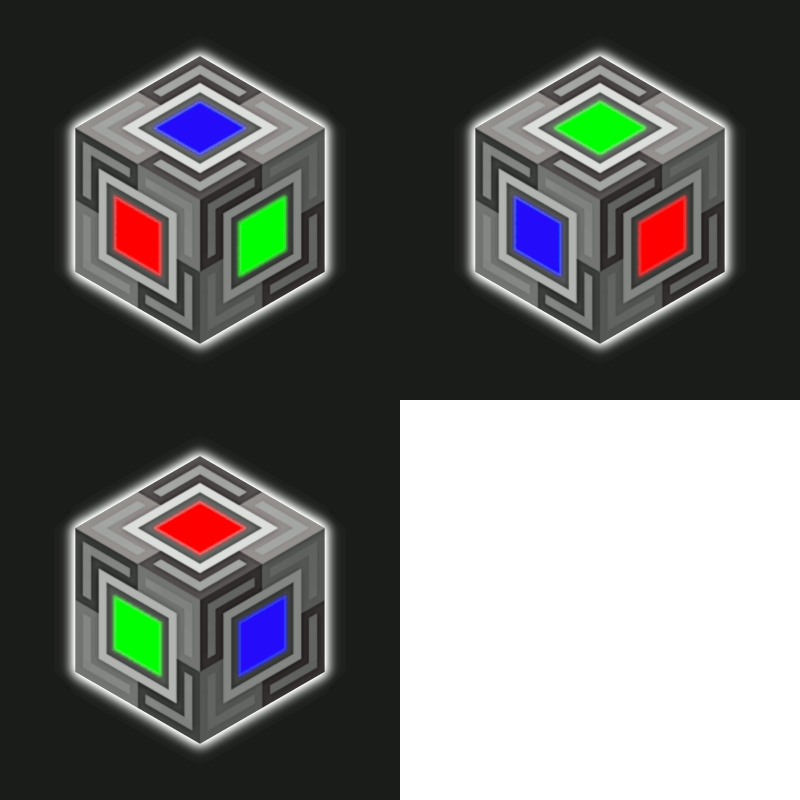
BetterBlockZ in FTB Evolution 2
FTB Evolution 2 1.4.0 ships version 0.3.3-26.1.2-neoforge · First seen in 1.0.2
BetterBlockZ is a mod in FTB Evolution 2 1.4.0, where it is version 0.3.3-26.1.2-neoforge. BetterBlockZ(Ztones Continuation) adds a variety of decorative block sets, ranging from modern and futuristic to fantasy and beyond. (Summary from the mod's Modrinth page.)
BetterBlockZ guide for FTB Evolution 2
Last verified for FTB Evolution 2 v1.4.0 on Oct 17, 2026 · text last changed Oct 16, 2026
Also applies to:FTB Skies 2: Aero 1.0.3 to 1.10.0FTB StoneBlock 4 1.1.1 to 1.23.0Project Infinity 0.1 0.0.49.0 to 0.0.51.4-hotfix-2
- Sections
- 5
- Recipes shown
- 5
- Items named
- 11
4 sections are written for this pack; 1 is shared from another pack's guide.
Every recipe and number here was checked against FTB Evolution 2 1.4.0, read from the running game on Oct 17, 2026.
What is BetterBlockZ?
3 parts
Same as in the FTB StoneBlock 4 1.21.0 guide
BetterBlockZ is a decorative building mod. It continues Ztones and adds modern, industrial, fantasy and futuristic block sets, with expanded variants and reworked textures. The pack ships version 0.2.10 for NeoForge 1.21.1, and the mod's author thanks the FTB team for including it.[1][2]
It is for builders. If you want your base to look like more than a pile of cobble, this is your palette. It doesn't add machines or progression content.[1]
What you get
- Block types: standard blocks, pillars you can rotate like logs, fully rotatable blocks for diagonal textures, and CTM (connected texture) variants on select blocks.[1]
- Lighting: Cyber Lights are no-shade, full-color light blocks that Redstone can toggle. They come as flat blocks and panels for walls, floors or ceilings. The Zeon set is neon-style, its blocks all emit light, and it comes in 16 colors.[1]
- Building tools: Cycler, Checkered Cycler, Placer, Cobble Crafter, Block Extender, Block Replacer and the BlockZ Master, which combines the 4 main tools.[1]
Switching variants
While holding a block, you can sneak and right-click in air, hold Alt and scroll the mouse wheel, or press V to open a selection screen. In your inventory, hover the block and use Alt plus the mouse wheel. Alt and V are default keybinds, so rebind them if another mod uses the same keys. For blocks already placed, use the Cycler tool in Block, Line or Area mode.[1]
Crafting in a nutshell
Each set has a base variant with a standard crafting recipe. Every other variant comes from the Stonecutter, and AE2 can auto-craft those Stonecutter recipes.[1]
How do you get started with BetterBlockZ?
3 parts
BetterBlockZ is a decorative mod: it adds modern, industrial, fantasy and futuristic block sets for building. There is no machine to unlock and nothing to power, so your first steps are about getting the base block of each set and then switching it into the variants you want.[1]
Step 1: Make the base block of a set
Every set starts with one base block that has a normal crafting recipe. BlockZ Core is the main ingredient for all sets, and you combine it with a set-specific material to get the base variant. Start with whichever set matches your build.[1]
Crafting Shaped
| Quartz | ||
| Quartz | Orange Dye | Quartz |
| Quartz |
Recipe id: betterblockz:amber_core_blockz_0_crafting
This gives you 32 Amber Core Base per craft.
Crafting Shaped
| Cactus | ||
Recipe id: betterblockz:armz_blockz_0_crafting
This gives you 8 Armz Base per craft.
Crafting Shaped
| Lapis Lazuli | ||
Recipe id: betterblockz:azur_blockz_0_crafting
This recipe is added by the pack, and it gives you 8 Azur Base per craft.
The Bitt sets come in many colours and each has a base block too. A craft makes 32 blocks, and there is one recipe that uses coal and one that uses charcoal. Black is shown here as the example.[3]
Crafting Shaped
| Coal | ||
| Coal | Black Dye | Coal |
| Coal |
Recipe id: betterblockz:bitt_black_blockz_0_coal_crafting
The charcoal version makes the same 32 Black Bitt Base.
Step 2: Use the Stonecutter for every other variant
Only the base block is crafted on a crafting table. All the other variants of a set come from the Stonecutter, and each one is cut straight from the base block. The dump lists 1,333 stonecutting recipes for this mod, so you will not need to remember them: put the base block in and pick the variant.[1][3]
Stonecutting
Recipe id: minecraft:amber_core_blockz_1_from_amber_core_blockz_0_stonecutting
Variants like Amber Core 1 are cut from the base block.
Step 3: Learn the variant shortcuts
Once you have a block in hand, you can change its variant without going back to the Stonecutter. These are the default controls, and you can change them in the controls menu if another mod uses the same keys.[1]
- Holding the block: sneak and right-click in the air, hold Alt and scroll the mouse wheel, or press V to open the selection screen.[1]
- In your inventory: hover over the block, then hold Alt and scroll the mouse wheel.[1]
How does BetterBlockZ work?
5 parts
Going by the mod page, BetterBlockZ is a decorative mod, so there are no machines, power or fluids to wire up here. The mechanics that matter are how you get blocks, how you switch between their variants, and which tools speed up building. The mod page also notes that not all tools are currently available on Forge, so read the tool descriptions below as the mod page's own descriptions.[1]
Block types
- Standard: the mod page describes these as regular blocks with no special properties or orientation.[1]
- Pillar: the mod page describes these as rotatable along the X and Y axes, similar to logs.[1]
- Rotatable: the mod page describes these as fully rotatable blocks for diagonal textures, placeable on floors and walls.[1]
- CTM: the mod page describes connected textures on select variants, and says this requires Athena.[1]
How crafting works
The mod page says every set has one base variant with a standard crafting recipe, and that all other variants are accessible through Stonecutter recipes. It also says AE2 fully supports auto-crafting with the Stonecutter recipes.[1]
According to the mod page, BlockZ Core is the main ingredient for all sets. It is crafted from stone, cobblestone and smooth stone, then combined with a set-specific material to create the base variant.[1]
In this pack's recipe list there are 226 shaped crafting recipes and 1,333 Stonecutter recipes that make BetterBlockZ items. Amber Core is a good example: one crafting recipe gives you 32 Amber Core Base blocks.[3]
Crafting Shaped
| Quartz | ||
| Quartz | Orange Dye | Quartz |
| Quartz |
Recipe id: betterblockz:amber_core_blockz_0_crafting
Crafting Amber Core Base gives you 32 blocks per craft.
In this pack the Stonecutter recipes turn the base block into other variants of the set. Amber Core 1 is one of those variants.[1][3]
Stonecutting
Recipe id: minecraft:amber_core_blockz_1_from_amber_core_blockz_0_stonecutting
Stonecutting the base block gives Amber Core 1.
Yields differ by set. Armz Base gives 8 per craft, and Bitt bases give 32 per craft. Each Bitt colour has a coal recipe and a charcoal recipe for its base block.[3]
The Azur Base recipe was added by the pack rather than coming from the mod. It makes 8 blocks per craft.[3]
Crafting Shaped
| Lapis Lazuli | ||
Recipe id: betterblockz:azur_blockz_0_crafting
The pack's own recipe for Azur Base.
Blocks drop themselves when broken. The Amber Core Base loot table, for example, drops the block's own item.[4]
Switching variants
You do not have to stonecut every time. The mod page lists these ways to change the variant of a block you are holding:[1]
- Sneak + Right-Click in air, as listed on the mod page.[1]
- Alt + Mouse Wheel Scroll, as listed on the mod page.[1]
- Press V to open the selection screen, as listed on the mod page.[1]
In your inventory, hover the block and use Alt + Mouse Wheel Scroll. Alt and V are default keybinds and can be changed in settings. If another mod uses the same keys, rebind them in the controls menu.[1]
For blocks that are already placed, the mod page points to the BlockZ Cycler tool, which has Block, Line and Area modes. The mod page notes that not all tools are currently available on Forge.[1]
Building tools
- Cycler: the mod page says it cycles block variants in Line or Area mode.[1]
- Checkered Cycler: the mod page says it cycles checkered pattern variants.[1]
- Placer: the mod page says it places a saved block in Line or Area mode, with an Undo feature.[1]
- Cobble Crafter: the mod page describes a portable crafting table and cobblestone placer.[1]
- Block Extender: the mod page says it extends connected blocks.[1]
- Block Replacer: the mod page says you select and replace blocks dynamically.[1]
- BlockZ Master: the mod page says it combines the 4 main tools.[1]
The mod page also lists two Creative-only tools. BlockZ Pallete instantly places a full BetterBlockZ set, and Sneak Right Click places a 5x5. Checkered Builder instantly places a checkered pattern. Remember that the mod page says not all tools are currently available on Forge.[1]
Lighting
Cyber Lights are no-shade, full-colour light blocks that Redstone can toggle on and off. They come as flat blocks and panels, and you can place them on walls, floors or ceilings. The Zeon set is neon-style, with multiple patterns and variants that all emit light, in 16 colours.[1]
How do you progress through BetterBlockZ?
3 parts
BetterBlockZ doesn't give you a tier ladder to climb. The recipes in this pack follow a two-step pattern instead: craft a Base block, then stonecut it into its numbered variants. In total the pack has 226 shaped crafting recipes and 1,333 stonecutting recipes that make BetterBlockZ items.[3]
Step 1: craft the Base blocks
Each family starts with a Base block made at the crafting table. One craft gives you a stack of that Base: 32 Amber Core Base, 8 Armz Base, 8 Blockz Core Base or 32 of each coloured Bitt Base, such as Black Bitt Base.[3]
Crafting Shaped
| Quartz | ||
| Quartz | Orange Dye | Quartz |
| Quartz |
Recipe id: betterblockz:amber_core_blockz_0_crafting
Amber Core Base gives 32 blocks per craft.
Every Bitt colour has two crafting recipes, one with an id ending in coal_crafting and one ending in charcoal_crafting. Both give 32 Bitt Base.[3]
The Chroma Glass recipes shown here, from White Chroma Glass to Purple Chroma Glass, each make 8 blocks.[3]
A recipe the pack added
Azur Base is the one Base recipe in this list that the pack itself added. It makes 8 Azur Base per craft. The other Base recipes here are listed as the mod's own.[3]
Crafting Shaped
| Lapis Lazuli | ||
Recipe id: betterblockz:azur_blockz_0_crafting
Added by the pack, not by the mod.
Step 2: stonecut the variants
The numbered variants all come from the stonecutter, using the matching Base block as the starting point. Amber Core has variants from Amber Core 1 up to Amber Core 26. Armz has variants from Armz 1 up to Armz 21.[3]
Stonecutting
Recipe id: minecraft:amber_core_blockz_1_from_amber_core_blockz_0_stonecutting
Stonecutting turns Amber Core Base into Amber Core 1. The other numbers follow the same pattern.
Blocks I could check from the mod's own data, such as Amber Core Base and Amber Core 1, drop themselves when broken. So you can pick up a placed variant and move it elsewhere.[4][5]
What changed in BetterBlockZ between versions?
2 parts
FTB Evolution 2 1.1.0 ships BetterBlockZ 0.3.3 for NeoForge 26.1.2. The pack has carried the mod since 1.0.2 or earlier, so this is the version you are playing with, and the mod's own changelog for it is the one I can walk you through.[6][7]
Version 0.3.3
This release adds two new block sets and two single new variants to existing sets.[6]
- Zome Set: 7 variants, with CTM on variants 0, 1, 2, 4 and 5 and Standard on variants 3 and 6. It is available in 16 colors.[6]
- Azur Set: 17 variants. Variants 4, 7, 9 and 12 are Pillar, variants 1, 3 and 13 are CTM, and variants 0, 2, 5, 6, 8, 10, 11, 14, 15 and 16 are Standard.[6]
- Ztyl Variant 11, a Standard block.[6]
- Jelt Variant 16, a Pillar block.[6]
Translations and platform
Sources
- BetterBlockZ project page (modrinth) · official mod data
- FTB StoneBlock 4 1.21.0 mod list · pack file
- FTB Evolution 2 1.1.0 recipe dump: recipes making BetterBlockZ items · pack recipe dump
- data/betterblockz/loot_table/blocks/amber_core_blockz_0.json (betterblockz's jar) · official mod data
- data/betterblockz/loot_table/blocks/amber_core_blockz_1.json (betterblockz's jar) · official mod data
- BetterBlockZ 0.3.3-26.1.2-neoforge changelog · changelog
- FTB Evolution 2 1.1.0 mod list · pack file
Where this guide comes from
Written from what FTB Evolution 2 itself ships: its files and recipes, the in-game guidebooks and the mods' own pages. Every statement links to the source it came from, and the numbers are checked against the pack before publishing.
Guide last verified Oct 17, 2026.
Report wrong info
Version in each release
9 releases, first in 1.0.2
| FTB Evolution 2 | Version | Jar | Where it came from |
|---|---|---|---|
| 1.4.0 Oct 17, 2026 | 0.3.3-26.1.2-neoforge | betterblockz-0.3.3-26.1.2-neoforge.jar | From the published release |
| 1.3.2 Oct 16, 2026 | 0.3.3-26.1.2-neoforge | betterblockz-0.3.3-26.1.2-neoforge.jar | From the published release |
| 1.3.1 Oct 15, 2026 | 0.3.3-26.1.2-neoforge | betterblockz-0.3.3-26.1.2-neoforge.jar | From the published release |
| 1.3.0 Oct 14, 2026 | 0.3.3-26.1.2-neoforge | betterblockz-0.3.3-26.1.2-neoforge.jar | From the published release |
| 1.2.2 Oct 13, 2026 | 0.3.3-26.1.2-neoforge | betterblockz-0.3.3-26.1.2-neoforge.jar | From the published release |
| 1.2.1 Oct 12, 2026 | 0.3.3-26.1.2-neoforge | betterblockz-0.3.3-26.1.2-neoforge.jar | From the published release |
| 1.2.0 Oct 12, 2026 | 0.3.3-26.1.2-neoforge | betterblockz-0.3.3-26.1.2-neoforge.jar | From the published release |
| 1.1.0 Oct 10, 2026 | 0.3.3-26.1.2-neoforge | betterblockz-0.3.3-26.1.2-neoforge.jar | From the published release |
| 1.0.2 Oct 8, 2026 | 0.3.3-26.1.2-neoforge | betterblockz-0.3.3-26.1.2-neoforge.jar | From the published release |
"From pack files" means the list came from the pack's own files; "from the published release" means ForgeBase read the jars of the release itself.
Items and blocks
500 items from the 1.4.0 recipe dump.
Amber Core Base
Amber Core 1
Amber Core 10
Amber Core 11
Amber Core 12
Amber Core 13
Amber Core 14
Amber Core 15
Amber Core 16
Amber Core 17
Amber Core 18
Amber Core 19
Amber Core 2
Amber Core 20
Amber Core 21
Amber Core 22
Amber Core 23
Amber Core 24
Amber Core 25
Amber Core 26
Amber Core 3
Amber Core 4
Amber Core 5
Amber Core 6
Amber Core 7
Amber Core 8
Amber Core 9
Armz Base
Armz 1
Armz 10
Armz 11
Armz 12
Armz 13
Armz 14
Armz 15
Armz 16
Armz 17
Armz 18
Armz 19
Armz 2
Armz 20
Armz 21
Armz 3
Armz 4
Armz 5
Armz 6
Armz 7
Armz 8
Armz 9
Azur Base
Azur 1
Azur 10
Azur 11
Azur 12
Azur 13
Azur 14
Azur 15
Azur 16
Azur 2
Azur 3
...and 440 more.
Comments and tips
Loading comments...