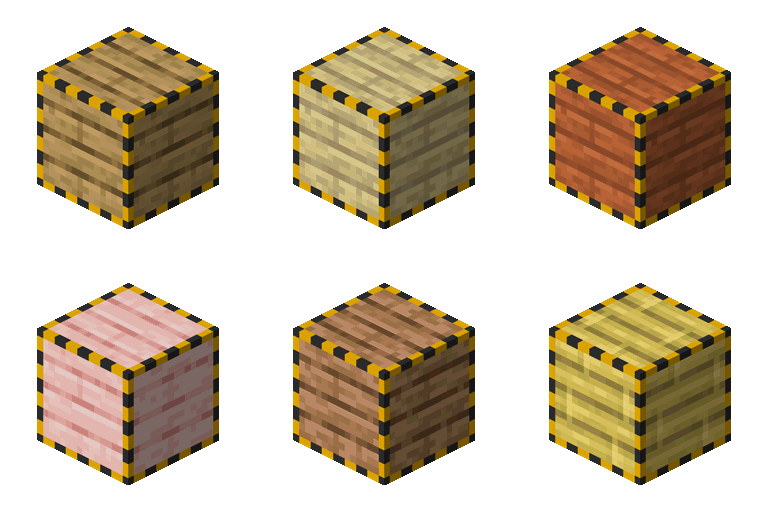
Cable Facades in FTB Skies 2: Aero
FTB Skies 2: Aero 1.13.0 ships version 2.1.4 · First seen in 1.0.3
Cable Facades is a mod in FTB Skies 2: Aero 1.13.0, where it is version 2.1.4. Adds Facades for all kind of pipes (Summary from the mod's Modrinth page.)
Cable Facades guide for FTB Skies 2: Aero
Last verified for FTB Skies 2: Aero v1.10.0 on Oct 16, 2026 · text last changed Oct 16, 2026
This is the newest guide. It hasn't been checked against 1.13.0 yet.
- Sections
- 7
- Recipes shown
- 3
- Items named
- 3
- Quests covered
- 6
Every recipe and number here was checked against FTB Skies 2: Aero 1.10.0, read from the running game on Sep 22, 2026.
What is Cable Facades?
3 parts
Cable Facades lets you hide your cables behind the look of another block. Its project page describes it as adding facade support for most cables and blocks in the game, so your pipes and wires don't have to spoil a clean build. This pack includes version 2.1.4, and the mod has been here since 1.0.3 or earlier.[1][2]
How it works in the pack
The pack's quest book explains the basics. You set up an empty Facade by putting it in a crafting grid with the block you want it to look like. Putting the Facade back in a crafting grid reverts it. Once it's set up, you place it over your cables.[3]
The Facade Wrench toggles facade transparency when you Sneak + Right-click with it. That's handy when you need to see the cable underneath.[3]
Which blocks can be covered
The mod page says you can add your own entries to the list of coverable blocks in the cable_facades-common.toml config file. It supports the '*' wildcard, and its examples are pipez:*_pipe and mekanism:*_cable. The mod also has a block tag, #cable_facades:supports_facade. I can't see this pack's own values for that list, so check the config in your instance.[1]
Where it sits in the quest book
The quest "Cable Facades" quest is in the chapter "Useful Items & Tips", which is chapter 2 of 31 in the book and has 30 quests. Its tasks are the Facade and the Facade Wrench. The chapter's own intro quest, "Tips & Tricks!" quest, says it collects useful items and tips for your playthrough.[3]
How do you get started with Cable Facades?
5 parts
Cable Facades is all about hiding your cables, and the pack's quest book introduces it in the "Cable Facades" quest quest, in the "Useful Items & Tips" chapter. The quest asks for two things: the Facade and the Facade Wrench. That's your starting order too.[3]
Step 1: Craft some Facades
The Facade is the item that does the hiding, so make it first. One craft gives you 16 of them.[3][4]
Crafting Shaped
| any yellow dye | Empty slot | any red dye |
| Empty slot | any wool | Empty slot |
| any red dye | Empty slot | any yellow dye |
Recipe id: cable_facades:facade_item
Step 2: Make the Facade Wrench
The wrench is the second quest item. Its job is to toggle facade transparency: Sneak + Right-click with it. It's cheap to make, so craft it right away.[3][4]
Crafting Shaped
| Empty slot | Empty slot | |
| Empty slot | Empty slot |
Recipe id: cable_facades:wrench
Step 3: Set up a Facade
A fresh Facade is empty. To set it up, put it in a crafting grid together with the block you want it to look like. That converts it. If you change your mind, put the converted Facade back in a crafting grid to revert it.[3]
Then place the set-up Facade over your cables. This pack's consumeFacade option is set to true, which means the facade is consumed when you place it.[3][5]
What can be covered
In this pack's config, blocks is set to the "*" wildcard, so every block is allowed to be covered, and not_allowed_blocks is empty. Create blocks are on the scale_up_blocks list, which gives them a slight scale-up when facaded. The pack also adds support for Refined Storage cables, importers and exporters, plus Modern Industrialization pipes and a couple of Industrial Foregoing Souls blocks, through added_blocks.[5]
Directional Facade
There is also a second craftable variant, the Directional Facade. It is made in batches of 16 too.[4][6]
Crafting Shaped
| any green dye | Empty slot | any red dye |
| Empty slot | any wool | Empty slot |
| any red dye | Empty slot | any green dye |
Recipe id: cable_facades:directional_facade_item
How does Cable Facades work?
4 parts
Cable Facades adds facades, which are covers you place over pipes and cables. The mod's project page describes it as adding facades for all kinds of pipes, and in this pack nearly all of its behaviour is set in one config file.[1]
Getting the items
The mod gives you the Facade and the Directional Facade as covers, plus a tool, the Facade Wrench. The pack's crafting recipe for each one is shown below.[4][6]
Crafting Shaped
| any yellow dye | Empty slot | any red dye |
| Empty slot | any wool | Empty slot |
| any red dye | Empty slot | any yellow dye |
Recipe id: cable_facades:facade_item
This recipe makes 16 facades per craft.
Crafting Shaped
| any green dye | Empty slot | any red dye |
| Empty slot | any wool | Empty slot |
| any red dye | Empty slot | any green dye |
Recipe id: cable_facades:directional_facade_item
This recipe makes 16 directional facades per craft.
Crafting Shaped
| Empty slot | Empty slot | |
| Empty slot | Empty slot |
Recipe id: cable_facades:wrench
This is the pack's recipe for the Facade Wrench.
The mod's language file includes a tooltip that reads "Right click to toggle/disable facade transparency".[6]
What can be covered
In this pack, blocks is set to the wildcard "*", so any block is allowed to be covered. The exclusion list, not_allowed_blocks, is empty, so nothing is explicitly banned. Both options accept '*' wildcards.[5]
The project page also says blocks can be allowed through the block tag #cable_facades:supports_facade, and shows wildcard entries such as "mekanism:*_cable" as an example of how to add things by hand.[1]
The pack's added_blocks list names the extra blocks added in this version: the Refined Storage cable, importer and exporter, the Industrial Foregoing Souls network pipe and soul surge, and the Modern Industrialization pipe.[5]
Placing and rendering behaviour
- consumeFacade is true in this pack, so a facade is used up when you place it.[5]
- hidden_when_facaded is empty, so no blocks are set to stop rendering when they are covered.[5]
- scale_up_blocks is set to "*create*". Matching blocks, such as Create mod blocks, get a slight scale-up when facaded.[5]
- z_fighting lists ae2:cable_bus, which gets z-fighting fixes when covered.[5]
Config housekeeping
auto_update_config is true, which means new blocks for the config are fetched from the network. The file also holds configVersion, lastConfigVersion and last_version_blocks. The file marks lastConfigVersion and last_version_blocks as do not modify manually, so leave those alone.[5]
How do you progress through Cable Facades?
5 parts
Cable Facades has no tiers in this pack. The sources show three items, and the pack's quest book covers two of them in a single quest: Facade and Facade Wrench.[3][4]
Where the quest book puts it
The quest "Cable Facades" quest sits in the "Useful Items & Tips" chapter, which is chapter 2 of 31 in the book. Its tasks are to obtain the Facade and the Facade Wrench. The quest source lists no quest that comes before it.[3]
Step 1: the Facade
The quest describes the Facade as a one-size-fits-all way to hide your cables. An empty Facade is set up by putting it in a crafting grid together with the block you want it to look like. That converts it, and putting the converted Facade back in a crafting grid reverts it. Once it is set up, you place it over your cables.[3]
Crafting Shaped
| any yellow dye | Empty slot | any red dye |
| Empty slot | any wool | Empty slot |
| any red dye | Empty slot | any yellow dye |
Recipe id: cable_facades:facade_item
Each craft makes 16 Facades.
Step 2: the Facade Wrench
The Facade Wrench toggles facade transparency when you Sneak + Right-click with it. That is handy when you need to see the cables behind a facade.[3]
Crafting Shaped
| Empty slot | Empty slot | |
| Empty slot | Empty slot |
Recipe id: cable_facades:wrench
The Directional Facade
The pack also has a recipe for the Directional Facade, and each craft makes 16 of them. It is not one of the tasks of the Cable Facades quest.[3][4]
Crafting Shaped
| any green dye | Empty slot | any red dye |
| Empty slot | any wool | Empty slot |
| any red dye | Empty slot | any green dye |
Recipe id: cable_facades:directional_facade_item
Facades and airships
If you are building ships in the Aeronautics chapter, note that regular cable facades fall off the moment a ship assembles. The pack's "Aeronautics Covers" quest quest covers an alternative that survives Create contraptions and physics assembly. In that chapter it comes after "Light Hull Blocks" quest.[7]
Which FTB Skies 2: Aero quests use Cable Facades?
2 parts
Cable Facades has one quest of its own in this pack. A second quest in a different chapter mentions it as a limitation you'll hit once you start building ships.[3][7]
Useful Items & Tips
The main quest is "Cable Facades" quest. It sits in the "Useful Items & Tips" chapter, which is chapter 2 of 31 in the quest book and holds 30 quests. It asks you to get both Facade and Facade Wrench.[3]
The quest text explains the idea: the mod hides your cables. You put an empty Facade in a crafting grid together with the block you want it to look like, which converts it. Putting the converted Facade back in a crafting grid reverts it. Once it's set up, you place the Facade over your cables.[3]
The Facade Wrench toggles facade transparency when you Sneak + Right-click with it.[3]
Aeronautics
The "Aeronautics" chapter is in the Main Questline group, as chapter 5 of 31. It has no Cable Facades task, but "Aeronautics Covers" quest brings the mod up. That quest describes a Cover as a facade that wraps pipes, cables and other awkward blocks so the hull reads as one surface.[7]
In the chapter's order, "Aeronautics Covers" quest comes after "Light Hull Blocks" quest. That quest in turn follows "The Hull" quest, which follows "Taking to the Skies" quest.[7]
Which Cable Facades config options matter?
3 parts
Everything for facades lives in one file, config/cable_facades-common.toml. Every value below is what the config file in this pack version sets, so here are the options you're most likely to touch.[5]
What can be covered
- In this pack version's file, blocks is set to ["*"]. The file describes this as the list of blocks allowed to be covered, and says it supports the '*' wildcard, so here every block is allowed.[5]
- In this pack version's file, not_allowed_blocks is empty. The file describes it as the list of blocks explicitly not allowed to be used as a cover, and says it supports the '*' wildcard too.[5]
- In this pack version's file, consumeFacade is true, so the facade is consumed when placed.[5]
How covered blocks look
- In this pack version's file, hidden_when_facaded is empty, so no blocks are listed as not rendering when covered.[5]
- In this pack version's file, scale_up_blocks is set to ["*create*"]. The file describes this list as blocks that need a slight scale-up when facaded, for example Create mod blocks.[5]
- In this pack version's file, z_fighting is set to ["ae2:cable_bus"]. The file describes this list as blocks that need z-fighting fixes.[5]
Automatic updates and version tracking
In this pack version's file, auto_update_config is true, which the file describes as new blocks for the config being fetched from the network. added_blocks holds what the file calls additional blocks added in that version: refinedstorage:cable, refinedstorage:importer, refinedstorage:exporter, industrialforegoingsouls:soul_network_pipe, industrialforegoingsouls:soul_surge and modern_industrialization:pipe.[5]
configVersion is 1, which is the mod default. lastConfigVersion is 0, also the mod default. last_version_blocks is empty. The file says the last version entries should not be modified manually, so leave those alone.[5]
The file does not mark any of the other values as changed from the mod default. The only defaults it states are for the two version numbers, and this pack matches them.[5]
What changed in Cable Facades between versions?
2 parts
FTB Skies 2: Aero 1.10.0 ships Cable Facades 2.1.4. The mod has been in the pack since Aero 1.0.3 or earlier, so you've had it for most of the pack's life. I don't have any pack changelog entries for this mod, so what follows comes from the mod's own changelogs.[2]
Cable Facades 2.1.4
- Fixed a crash when rendering facades of some blocks with Sodium 0.8. The changelog names Create Deco catwalks on directional facades and covers as the case.[8]
- Fixed facades of some blocks rendering as invisible with Sodium 0.8 and CodeChickenLib installed. The changelog names Create Deco supports as the case.[8]
Cable Facades 2.1.3
- Fixed a world freeze when loading chunks containing structures with facades, such as jigsaw villages and structure block placements during worldgen.[9]
Both of these releases are for Minecraft 1.21.1, which is what this pack runs on. Since 2.1.4 is the version in Aero 1.10.0, you already have both sets of fixes.[2][8][9]
Sources
- Cable Facades project page (modrinth) · official mod data
- FTB Skies 2: Aero 1.10.0 mod list · pack file
- FTB Skies 2: Aero 1.10.0 quests: "Useful Items & Tips" · pack file
- FTB Skies 2: Aero 1.10.0 recipe dump: recipes making Cable Facades items · pack recipe dump
- FTB Skies 2: Aero 1.10.0 config: config/cable_facades-common.toml · pack file
- cable_facades names, screen text and descriptions (English lang file) · official mod data
- FTB Skies 2: Aero 1.10.0 quests: "Aeronautics" · pack file
- Cable Facades 2.1.4 changelog · changelog
- Cable Facades 2.1.3 changelog · changelog
Where this guide comes from
Written from what FTB Skies 2: Aero itself ships: its files and recipes, the in-game guidebooks and the mods' own pages. Every statement links to the source it came from, and the numbers are checked against the pack before publishing.
Guide last verified Oct 16, 2026.
Guides for other versions: 1.0.3 to 1.7.3
Report wrong info
Version in each release
21 releases, first in 1.0.3
| FTB Skies 2: Aero | Version | Jar | Where it came from |
|---|---|---|---|
| 1.13.0 Sep 28, 2026 | 2.1.4 | cable_facades-1.21.1-NeoForge-2.1.4.jar | From the published release |
| 1.12.1 Sep 22, 2026 | 2.1.4 | cable_facades-1.21.1-NeoForge-2.1.4.jar | From the published release |
| 1.12.0 Sep 21, 2026 | 2.1.4 | cable_facades-1.21.1-NeoForge-2.1.4.jar | From the published release |
| 1.10.0 Sep 8, 2026 | 2.1.4 | cable_facades-1.21.1-NeoForge-2.1.4.jar | From the published release |
| 1.9.1 Sep 2, 2026 | 2.1.4 | cable_facades-1.21.1-NeoForge-2.1.4.jar | From the published release |
| 1.9.0 Sep 1, 2026 | 2.1.4 | cable_facades-1.21.1-NeoForge-2.1.4.jar | From the published release |
| 1.8.0 Aug 25, 2026 | 2.1.3 | cable_facades-1.21.1-NeoForge-2.1.3.jar | From the published release |
| 1.7.3 Aug 19, 2026 | 2.1.3 | cable_facades-1.21.1-NeoForge-2.1.3.jar | From the published release |
| 1.7.2 Aug 18, 2026 | 2.1.3 | cable_facades-1.21.1-NeoForge-2.1.3.jar | From the published release |
| 1.7.1 Aug 18, 2026 | 2.1.3 | cable_facades-1.21.1-NeoForge-2.1.3.jar | From the published release |
| 1.6.1 Aug 13, 2026 | 2.1.3 | cable_facades-1.21.1-NeoForge-2.1.3.jar | From the published release |
| 1.6.0 Aug 11, 2026 | 2.1.3 | cable_facades-1.21.1-NeoForge-2.1.3.jar | From the published release |
| 1.5.1 Aug 8, 2026 | 2.1.3 | cable_facades-1.21.1-NeoForge-2.1.3.jar | From the published release |
| 1.4.1 Aug 4, 2026 | 2.1.3 | cable_facades-1.21.1-NeoForge-2.1.3.jar | From the published release |
| 1.4.0 Aug 3, 2026 | 2.1.3 | cable_facades-1.21.1-NeoForge-2.1.3.jar | From the published release |
| 1.3.0 Jul 30, 2026 | 2.1.3 | cable_facades-1.21.1-NeoForge-2.1.3.jar | From the published release |
| 1.2.1 Jul 28, 2026 | 2.1.3 | cable_facades-1.21.1-NeoForge-2.1.3.jar | From the published release |
| 1.2.0 Jul 28, 2026 | 2.1.3 | cable_facades-1.21.1-NeoForge-2.1.3.jar | From the published release |
| 1.1.1 Jul 25, 2026 | 2.1.3 | cable_facades-1.21.1-NeoForge-2.1.3.jar | From the published release |
| 1.1.0 Jul 24, 2026 | 2.1.3 | cable_facades-1.21.1-NeoForge-2.1.3.jar | From the published release |
| 1.0.3 Jul 17, 2026 | 2.1.3 | cable_facades-1.21.1-NeoForge-2.1.3.jar | From the published release |
"From pack files" means the list came from the pack's own files; "from the published release" means ForgeBase read the jars of the release itself.
Items and blocks
3 items from the 1.10.0 recipe dump.
FTB Skies 2: Aero quests (1)
Quests from the pack's FTB Quests book that ask for this mod's items.
Useful Items & Tips (1)
- Cable Facades
Config options (how FTB Skies 2: Aero sets them)
11 settings shipped in the pack's config files; 0 differ from the mod's documented default.
Show settings
| Setting | FTB Skies 2: Aero value | Mod default |
|---|---|---|
added_blocks List of additional blocks added in this version. config/cable_facades-common.toml | ["refinedstorage:cable","refinedstorage:importer","refinedstorage:exporter","industrialforegoingsouls:soul_network_pipe","industrialforegoingsouls:soul_surge","modern_industrialization:pipe"] | not documented |
auto_update_config Whether new blocks for the config should be fetched from the network. config/cable_facades-common.toml | true | not documented |
blocks List of blocks that are allowed to be covered. Supports '*' as a wildcard. config/cable_facades-common.toml | ["*"] | not documented |
consumeFacade Whether the facade should be consumed when placed. config/cable_facades-common.toml | true | not documented |
last_version_blocks List of blocks from the previous version. Do not modify manually. config/cable_facades-common.toml | [] | not documented |
Comments and tips
Loading comments...