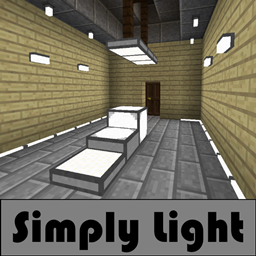
Simply Light in All the Mods 10: To the Sky
All the Mods 10: To the Sky 2.1.0 ships version 1.5.3 · First seen in 1.0
Simply Light is a mod in All the Mods 10: To the Sky 2.1.0, where it is version 1.5.3. Simple light for a complicated world. (Summary from the mod's Modrinth page.)
Simply Light guide for All the Mods 10: To the Sky
Last verified for All the Mods 10: To the Sky v2.1.0 on Oct 17, 2026 · text last changed Oct 16, 2026
Also applies to:All the Mons 0.3.0-beta to 1.3.0FTB Skies 2 1.0.1 to 1.24.0FTB StoneBlock 4 1.1.1 to 1.21.0
- Sections
- 5
- Recipes shown
- 17
- Items named
- 19
- Quests covered
- 10
3 sections are written for this pack; 2 are shared from another pack's guide.
Every recipe and number here was checked against All the Mods 10: To the Sky 2.1.0, read from the running game on Oct 15, 2026.
What is Simply Light?
2 parts
Simply Light adds very simple to make, easy to use lights for your builds. The quest book describes them as coming in plenty of different colors and shapes. This pack includes Simply Light 1.5.3, and it has been in the pack since version 1.0 or earlier.[1][2]
How the lights behave
The inverted versions work without Redstone and turn off when a Redstone signal reaches them. That's handy if you want a light that stays on by default and only goes dark when you flip a lever or trigger a circuit.[2]
Where it sits in the quest book
Simply Light has its own quest, "Simply Light" quest, in the "Building Tips" chapter. The chapter has 67 quests, and the quest book tells the rest of its story, so I won't guess at the quests I can't see.[2]
The path leading there starts at "Building Tips!" quest, which leads to "Decoration!" quest. That in turn leads to the lighting quest a quest in "Building Tips". This one accepts a long list of light sources, from torches and lanterns to redstone lamps, sea lanterns and copper bulbs. Its text explains that light keeps monsters from spawning and adds color and life to your builds.[2]
Three quests come after that lighting quest, side by side: "Chipped Lights" quest, "Wall Lamps" quest and "Simply Light" quest. In the part of the chapter I can see, nothing is shown as coming after Simply Light itself.[2]
How do you get started with Simply Light?
5 parts
Same as in the FTB Skies 2 1.22.0 guide
This mod adds lighting blocks, and the recipes shown here are all crafting recipes. Here is the order I'd go in, starting with the light bulb.[3]
First: Simple Light Bulb
Start with the Simple Light Bulb. One craft gives you 8 of them.[3]
Crafting Shaped
| Empty slot | Empty slot | |
| any stone | any stone | any stone |
Recipe id: simplylight:bulb
Next: Illuminant Block
Next, make the Illuminant Block. This craft gives you 4 blocks, and the mod describes it as a simple light block.[3][4]
Crafting Shaped
| any stone | any stone | |
| any redstone dust | ||
| any stone | any stone |
Recipe id: simplylight:illuminant_block
If you want the inverted version, Illuminant Block(Inverted), you can craft it directly for 4 blocks, or turn an Illuminant Block into it with a single-item shapeless recipe.[3]
Crafting Shaped
| any stone | any stone | |
| any stone | any stone |
Recipe id: simplylight:illuminant_block_on
Crafting Shapeless
Recipe id: simplylight:illuminant_block_on_toggle
The reverse swap, back to the normal block, is also a one-item recipe.[3]
Then: Dynamic Edge Light
The Dynamic Edge Light (bottom) is great for hallways. One craft makes 6. When you place it, it morphs to follow the blocks around it, and that shape stays afterward. That means you can shape it using temporary blocks.[3][4]
Crafting Shaped
| any stone | Empty slot | any stone |
| any stone | Empty slot | any stone |
Recipe id: simplylight:edge_light
There is also a top version, Dynamic Edge Light (top), and you can swap between the two with shapeless recipes.[3]
Crafting Shapeless
Recipe id: simplylight:edge_light_bottom_from_top
Colors
Once you have edge lights, you can recolor them with a dye recipe that makes 8 per craft, for example Dynamic Blue Edge Light (bottom).[3]
Crafting Shaped
| any any edge light | any any edge light | any any edge light |
| any any edge light | any any edge light | |
| any any edge light | any any edge light | any any edge light |
Recipe id: simplylight:edge_light_blue_dyed
Panels are made from slabs, for example Illuminant Black Panel from Illuminant Black Slab. The plain Illuminant Slab has its own recipe too.[3]
Crafting Shaped
| any stone | any stone | any stone |
Recipe id: simplylight:illuminant_slab
Crafting Shaped
Recipe id: simplylight:illuminant_panel_black_split
Finally: fixtures, rods and columns
When you want more decorative options, the mod also has the Illuminant Fixture, which makes 6 per craft, and the Illuminant Rod, which makes 8.[3]
Crafting Shaped
| any stone | any stone |
| any stone | |
| any stone |
Recipe id: simplylight:walllamp
Crafting Shaped
| any glowstone dust | any stone | any glowstone dust |
| any glowstone dust | any stone | any glowstone dust |
| any glowstone dust | any stone | any glowstone dust |
Recipe id: simplylight:rodlamp
The Illuminant Column makes 2 per craft and needs one of the mod's switched-on lamps as an ingredient, so make one of those first.[3]
Crafting Shaped
| Empty slot | any any lamp on | Empty slot |
| Empty slot | any wall | Empty slot |
| any stone | any stone | any stone |
Recipe id: simplylight:lamp_post
How does Simply Light work?
3 parts
Same as in the All the Mons 1.3.0 guide
Simply Light is a set of light blocks, so the sources here show no machines, multiblocks, power, fluids or automation for it. What they do explain is how a few of the lights behave when you place them, and that's what this section covers.[5]
Dynamic edge lights
The Dynamic Edge Light (bottom) is the one with the most interesting behaviour. Its in-game description says it follows the walls around itself, which makes it good for hallways. It morphs depending on the blocks present around it at the moment you place it.[5]
The shape persists after placement. That means you can use temporary blocks to get the shape you want, then remove them and keep the light as it is.[5]
There is a bottom version and a top version, Dynamic Edge Light (top), and both carry the same description. You can swap between the two with shapeless crafting.[5][6]
Bottom to top.
Crafting Shapeless
Recipe id: simplylight:edge_light_bottom_from_top
Top to bottom.
Colour variants such as Dynamic Blue Edge Light (bottom) are made by crafting a dye together with any edge light.[6]
Crafting Shaped
| any any edge light | any any edge light | any any edge light |
| any any edge light | any any edge light | |
| any any edge light | any any edge light | any any edge light |
Recipe id: simplylight:edge_light_blue_dyed
Dyeing an edge light blue.
Illuminant blocks and the inverted toggle
The Illuminant Block is described as a simple light block that activates. The inverted version, Illuminant Block(Inverted), is described the same way but deactivates instead.[5]
You can switch between the normal and inverted forms with a shapeless crafting recipe. The black set has its own pair of toggle recipes, using Illuminant Black Block and Illuminant Black Block (Inverted).[5][6]
Crafting Shapeless
Recipe id: simplylight:illuminant_block_on_toggle
Normal to inverted.
Crafting Shapeless
Recipe id: simplylight:illuminant_black_block_toggle
Black inverted back to black normal.
Placement notes for the other lights
- The Simple Light Bulb can be placed in any direction.[5]
- Illuminant panels are LED panel lights that can be placed in any direction, for example Illuminant Blue Panel.[5]
- Illuminant slabs are half-slab lights that can also be placed in any direction, for example Illuminant Blue Slab.[5]
- The Illuminant Column (Illuminant Column) is a 3 block tall lamp post, and only the top block emits light.[5]
Panels can also be made from slabs of the matching colour with a split recipe.[6]
Crafting Shaped
Recipe id: simplylight:illuminant_panel_blue_split
Splitting a blue slab into blue panels.
How do you progress through Simply Light?
5 parts
The quest book and the recipes don't lay out formal tiers for Simply Light, so this page follows the crafting steps instead, from basic glowing blocks to colours, toggles and the Illuminant Column.[2][7]
Where it sits in the quest book
The mod's quest, "Simply Light" quest, is in the Building Tips chapter. It comes after the light quest a quest in "Building Tips", which follows "Decoration!" quest, which in turn follows "Building Tips!" quest. The light quest accepts any one of a long list of light sources, such as a torch, a lantern, glowstone or a copper bulb.[2]
Simply Light shares that spot with several other lighting quests: "Chipped Lights" quest, "Ars Nouveau Lights" quest, "Macaw's Lights and Lamps" quest, "Wall Lamps" quest, "Torchmaster" quest and "XyCraft Lights" quest. The quest text describes the mod as very simple to make and easy to use, with plenty of colours and shapes. When a light is inverted it works without redstone and turns off when a redstone signal reaches it.[2]
Step 1: the basic lights
These are the basic lights, and each one comes straight from a single crafting recipe.[7]
- Simple Light Bulb: the recipe makes 8 at a time.[7]
- Dynamic Edge Light (bottom): makes 6 at a time.[7]
- Illuminant Slab: makes 6 at a time.[7]
- Illuminant Fixture: makes 6 at a time.[7]
- Illuminant Rod: makes 8 at a time.[7]
Crafting Shaped
| Empty slot | Empty slot | |
| any stone | any stone | any stone |
Recipe id: simplylight:bulb
Crafting Shaped
| any stone | Empty slot | any stone |
| any stone | Empty slot | any stone |
Recipe id: simplylight:edge_light
Crafting Shaped
| any stone | any stone | any stone |
Recipe id: simplylight:illuminant_slab
Step 2: Illuminant Blocks and their inverted versions
Illuminant Block and its inverted twin Illuminant Block(Inverted) each come from their own recipe, 4 blocks per craft.[7]
Crafting Shaped
| any stone | any stone | |
| any redstone dust | ||
| any stone | any stone |
Recipe id: simplylight:illuminant_block
Crafting Shaped
| any stone | any stone | |
| any stone | any stone |
Recipe id: simplylight:illuminant_block_on
You don't have to craft the inverted version from scratch. A single-item shapeless recipe flips a block between normal and inverted in both directions.[7]
Crafting Shapeless
Recipe id: simplylight:illuminant_block_on_toggle
Normal to inverted. A matching toggle recipe flips it back.
Step 3: colours and shapes
Dyeing is where the mod's colour variety comes from. Each dyed edge light recipe makes 8 coloured lights, for example Dynamic Blue Edge Light (bottom). The top-mounted versions, like Dynamic Blue Edge Light (top), have their own dyed recipes. You can also swap a bottom edge light for a top one and back again.[7]
Crafting Shaped
| any any edge light | any any edge light | any any edge light |
| any any edge light | any any edge light | |
| any any edge light | any any edge light | any any edge light |
Recipe id: simplylight:edge_light_blue_dyed
Coloured slabs, such as Illuminant Red Slab, can be split into 6 matching panels, such as Illuminant Red Panel. Each colour has its own split recipe. The plain version is shown here.[7]
Crafting Shaped
Recipe id: simplylight:illuminant_panel_split
Step 4: the Illuminant Column
Illuminant Column has its own crafting recipe, and each craft gives you 2 columns.[7]
Crafting Shaped
| Empty slot | any any lamp on | Empty slot |
| Empty slot | any wall | Empty slot |
| any stone | any stone | any stone |
Recipe id: simplylight:lamp_post
Which All the Mods 10: To the Sky quests use Simply Light?
2 parts
Simply Light has one quest in the pack, and it sits in the "Building Tips" chapter, a 67-quest chapter that starts from "Building Tips!" quest. The Applied Energistics 2 chapter in the quest book has nothing to do with this mod.[2]
The path to the Simply Light quest
- Start at "Building Tips!" quest, the chapter's opening quest.[2]
- Next comes "Decoration!" quest, which comes right after the opening quest. It introduces the many mods that add decoration or items you can use for decoration.[2]
- After that is the light source quest a quest in "Building Tips". It accepts a long list of lights, such as a torch, a lantern, glowstone, a sea lantern or a copper bulb. The quest explains that light keeps monsters from spawning and adds colour to your builds.[2]
- Finally, "Simply Light" quest unlocks once the light source quest is done.[2]
The Simply Light quest describes the mod as adding very simple to make, easy to use lights. When a light is inverted it works without Redstone, and it turns off when a Redstone signal activates it. The quest also says there are plenty of colours and shapes to choose from.[2]
Unverified The quest data available here does not show which specific Simply Light item the quest asks you to hand in.
Neighbouring light quests
The light source quest also leads to several other lighting quests, so you can pick up the rest of the lighting mods around the same time. They are:[2]
- "Chipped Lights" quest, about changing the look of light sources.[2]
- "Ars Nouveau Lights" quest, about magelights and magelight lanterns.[2]
- "Macaw's Lights and Lamps" quest, which adds lamps, lanterns and chandeliers.[2]
- "Torchmaster" quest, whose quest text covers the Feral Flare Lantern, the Mega Torch and the Dread Lamp.[2]
- "XyCraft Lights" quest, for colour-based lights.[2]
- "Wall Lamps" quest, which covers wall lamps that must be attached to a wall. The quest says they work similarly to Simply Light: inverted ones light when no Redstone is applied, while normal ones only work with Redstone.[2]
Sources
- All the Mods 10: To the Sky 2.0.4 mod list · pack file
- All the Mods 10: To the Sky 2.0.4 quests: "Building Tips" · pack file
- FTB Skies 2 1.22.0 recipe dump: recipes making Simply Light items · pack recipe dump
- simplylight names, screen text and descriptions (English lang file) · official mod data
- simplylight names, screen text and descriptions (English lang file) · official mod data
- All the Mons 1.3.0 recipe dump: recipes making Simply Light items · pack recipe dump
- All the Mods 10: To the Sky 2.0.4 recipe dump: recipes making Simply Light items · pack recipe dump
Where this guide comes from
Written from what All the Mods 10: To the Sky itself ships: its files and recipes, the in-game guidebooks and the mods' own pages. Every statement links to the source it came from, and the numbers are checked against the pack before publishing.
Guide last verified Oct 17, 2026.
Report wrong info
Version in each release
25 releases, first in 1.0
| All the Mods 10: To the Sky | Version | Jar | Where it came from |
|---|---|---|---|
| 2.1.0 Oct 15, 2026 | 1.5.3 | simplylight-1.5.3+1.21.1-b4.jar | From the published release |
| 2.0.7 Oct 5, 2026 | 1.5.3 | simplylight-1.5.3+1.21.1-b4.jar | From the published release |
| 2.0.6 Sep 21, 2026 | 1.5.3 | simplylight-1.5.3+1.21.1-b4.jar | From the published release |
| 2.0.5 Sep 21, 2026 | 1.5.3 | simplylight-1.5.3+1.21.1-b4.jar | From the published release |
| 2.0.4 Sep 11, 2026 | 1.5.3 | simplylight-1.5.3+1.21.1-b4.jar | From the published release |
| 2.0.3 Sep 9, 2026 | 1.5.3 | simplylight-1.5.3+1.21.1-b4.jar | From the published release |
| 2.0.2 Apr 1, 2026 | 1.5.3 | simplylight-1.5.3+1.21.1-b4.jar | From the published release |
| 2.0.1 Mar 27, 2026 | 1.5.3 | simplylight-1.5.3+1.21.1-b4.jar | From the published release |
| 2.0.0 Feb 24, 2026 | 1.5.3 | simplylight-1.5.3+1.21.1-b4.jar | From the published release |
| 1.9.1 Feb 5, 2026 | 1.5.3 | simplylight-1.5.3+1.21.1-b4.jar | From the published release |
| 1.9 Feb 4, 2026 | 1.5.3 | simplylight-1.5.3+1.21.1-b4.jar | From the published release |
| 1.8 Dec 20, 2025 | 1.5.3 | simplylight-1.5.3+1.21.1-b4.jar | From the published release |
| 1.7 Nov 28, 2025 | 1.5.3 | simplylight-1.5.3+1.21.1-b4.jar | From the published release |
| 1.6.1 Oct 23, 2025 | 1.5.3 | simplylight-1.5.3+1.21.1-b4.jar | From the published release |
| 1.6 Oct 17, 2025 | 1.5.3 | simplylight-1.5.3+1.21.1-b4.jar | From the published release |
| 1.5.1b Oct 2, 2025 | 1.5.3 | simplylight-1.5.3+1.21.1-b4.jar | From the published release |
| 1.5 Sep 26, 2025 | 1.5.3 | simplylight-1.5.3+1.21.1-b4.jar | From the published release |
| 1.4 Sep 11, 2025 | 1.5.3 | simplylight-1.5.3+1.21.1-b4.jar | From the published release |
| 1.3.1 Sep 3, 2025 | 1.5.3 | simplylight-1.5.3+1.21.1-b4.jar | From the published release |
| 1.2.1 Aug 28, 2025 | 1.5.3 | simplylight-1.5.3+1.21.1-b4.jar | From the published release |
| 1.2 Aug 28, 2025 | 1.5.3 | simplylight-1.5.3+1.21.1-b4.jar | From the published release |
| 1.1.2 Aug 22, 2025 | 1.5.3 | simplylight-1.5.3+1.21.1-b4.jar | From the published release |
| 1.1.1 Aug 21, 2025 | 1.5.3 | simplylight-1.5.3+1.21.1-b4.jar | From the published release |
| 1.0.2 Aug 15, 2025 | 1.5.3 | simplylight-1.5.3+1.21.1-b4.jar | From the published release |
| 1.0 Aug 14, 2025 | 1.5.3 | simplylight-1.5.3+1.21.1-b4.jar | From the published release |
"From pack files" means the list came from the pack's own files; "from the published release" means ForgeBase read the jars of the release itself.
Items and blocks
160 items from the 2.1.0 recipe dump.
Dynamic Edge Light (bottom)
Dynamic Black Edge Light (bottom)
Dynamic Blue Edge Light (bottom)
Dynamic Brown Edge Light (bottom)
Dynamic Cyan Edge Light (bottom)
Dynamic Gray Edge Light (bottom)
Dynamic Green Edge Light (bottom)
Dynamic Light Blue Edge Light (bottom)
Dynamic Light Gray Edge Light (bottom)
Dynamic Lime Edge Light (bottom)
Dynamic Magenta Edge Light (bottom)
Dynamic Orange Edge Light (bottom)
Dynamic Pink Edge Light (bottom)
Dynamic Purple Edge Light (bottom)
Dynamic Red Edge Light (bottom)
Dynamic Edge Light (top)
Dynamic Black Edge Light (top)
Dynamic Blue Edge Light (top)
Dynamic Brown Edge Light (top)
Dynamic Cyan Edge Light (top)
Dynamic Gray Edge Light (top)
Dynamic Green Edge Light (top)
Dynamic Light Blue Edge Light (top)
Dynamic Light Gray Edge Light (top)
Dynamic Lime Edge Light (top)
Dynamic Magenta Edge Light (top)
Dynamic Orange Edge Light (top)
Dynamic Pink Edge Light (top)
Dynamic Purple Edge Light (top)
Dynamic Red Edge Light (top)
Dynamic Yellow Edge Light (top)
Dynamic Yellow Edge Light (bottom)
Illuminant Black Block
Illuminant Black Block (Inverted)
Illuminant Block
Illuminant Block(Inverted)
Illuminant Blue Block
Illuminant Blue Block (Inverted)
Illuminant Brown Block
Illuminant Brown Block (Inverted)
Illuminant Cyan Block
Illuminant Cyan Block (Inverted)
Illuminant Gray Block
Illuminant Gray Block (Inverted)
Illuminant Green Block
Illuminant Green Block (Inverted)
Illuminant Light Blue Block
Illuminant Light Blue Block (Inverted)
Illuminant Light Gray Block
Illuminant Light Gray Block (Inverted)
Illuminant Lime Block
Illuminant Lime Block (Inverted)
Illuminant Magenta Block
Illuminant Magenta Block (Inverted)
Illuminant Orange Block
Illuminant Orange Block (Inverted)
Illuminant Panel
Illuminant Black Panel
Illuminant Blue Panel
Illuminant Brown Panel
...and 100 more.
Comments and tips
Loading comments...