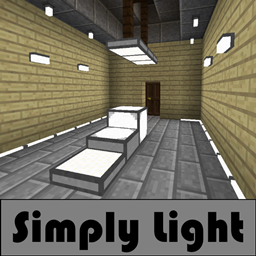
Simply Light in All the Mons
All the Mons 1.3.0 ships version 1.5.3 · First seen in 0.3.0-beta
Simply Light is a mod in All the Mons 1.3.0, where it is version 1.5.3. Simple light for a complicated world. (Summary from the mod's Modrinth page.)
Simply Light guide for All the Mons
Last verified for All the Mons v1.3.0 on Oct 17, 2026 · text last changed Oct 16, 2026
Also applies to:All the Mods 10: To the Sky 1.0 to 2.1.0FTB Skies 2 1.0.1 to 1.24.0FTB StoneBlock 4 1.1.1 to 1.21.0
- Sections
- 5
- Recipes shown
- 17
- Items named
- 17
- Quests covered
- 8
4 sections are written for this pack; 1 is shared from another pack's guide.
Every recipe and number here was checked against All the Mons 1.3.0, read from the running game on Sep 18, 2026.
What is Simply Light?
1 part
Simply Light adds very simple to make, easy to use lights. This pack includes version 1.5.3 of the mod. The lights come in plenty of different colors and shapes.[1][2]
Redstone is the main trick. When you invert one of these lights, it works without Redstone and turns off when a Redstone signal activates it.[2]
Where the quest book puts it
The pack's quest book has a "Simply Light" quest quest in the "Building Tips" chapter. That is chapter 3 of 70 in the book, and it holds 63 quests.[2]
The route to it is a short chain. "Building Tips!" quest comes first, then "Decoration!" quest. After that comes the light source quest a quest in "Building Tips", which asks for any one of a list of light sources. It includes torches, lanterns, glowstone, redstone lamps, froglights, sea lanterns and copper bulbs.[2]
The Simply Light quest sits directly after that light source quest. Two other lighting quests sit there too: "Chipped Lights" quest and "Wall Lamps" quest. The wall lamp quest describes those lamps as working similar to Simply Lights. Inverted ones light when no Redstone is applied, normal ones only work with Redstone, and they must be attached to a wall.[2]
How do you get started with Simply Light?
5 parts
Same as in the FTB Skies 2 1.22.0 guide
This mod adds lighting blocks, and the recipes shown here are all crafting recipes. Here is the order I'd go in, starting with the light bulb.[3]
First: Simple Light Bulb
Start with the Simple Light Bulb. One craft gives you 8 of them.[3]
Crafting Shaped
| Empty slot | Empty slot | |
| any stone | any stone | any stone |
Recipe id: simplylight:bulb
Next: Illuminant Block
Next, make the Illuminant Block. This craft gives you 4 blocks, and the mod describes it as a simple light block.[3][4]
Crafting Shaped
| any stone | any stone | |
| any redstone dust | ||
| any stone | any stone |
Recipe id: simplylight:illuminant_block
If you want the inverted version, Illuminant Block(Inverted), you can craft it directly for 4 blocks, or turn an Illuminant Block into it with a single-item shapeless recipe.[3]
Crafting Shaped
| any stone | any stone | |
| any stone | any stone |
Recipe id: simplylight:illuminant_block_on
Crafting Shapeless
Recipe id: simplylight:illuminant_block_on_toggle
The reverse swap, back to the normal block, is also a one-item recipe.[3]
Then: Dynamic Edge Light
The Dynamic Edge Light (bottom) is great for hallways. One craft makes 6. When you place it, it morphs to follow the blocks around it, and that shape stays afterward. That means you can shape it using temporary blocks.[3][4]
Crafting Shaped
| any stone | Empty slot | any stone |
| any stone | Empty slot | any stone |
Recipe id: simplylight:edge_light
There is also a top version, Dynamic Edge Light (top), and you can swap between the two with shapeless recipes.[3]
Crafting Shapeless
Recipe id: simplylight:edge_light_bottom_from_top
Colors
Once you have edge lights, you can recolor them with a dye recipe that makes 8 per craft, for example Dynamic Blue Edge Light (bottom).[3]
Crafting Shaped
| any any edge light | any any edge light | any any edge light |
| any any edge light | any any edge light | |
| any any edge light | any any edge light | any any edge light |
Recipe id: simplylight:edge_light_blue_dyed
Panels are made from slabs, for example Illuminant Black Panel from Illuminant Black Slab. The plain Illuminant Slab has its own recipe too.[3]
Crafting Shaped
| any stone | any stone | any stone |
Recipe id: simplylight:illuminant_slab
Crafting Shaped
Recipe id: simplylight:illuminant_panel_black_split
Finally: fixtures, rods and columns
When you want more decorative options, the mod also has the Illuminant Fixture, which makes 6 per craft, and the Illuminant Rod, which makes 8.[3]
Crafting Shaped
| any stone | any stone |
| any stone | |
| any stone |
Recipe id: simplylight:walllamp
Crafting Shaped
| any glowstone dust | any stone | any glowstone dust |
| any glowstone dust | any stone | any glowstone dust |
| any glowstone dust | any stone | any glowstone dust |
Recipe id: simplylight:rodlamp
The Illuminant Column makes 2 per craft and needs one of the mod's switched-on lamps as an ingredient, so make one of those first.[3]
Crafting Shaped
| Empty slot | any any lamp on | Empty slot |
| Empty slot | any wall | Empty slot |
| any stone | any stone | any stone |
Recipe id: simplylight:lamp_post
How does Simply Light work?
3 parts
Simply Light is a set of light blocks, so the sources here show no machines, multiblocks, power, fluids or automation for it. What they do explain is how a few of the lights behave when you place them, and that's what this section covers.[5]
Dynamic edge lights
The Dynamic Edge Light (bottom) is the one with the most interesting behaviour. Its in-game description says it follows the walls around itself, which makes it good for hallways. It morphs depending on the blocks present around it at the moment you place it.[5]
The shape persists after placement. That means you can use temporary blocks to get the shape you want, then remove them and keep the light as it is.[5]
There is a bottom version and a top version, Dynamic Edge Light (top), and both carry the same description. You can swap between the two with shapeless crafting.[5][6]
Bottom to top.
Crafting Shapeless
Recipe id: simplylight:edge_light_bottom_from_top
Top to bottom.
Colour variants such as Dynamic Blue Edge Light (bottom) are made by crafting a dye together with any edge light.[6]
Crafting Shaped
| any any edge light | any any edge light | any any edge light |
| any any edge light | any any edge light | |
| any any edge light | any any edge light | any any edge light |
Recipe id: simplylight:edge_light_blue_dyed
Dyeing an edge light blue.
Illuminant blocks and the inverted toggle
The Illuminant Block is described as a simple light block that activates. The inverted version, Illuminant Block(Inverted), is described the same way but deactivates instead.[5]
You can switch between the normal and inverted forms with a shapeless crafting recipe. The black set has its own pair of toggle recipes, using Illuminant Black Block and Illuminant Black Block (Inverted).[5][6]
Crafting Shapeless
Recipe id: simplylight:illuminant_block_on_toggle
Normal to inverted.
Crafting Shapeless
Recipe id: simplylight:illuminant_black_block_toggle
Black inverted back to black normal.
Placement notes for the other lights
- The Simple Light Bulb can be placed in any direction.[5]
- Illuminant panels are LED panel lights that can be placed in any direction, for example Illuminant Blue Panel.[5]
- Illuminant slabs are half-slab lights that can also be placed in any direction, for example Illuminant Blue Slab.[5]
- The Illuminant Column (Illuminant Column) is a 3 block tall lamp post, and only the top block emits light.[5]
Panels can also be made from slabs of the matching colour with a split recipe.[6]
Crafting Shaped
Recipe id: simplylight:illuminant_panel_blue_split
Splitting a blue slab into blue panels.
How do you progress through Simply Light?
4 parts
This mod doesn't have tiers in the usual modded sense. Every recipe shown for it in this pack is a shaped or shapeless crafting recipe, so there are no machines or power levels to climb. The progression is: start with the basic lights, then move on to the slabs, panels, colours and inverted versions.[6]
Where it sits in the quest book
You'll find it in the "Building Tips" chapter, which is chapter 3 of 70 in the book. The path goes "Building Tips!" quest, then "Decoration!" quest, then the light source quest a quest in "Building Tips". That one accepts a torch, lantern, glowstone, redstone lamp, froglight, sea lantern or any copper bulb.[2]
"Simply Light" quest comes right after that light source quest. It shares that spot with "Chipped Lights" quest, "Ars Nouveau Lights" quest, "Wall Lamps" quest and "Torchmaster" quest.[2]
The quest says Simply Light adds very simple to make, easy to use lights. When a light is inverted it works without redstone and turns off when a redstone signal reaches it. It also says there are plenty of colours and shapes.[2]
Step 1: the basic lights
Everything starts from simple crafting. The Simple Light Bulb gives you 8 per craft.[6]
Crafting Shaped
| Empty slot | Empty slot | |
| any stone | any stone | any stone |
Recipe id: simplylight:bulb
The Dynamic Edge Light (bottom) gives you 6 per craft, and the Illuminant Rod gives you 8.[6]
Crafting Shaped
| any stone | Empty slot | any stone |
| any stone | Empty slot | any stone |
Recipe id: simplylight:edge_light
Crafting Shaped
| any glowstone dust | any stone | any glowstone dust |
| any glowstone dust | any stone | any glowstone dust |
| any glowstone dust | any stone | any glowstone dust |
Recipe id: simplylight:rodlamp
The Illuminant Fixture also gives you 6 per craft.[6]
Crafting Shaped
| any stone | any stone |
| any stone | |
| any stone |
Recipe id: simplylight:walllamp
Step 2: blocks, slabs and panels
The Illuminant Block gives you 4 per craft. The inverted version, Illuminant Block(Inverted), also gives 4 and has its own recipe.[6]
Crafting Shaped
| any stone | any stone | |
| any redstone dust | ||
| any stone | any stone |
Recipe id: simplylight:illuminant_block
Crafting Shaped
| any stone | any stone | |
| any stone | any stone |
Recipe id: simplylight:illuminant_block_on
If you've already made the wrong one, you don't have to start over. A single shapeless craft swaps a block between its normal and inverted forms.[6]
The Illuminant Slab gives you 6 per craft. A slab can then be split into 6 Illuminant Panel items.[6]
Crafting Shaped
| any stone | any stone | any stone |
Recipe id: simplylight:illuminant_slab
Crafting Shaped
Recipe id: simplylight:illuminant_panel_split
The Illuminant Column, shown in game as the Illuminant Column, gives you 2 per craft.[6]
Crafting Shaped
| Empty slot | any any lamp on | Empty slot |
| Empty slot | any wall | Empty slot |
| any stone | any stone | any stone |
Recipe id: simplylight:lamp_post
Step 3: colours and variants
Colour is where most of the variety comes from. Dyeing a Dynamic Edge Light gives you 8 lights in that colour. There is a separate recipe for each colour, for both the bottom and top versions of the edge light.[6]
Crafting Shaped
| any any edge light | any any edge light | any any edge light |
| any any edge light | any any edge light | |
| any any edge light | any any edge light | any any edge light |
Recipe id: simplylight:edge_light_blue_dyed
The top version, Dynamic Edge Light (top), is a shapeless swap from the bottom version, and you can swap back again.[6]
Slabs, panels and blocks all come in coloured versions too, and each colour has its own panel split recipe and its own normal/inverted toggle. Across the whole mod the pack has 160 shaped crafting recipes and 50 shapeless ones.[6]
Which All the Mons quests use Simply Light?
3 parts
Simply Light has one quest in the pack's quest book. It sits in the Building Tips chapter, which is chapter 3 of 70 in the book and holds 63 quests. The chapter is a tour of building help: tools, blocks, decoration and more.[2]
Where it sits in the chapter
- "Building Tips!" quest is the chapter's opening quest. Decoration, Tools and Blocks all branch from it.[2]
- "Decoration!" quest comes after Building Tips!. It says modded Minecraft has far more decoration than just stairs.[2]
- a quest in "Building Tips" comes after Decoration!. It is about light sources, and you can hand in any one of a list that includes the torch, lantern, glowstone, sea lantern and copper bulb.[2]
- "Simply Light" quest comes after the light source quest. This is the Simply Light quest itself.[2]
What the Simply Light quest says
The quest describes Simply Lights as very simple to make and easy to use. When a light is inverted, it works without Redstone and turns off when a Redstone signal activates it. The quest also says they come in plenty of different colors and shapes.[2]
Neighbouring light quests
The Simply Light quest shares its parent with four other light quests, all of which come after the same light source quest.[2]
- "Chipped Lights" quest is about making ugly light sources look better.[2]
- "Ars Nouveau Lights" quest covers Magelights and Magelight Lanterns from Ars Nouveau.[2]
- "Wall Lamps" quest covers PneumaticCraft wall lamps. The quest says they work similarly to Simply Lights: inverted ones light when no Redstone is applied, normal ones only work with Redstone, and they must be attached to a wall.[2]
- "Torchmaster" quest covers the Feral Flare Lantern, the Mega Torch and the Dread Lamp.[2]
Sources
- All the Mons 1.3.0 mod list · pack file
- All the Mons 1.3.0 quests: "Building Tips" · pack file
- FTB Skies 2 1.22.0 recipe dump: recipes making Simply Light items · pack recipe dump
- simplylight names, screen text and descriptions (English lang file) · official mod data
- simplylight names, screen text and descriptions (English lang file) · official mod data
- All the Mons 1.3.0 recipe dump: recipes making Simply Light items · pack recipe dump
Where this guide comes from
Written from what All the Mons itself ships: its files and recipes, the in-game guidebooks and the mods' own pages. Every statement links to the source it came from, and the numbers are checked against the pack before publishing.
Guide last verified Oct 17, 2026.
Report wrong info
Version in each release
28 releases, first in 0.3.0-beta
| All the Mons | Version | Jar | Where it came from |
|---|---|---|---|
| 1.3.0 Sep 6, 2026 | 1.5.3 | simplylight-1.5.3+1.21.1-b4.jar | From the published release |
| 1.2.0 Aug 3, 2026 | 1.5.3 | simplylight-1.5.3+1.21.1-b4.jar | From the published release |
| 1.1.1 Jul 14, 2026 | 1.5.3 | simplylight-1.5.3+1.21.1-b4.jar | From the published release |
| 1.1.0 Jul 14, 2026 | 1.5.3 | simplylight-1.5.3+1.21.1-b4.jar | From the published release |
| 1.0.1 Jul 2, 2026 | 1.5.3 | simplylight-1.5.3+1.21.1-b4.jar | From the published release |
| 1.0.0 Jul 2, 2026 | 1.5.3 | simplylight-1.5.3+1.21.1-b4.jar | From the published release |
| 1.0.0-rc.7 Jun 14, 2026 | 1.5.3 | simplylight-1.5.3+1.21.1-b4.jar | From the published release |
| 1.0.0-rc.6 May 20, 2026 | 1.5.3 | simplylight-1.5.3+1.21.1-b4.jar | From the published release |
| 1.0.0-rc.5 May 14, 2026 | 1.5.3 | simplylight-1.5.3+1.21.1-b4.jar | From the published release |
| 1.0.0-rc.4 Apr 21, 2026 | 1.5.3 | simplylight-1.5.3+1.21.1-b4.jar | From the published release |
| 1.0.0-rc.2 Apr 19, 2026 | 1.5.3 | simplylight-1.5.3+1.21.1-b4.jar | From the published release |
| 1.0.0-rc.1 Apr 18, 2026 | 1.5.3 | simplylight-1.5.3+1.21.1-b4.jar | From the published release |
| 0.18.0-beta Apr 8, 2026 | 1.5.3 | simplylight-1.5.3+1.21.1-b4.jar | From the published release |
| 0.17.0-beta Apr 7, 2026 | 1.5.3 | simplylight-1.5.3+1.21.1-b4.jar | From the published release |
| 0.16.0-beta Apr 5, 2026 | 1.5.3 | simplylight-1.5.3+1.21.1-b4.jar | From the published release |
| 0.15.0-beta Apr 2, 2026 | 1.5.3 | simplylight-1.5.3+1.21.1-b4.jar | From the published release |
| 0.14.1-beta Mar 31, 2026 | 1.5.3 | simplylight-1.5.3+1.21.1-b4.jar | From the published release |
| 0.14.0-beta Mar 18, 2026 | 1.5.3 | simplylight-1.5.3+1.21.1-b4.jar | From the published release |
| 0.13.0-beta Mar 18, 2026 | 1.5.3 | simplylight-1.5.3+1.21.1-b4.jar | From the published release |
| 0.12.0-beta Mar 6, 2026 | 1.5.3 | simplylight-1.5.3+1.21.1-b4.jar | From the published release |
| 0.11.0-beta Feb 24, 2026 | 1.5.3 | simplylight-1.5.3+1.21.1-b4.jar | From the published release |
| 0.10.0-beta Feb 6, 2026 | 1.5.3 | simplylight-1.5.3+1.21.1-b4.jar | From the published release |
| 0.9.0-beta Jan 30, 2026 | 1.5.3 | simplylight-1.5.3+1.21.1-b4.jar | From the published release |
| 0.8.0-beta Jan 30, 2026 | 1.5.3 | simplylight-1.5.3+1.21.1-b4.jar | From the published release |
| 0.7.0-beta Jan 29, 2026 | 1.5.3 | simplylight-1.5.3+1.21.1-b4.jar | From the published release |
| 0.6.0-beta Jan 26, 2026 | 1.5.3 | simplylight-1.5.3+1.21.1-b4.jar | From the published release |
| 0.4.0-beta Jan 25, 2026 | 1.5.3 | simplylight-1.5.3+1.21.1-b4.jar | From the published release |
| 0.3.0-beta Jan 22, 2026 | 1.5.3 | simplylight-1.5.3+1.21.1-b4.jar | From the published release |
"From pack files" means the list came from the pack's own files; "from the published release" means ForgeBase read the jars of the release itself.
Items and blocks
160 items from the 1.3.0 recipe dump.
Dynamic Edge Light (bottom)
Dynamic Black Edge Light (bottom)
Dynamic Blue Edge Light (bottom)
Dynamic Brown Edge Light (bottom)
Dynamic Cyan Edge Light (bottom)
Dynamic Gray Edge Light (bottom)
Dynamic Green Edge Light (bottom)
Dynamic Light Blue Edge Light (bottom)
Dynamic Light Gray Edge Light (bottom)
Dynamic Lime Edge Light (bottom)
Dynamic Magenta Edge Light (bottom)
Dynamic Orange Edge Light (bottom)
Dynamic Pink Edge Light (bottom)
Dynamic Purple Edge Light (bottom)
Dynamic Red Edge Light (bottom)
Dynamic Edge Light (top)
Dynamic Black Edge Light (top)
Dynamic Blue Edge Light (top)
Dynamic Brown Edge Light (top)
Dynamic Cyan Edge Light (top)
Dynamic Gray Edge Light (top)
Dynamic Green Edge Light (top)
Dynamic Light Blue Edge Light (top)
Dynamic Light Gray Edge Light (top)
Dynamic Lime Edge Light (top)
Dynamic Magenta Edge Light (top)
Dynamic Orange Edge Light (top)
Dynamic Pink Edge Light (top)
Dynamic Purple Edge Light (top)
Dynamic Red Edge Light (top)
Dynamic Yellow Edge Light (top)
Dynamic Yellow Edge Light (bottom)
Illuminant Black Block
Illuminant Black Block (Inverted)
Illuminant Block
Illuminant Block(Inverted)
Illuminant Blue Block
Illuminant Blue Block (Inverted)
Illuminant Brown Block
Illuminant Brown Block (Inverted)
Illuminant Cyan Block
Illuminant Cyan Block (Inverted)
Illuminant Gray Block
Illuminant Gray Block (Inverted)
Illuminant Green Block
Illuminant Green Block (Inverted)
Illuminant Light Blue Block
Illuminant Light Blue Block (Inverted)
Illuminant Light Gray Block
Illuminant Light Gray Block (Inverted)
Illuminant Lime Block
Illuminant Lime Block (Inverted)
Illuminant Magenta Block
Illuminant Magenta Block (Inverted)
Illuminant Orange Block
Illuminant Orange Block (Inverted)
Illuminant Panel
Illuminant Black Panel
Illuminant Blue Panel
Illuminant Brown Panel
...and 100 more.
Comments and tips
Loading comments...