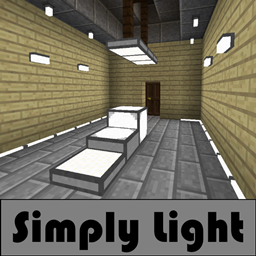
Simply Light in FTB Skies 2: Aero
FTB Skies 2: Aero 1.13.0 ships version 1.5.3 · First seen in 1.0.3
Simply Light is a mod in FTB Skies 2: Aero 1.13.0, where it is version 1.5.3. Simple light for a complicated world. (Summary from the mod's Modrinth page.)
Simply Light guide for FTB Skies 2: Aero
Last verified for FTB Skies 2: Aero v1.10.0 on Oct 16, 2026 · text last changed Oct 16, 2026
This is the newest guide. It hasn't been checked against 1.13.0 yet.
Also applies to:All the Mods 10 0.32 to 2.16FTB Skies 2 1.0.1 to 1.24.0FTB StoneBlock 4 1.1.1 to 1.23.0
- Sections
- 4
- Recipes shown
- 16
- Items named
- 18
3 sections are written for this pack; 1 is shared from another pack's guide.
Every recipe and number here was checked against FTB Skies 2: Aero 1.10.0, read from the running game on Sep 22, 2026.
What is Simply Light?
Same as in the All the Mods 10 2.16 guide
Simply Light is in the pack at version 1.4.6+1.21-b53 (file simplylight-1.4.6+1.21-b53.jar). It has been part of the pack since version 0.32 or earlier, so it isn't a recent addition.[1]
Unverified The sources I have don't describe what Simply Light adds, who it is aimed at, or how it fits into the pack's progression. I also have no confirmed recipes, config options or quests for it, and no guidebook, so I'm not guessing at any of that. I'll fill this in once there is something to back it up.
How do you get started with Simply Light?
6 parts
Welcome to Simply Light! In this pack the lights are made in the crafting grid, and there are no quests for this mod, so the recipes below are your guide. Here is the order I would make things in, starting with the simplest lights.[2]
Start with the Simple Light Bulb
Make the Simple Light Bulb first. One craft gives you 8 of them, so a single batch covers a lot of ground.[2]
Crafting Shaped
| Empty slot | Empty slot | |
| any stone | any stone | any stone |
Recipe id: simplylight:bulb
One craft makes 8 bulbs.
Dynamic Edge Lights for hallways
Next, make the Dynamic Edge Light (bottom). One craft gives you 6. It follows the walls around it, which makes it a good fit for hallways. It morphs depending on the blocks around it when you place it, and that shape persists afterward. That means you can place temporary blocks to get the shape you want.[2][3]
Crafting Shaped
| any stone | Empty slot | any stone |
| any stone | Empty slot | any stone |
Recipe id: simplylight:edge_light
One craft makes 6 bottom edge lights.
If you need the top version, Dynamic Edge Light (top) is a shapeless craft from the bottom one, and there is a shapeless recipe to turn it back.[2]
Illuminant Blocks
The Illuminant Block is a simple light block. The pack changes its recipe, so go by the recipe below and not by what you remember from the mod. One craft gives you 4.[2][3]
Crafting Shaped
| any stone | any stone | |
| any stone | any stone |
Recipe id: simplylight:illuminant_block
The pack changed this recipe. One craft makes 4 blocks.
Illuminant Block(Inverted) is the inverted version: where the normal block activates, this one deactivates. You can craft it directly, and one craft gives you 4. You can also swap a normal Illuminant Block into its inverted form with a shapeless craft.[2][3]
Crafting Shaped
| any stone | any stone | |
| any stone | any stone |
Recipe id: simplylight:illuminant_block_on
Crafting Shapeless
Recipe id: simplylight:illuminant_block_on_toggle
This toggle recipe turns a normal block into the inverted one.
This one turns an inverted block back into the normal one.
Slabs and panels
The Illuminant Slab gives you 6 per craft. Coloured slabs can then be split into panels: each split recipe turns one slab into 6 matching panels. The panels are simple LED panel lights that you can place in any direction.[2][3]
Crafting Shaped
| any stone | any stone | any stone |
Recipe id: simplylight:illuminant_slab
Crafting Shaped
Recipe id: simplylight:illuminant_panel_blue_split
Every colour has its own split recipe. Blue is shown here as an example.
Fixtures, rods and columns
When you want more variety, try the Illuminant Fixture (6 per craft) and the Illuminant Rod (8 per craft).[2]
Crafting Shaped
| any stone | any stone |
| any stone | |
| any stone |
Recipe id: simplylight:walllamp
Crafting Shaped
| any glowstone dust | any stone | any glowstone dust |
| any glowstone dust | any stone | any glowstone dust |
| any glowstone dust | any stone | any glowstone dust |
Recipe id: simplylight:rodlamp
The Illuminant Column makes 2 per craft. One of its ingredients is a lamp from the mod's lamp-on group, so make a lamp first.[2]
Crafting Shaped
| Empty slot | any any lamp on | Empty slot |
| Empty slot | any wall | Empty slot |
| any stone | any stone | any stone |
Recipe id: simplylight:lamp_post
Colours
Once you have edge lights, you can dye them. Each dye recipe takes any edge light and makes 8 of the coloured one. Blue is shown below, and the other colours have their own dyed recipes.[2]
Crafting Shaped
| any any edge light | any any edge light | any any edge light |
| any any edge light | any any edge light | |
| any any edge light | any any edge light | any any edge light |
Recipe id: simplylight:edge_light_blue_dyed
How does Simply Light work?
4 parts
Simply Light is about placement behaviour and crafting conversions, not machines. The pack's data for this mod describes light blocks, so the mechanics to learn are how each block is placed and how you convert one into another.[2][3]
How the lights are placed
- Dynamic Edge Light (bottom) and Dynamic Edge Light (top) follow the walls around themselves, which makes them good for hallways. They morph depending on the blocks around them at the moment you place them.[3]
- An edge light keeps its shape after placement. That means you can build a shape by placing temporary blocks next to it, placing the light, and removing the blocks afterwards.[3]
- Simple Light Bulb is described as a simple bulb you can place in any direction.[3]
- Illuminant panels are simple LED panel lights, and illuminant slabs are half-slab lights. Both can be placed in any direction, for example Illuminant Blue Panel and Illuminant Blue Slab.[3]
- Illuminant Column (the Illuminant Column) is a 3 block tall lamp post, and only the top block emits light.[3]
Edge light top and bottom
The edge light comes in a bottom and a top version, and you can switch between them by crafting. Each direction is a shapeless recipe with a single input, so you only need the light itself.[2]
Turns a bottom edge light into a top one.
Crafting Shapeless
Recipe id: simplylight:edge_light_bottom_from_top
Turns it back into a bottom one.
Illuminant blocks and their inverted versions
Illuminant Block is described as a simple light block that activates, and Illuminant Block(Inverted) (the inverted version) as one that deactivates. The in-game tooltip fills in the trigger for both. The inverted versions are separate items, and a shapeless crafting recipe converts between each pair.[2][3]
The pack changed the recipe for the standard Illuminant Block. This is the pack's version, not the mod default.[2]
Crafting Shaped
| any stone | any stone | |
| any stone | any stone |
Recipe id: simplylight:illuminant_block
The pack's changed recipe for the standard Illuminant Block.
Crafting Shaped
| any stone | any stone | |
| any stone | any stone |
Recipe id: simplylight:illuminant_block_on
The inverted Illuminant Block is crafted directly.
Crafting Shapeless
Recipe id: simplylight:illuminant_block_on_toggle
Converts a normal block into its inverted version.
Crafting Shapeless
Recipe id: simplylight:illuminant_black_block_toggle
The black variant has its own toggle back to the normal block.
Recipe yields and colour conversions
- One craft of the edge light recipe gives 6 Dynamic Edge Light (bottom).[2]
- Dyeing an edge light gives 8 lights of that colour per craft, for example Dynamic Blue Edge Light (bottom) and Dynamic Cyan Edge Light (bottom). The recipe accepts any edge light as input, not only the plain one.[2]
- One craft of the bulb recipe gives 8 Simple Light Bulb, and one craft of the rod recipe gives 8 Illuminant Rod.[2]
- One craft of the column recipe gives 2 Illuminant Column. It takes any lamp that is on as an input.[2]
- Each coloured slab splits into 6 panels of the same colour, for example Illuminant Black Slab into Illuminant Black Panel.[2]
Crafting Shaped
Recipe id: simplylight:illuminant_panel_cyan_split
One cyan slab makes 6 cyan panels.
How do you progress through Simply Light?
2 parts
Simply Light has no tier ladder in this pack. Every recipe in the pack's recipe list is a crafting-grid recipe, so progression here is two small steps: craft a base light, then turn it into variants.[2]
Step 1: the base lights
These are crafted directly and give you several lights per craft, so one batch goes a long way.[2]
- Simple Light Bulb: 8 per craft.[2]
- Dynamic Edge Light (bottom): 6 per craft.[2]
- Illuminant Slab: 6 per craft.[2]
- Illuminant Rod: 8 per craft.[2]
- Illuminant Fixture: 6 per craft.[2]
- Illuminant Block: 4 per craft.[2]
- Illuminant Block(Inverted) (the inverted block): 4 per craft.[2]
Crafting Shaped
| Empty slot | Empty slot | |
| any stone | any stone | any stone |
Recipe id: simplylight:bulb
The Simple Light Bulb is a single craft that makes 8.
Crafting Shaped
| any stone | any stone | |
| any stone | any stone |
Recipe id: simplylight:illuminant_block
The pack changed this recipe, so use the version shown here, not the mod's default.
Step 2: variants from the base lights
Once you have base lights, the rest of the mod is conversion. These recipes take items you already made.[2]
- Dyeing an existing edge light gives you 8 of the coloured version, for example Dynamic Blue Edge Light (bottom). Top versions such as Dynamic Blue Edge Light (top) have their own dye recipes that also give 8.[2]
- You can swap Dynamic Edge Light (bottom) and Dynamic Edge Light (top) back and forth with a shapeless craft of one item.[2]
- Splitting a slab gives 6 panels, for example Illuminant Black Slab into Illuminant Black Panel.[2]
- Each coloured block has a shapeless toggle recipe that flips it between normal and inverted, for example Illuminant Black Block and Illuminant Black Block (Inverted).[2]
- Illuminant Column (the Illuminant Column) makes 2 per craft and builds on other lights from this mod.[2]
Crafting Shaped
| any any edge light | any any edge light | any any edge light |
| any any edge light | any any edge light | |
| any any edge light | any any edge light | any any edge light |
Recipe id: simplylight:edge_light_blue_dyed
One dyed edge light recipe as an example: 8 coloured lights per craft.
Sources
- All the Mods 10 2.16 mod list · pack file
- FTB Skies 2: Aero 1.10.0 recipe dump: recipes making Simply Light items · pack recipe dump
- simplylight names, screen text and descriptions (English lang file) · official mod data
Where this guide comes from
Written from what FTB Skies 2: Aero itself ships: its files and recipes, the in-game guidebooks and the mods' own pages. Every statement links to the source it came from, and the numbers are checked against the pack before publishing.
Guide last verified Oct 16, 2026.
Guides for other versions: 1.0.3 to 1.8.0
Report wrong info
Version in each release
21 releases, first in 1.0.3
| FTB Skies 2: Aero | Version | Jar | Where it came from |
|---|---|---|---|
| 1.13.0 Sep 28, 2026 | 1.5.3 | simplylight-1.5.3+1.21.1-b4.jar | From the published release |
| 1.12.1 Sep 22, 2026 | 1.5.3 | simplylight-1.5.3+1.21.1-b4.jar | From the published release |
| 1.12.0 Sep 21, 2026 | 1.5.3 | simplylight-1.5.3+1.21.1-b4.jar | From the published release |
| 1.10.0 Sep 8, 2026 | 1.5.3 | simplylight-1.5.3+1.21.1-b4.jar | From the published release |
| 1.9.1 Sep 2, 2026 | 1.5.3 | simplylight-1.5.3+1.21.1-b4.jar | From the published release |
| 1.9.0 Sep 1, 2026 | 1.5.3 | simplylight-1.5.3+1.21.1-b4.jar | From the published release |
| 1.8.0 Aug 25, 2026 | 1.5.3 | simplylight-1.5.3+1.21.1-b4.jar | From the published release |
| 1.7.3 Aug 19, 2026 | 1.5.3 | simplylight-1.5.3+1.21.1-b4.jar | From the published release |
| 1.7.2 Aug 18, 2026 | 1.5.3 | simplylight-1.5.3+1.21.1-b4.jar | From the published release |
| 1.7.1 Aug 18, 2026 | 1.5.3 | simplylight-1.5.3+1.21.1-b4.jar | From the published release |
| 1.6.1 Aug 13, 2026 | 1.5.3 | simplylight-1.5.3+1.21.1-b4.jar | From the published release |
| 1.6.0 Aug 11, 2026 | 1.5.3 | simplylight-1.5.3+1.21.1-b4.jar | From the published release |
| 1.5.1 Aug 8, 2026 | 1.5.3 | simplylight-1.5.3+1.21.1-b4.jar | From the published release |
| 1.4.1 Aug 4, 2026 | 1.5.3 | simplylight-1.5.3+1.21.1-b4.jar | From the published release |
| 1.4.0 Aug 3, 2026 | 1.5.3 | simplylight-1.5.3+1.21.1-b4.jar | From the published release |
| 1.3.0 Jul 30, 2026 | 1.5.3 | simplylight-1.5.3+1.21.1-b4.jar | From the published release |
| 1.2.1 Jul 28, 2026 | 1.5.3 | simplylight-1.5.3+1.21.1-b4.jar | From the published release |
| 1.2.0 Jul 28, 2026 | 1.5.3 | simplylight-1.5.3+1.21.1-b4.jar | From the published release |
| 1.1.1 Jul 25, 2026 | 1.5.3 | simplylight-1.5.3+1.21.1-b4.jar | From the published release |
| 1.1.0 Jul 24, 2026 | 1.5.3 | simplylight-1.5.3+1.21.1-b4.jar | From the published release |
| 1.0.3 Jul 17, 2026 | 1.5.3 | simplylight-1.5.3+1.21.1-b4.jar | From the published release |
"From pack files" means the list came from the pack's own files; "from the published release" means ForgeBase read the jars of the release itself.
Items and blocks
160 items from the 1.10.0 recipe dump.
Dynamic Edge Light (bottom)
Dynamic Black Edge Light (bottom)
Dynamic Blue Edge Light (bottom)
Dynamic Brown Edge Light (bottom)
Dynamic Cyan Edge Light (bottom)
Dynamic Gray Edge Light (bottom)
Dynamic Green Edge Light (bottom)
Dynamic Light Blue Edge Light (bottom)
Dynamic Light Gray Edge Light (bottom)
Dynamic Lime Edge Light (bottom)
Dynamic Magenta Edge Light (bottom)
Dynamic Orange Edge Light (bottom)
Dynamic Pink Edge Light (bottom)
Dynamic Purple Edge Light (bottom)
Dynamic Red Edge Light (bottom)
Dynamic Edge Light (top)
Dynamic Black Edge Light (top)
Dynamic Blue Edge Light (top)
Dynamic Brown Edge Light (top)
Dynamic Cyan Edge Light (top)
Dynamic Gray Edge Light (top)
Dynamic Green Edge Light (top)
Dynamic Light Blue Edge Light (top)
Dynamic Light Gray Edge Light (top)
Dynamic Lime Edge Light (top)
Dynamic Magenta Edge Light (top)
Dynamic Orange Edge Light (top)
Dynamic Pink Edge Light (top)
Dynamic Purple Edge Light (top)
Dynamic Red Edge Light (top)
Dynamic Yellow Edge Light (top)
Dynamic Yellow Edge Light (bottom)
Illuminant Black Block
Illuminant Black Block (Inverted)
Illuminant Block
Illuminant Block(Inverted)
Illuminant Blue Block
Illuminant Blue Block (Inverted)
Illuminant Brown Block
Illuminant Brown Block (Inverted)
Illuminant Cyan Block
Illuminant Cyan Block (Inverted)
Illuminant Gray Block
Illuminant Gray Block (Inverted)
Illuminant Green Block
Illuminant Green Block (Inverted)
Illuminant Light Blue Block
Illuminant Light Blue Block (Inverted)
Illuminant Light Gray Block
Illuminant Light Gray Block (Inverted)
Illuminant Lime Block
Illuminant Lime Block (Inverted)
Illuminant Magenta Block
Illuminant Magenta Block (Inverted)
Illuminant Orange Block
Illuminant Orange Block (Inverted)
Illuminant Panel
Illuminant Black Panel
Illuminant Blue Panel
Illuminant Brown Panel
...and 100 more.
Comments and tips
Loading comments...