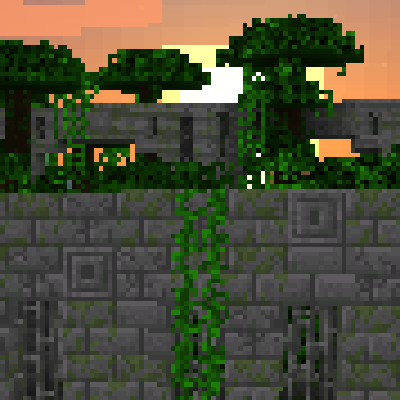
Repurposed Structures - Neoforge/Forge in All the Mods - Gravitas
All the Mods - Gravitas 4.0 ships version 5.1.14+1.18.2 · First seen in 1.1
Repurposed Structures - Neoforge/Forge is a mod in All the Mods - Gravitas 4.0, where it is version 5.1.14+1.18.2. Adds more variations of vanilla structures and features such as a Jungle Fortress! (Summary from the mod's Modrinth page.)
Repurposed Structures - Neoforge/Forge guide for All the Mods - Gravitas
Last verified for All the Mods - Gravitas v4.0 on Oct 8, 2026 · text last changed Oct 8, 2026
- Sections
- 5
- Items named
- 4
Every recipe and number here was checked against All the Mods - Gravitas 4.0, read from the running game on Sep 19, 2026.
What is Repurposed Structures - Neoforge/Forge?
1 part
Repurposed Structures - Neoforge/Forge takes vanilla structures and features and adds new variants of them, including more biome versions, such as a Jungle Fortress. Part of the idea is that the structures look right in the Overworld, so you'll run into them while exploring.[1]
This pack includes version 5.1.14+1.18.2 of the mod.[2]
What to know as a player
- The mod adds no new blocks or mobs, so it can run entirely serverside and vanilla clients can still connect.[1]
- Since 1.18.2, all of its structures are in datapack form. A config datapack from the mod's page lets you turn structures off or change their spawn rates.[1]
- By default the mod tries to import modded loot into its structure loot. You can turn that off in the normal Repurposed Structures config file in the config folder.[1]
- Banners in chests only show up if you have the Luck status effect or attribute. Vanilla can't give you Luck, so you'd need another mod or a datapack for that.[1]
The sources here don't show any changes the pack made to this mod, so treat the details above as the mod's own behavior in this version.[1][2]
How do you get started with Repurposed Structures - Neoforge/Forge?
1 part
Good news: Repurposed Structures doesn't give you a crafting checklist. It adds more variations of vanilla structures and features, like a Jungle Fortress, so your first steps are about exploring rather than crafting.[1]
The project page says the mod doesn't add new blocks or mobs. It works by adding its structures to biomes directly, which is why it can run entirely serverside and vanilla clients can still connect.[1]
What to do first
- Just explore. Head out into the Overworld and keep an eye out for new-looking takes on vanilla structures in different biomes. Both this mod's structures and those from YUNG's mods will keep spawning if you have them installed.[1]
- Check your chests for banners. They're a collectable Easter Egg, but they only show up if you have the Luck status effect or attribute. You can't get Luck in vanilla, so you'd need another mod or a datapack to provide it.[1]
- If you find the advancements annoying, you can turn them off with a datapack. You can also delete the files for the structures you still want advancements for from that datapack.[1]
Unverified I couldn't confirm any in-pack recipes, quests or item entries for this mod, so there are no crafting steps or recipe blocks here. Anything about how the pack changes this mod's structures or spawn rates is also unverified.
How does Repurposed Structures - Neoforge/Forge work?
5 parts
This mod has no machines, multiblocks or automation to set up. It adds variants of vanilla structures, and it adds no new blocks or mobs of its own, so it can run entirely serverside. The mechanics that matter are where structures generate, how their blocks get swapped as they are placed, and what they hand out as loot.[1]
How structures are controlled
From 1.18.2 onward, the mod's structures are datapack driven. Spawn rates, turning structures on or off and similar tweaks are all done through data files. That is why the pack's changes to this mod show up as data files.[1]
The pack ships its own overrides for this mod's data. These are the ones I can confirm.[3][4][5][6][7][8][9][10][11][12]
Where structures can generate
The pack replaces the biome tags that decide where some structures appear. For both the Mercury bastion tag and the underground bastion tag, the only listed biome is beyond_earth:mercury, so those bastions are tied to Mercury.[3][4]
The End stronghold tag is replaced so it lists only beyond_earth:glacio. The Nether stronghold tag is replaced with an empty list, so no biomes are listed for Nether strongholds in this pack.[5][6]
How placed blocks get swapped
Structures run their blocks through processor lists as they generate. The dungeon lists for badlands and desert in this pack use the same processors, in the same order.[7][8]
- A rule processor randomly swaps some blocks for others, each with its own probability.[7][8]
- A replace-air-only processor runs next.[7][8]
- A remove-floating-blocks processor then cleans up stray blocks.[7][8]
- A spawner-randomizing processor finishes by picking the dungeon's spawner, using the mod's own dungeon spawner entry for that dungeon type.[7][8]
The badlands dungeon list is where the pack's TerraFirmaCraft blocks show up. It turns raw sandstone into smooth sandstone for the red, yellow, black, white and brown variants. The probabilities are 0.25 for red, yellow and black, 0.5 for white and 0.75 for brown.[7]
The desert dungeon list uses vanilla blocks. Smooth sandstone slabs have a 0.225 chance to become smooth sandstone and a 0.025 chance to become chiseled sandstone. Sandstone has a 0.25 chance to become smooth sandstone, and the rule that turns sandstone into top-half sandstone slabs has probability 1.[8]
Wells
The pack edits the processor lists for the badlands, forest and mossy wells. In each one, bells have a 0.95 chance of being replaced with air. Stone has a chance of becoming an ore, and the ore depends on the well type.[9][10][11]
- Badlands wells: stone becomes Gold Ore with probability 0.15.[9]
- Forest wells: stone becomes Iron Ore with probability 0.3.[10]
- Mossy wells: stone becomes Emerald Ore with probability 0.12.[11]
Loot
The pack overrides the dispenser loot table for the wasteland lava temple. It has a single pool with one roll and one entry, a Blue Steel Bucket holding 1,000 of lava.[12]
By default the mod tries to import modded loot into its structure chests, and its own config file can turn that off. The sources here include no config file for this mod, so I can't say whether the pack changes it. The mod page also mentions banners in chests, which only appear if you have the Luck status effect or attribute.[1]
How do you progress through Repurposed Structures - Neoforge/Forge?
3 parts
Repurposed Structures adds extra versions of vanilla structures, and this pack reworks several of them to fit its other mods. What follows is what the pack's own data files change: where some structures can generate, and what a few of them are made of and give you.[3][4][5][6][7][8][9][12]
Where structures generate
- Mercury bastions: the pack replaces the list of biomes that can have them, so the only biome left is beyond_earth:mercury.[3]
- Underground bastions: the pack also replaces this list, and it contains only beyond_earth:mercury.[4]
- End strongholds: the biome list is replaced so the only entry is beyond_earth:glacio.[5]
- Nether strongholds: the biome list is replaced with an empty one, so no biomes are listed for them.[6]
Loot changes
The wasteland lava temple dispenser loot table is rewritten in the pack. It has one roll and a single entry: a Blue Steel Bucket set to hold lava, with an amount of 1,000.[12]
Block changes in dungeons and wells
Badlands dungeons use TerraFirmaCraft sandstone in this pack. Raw red, yellow and black sandstone each have a 0.25 chance of becoming the matching smooth sandstone, white has 0.5, and brown has 0.75. The processors also replace air only, remove floating blocks and randomize the spawner.[7]
Desert dungeons have their own processor list. Smooth sandstone slabs can become smooth sandstone (0.225) or chiseled sandstone (0.025), and sandstone can become smooth sandstone (0.25). The same list also turns sandstone into a top sandstone slab with a probability of 1. As in badlands, it replaces air only, removes floating blocks and randomizes the spawner.[8]
Badlands wells are tweaked too: bells have a 0.95 chance of being removed, and stone has a 0.15 chance of becoming gold ore.[9]
What changed in Repurposed Structures - Neoforge/Forge between versions?
1 part
All the Mods - Gravitas 4.0 ships Repurposed Structures 5.1.14 for Minecraft 1.18.2, so every change below is already in your pack. It was first included in All the Mods - Gravitas 1.1 or earlier. There are no pack changelog entries for this mod, so this list comes only from the mod's own changelog. That changelog was cut off partway through, so I'm only covering its most recent entries, newest first.[2][13]
Recent changes, newest first
- Your pack's version (5.1.14): Fixed the biome dimension allow/disallow config file (repurposed_structures-forge/biome_dimension_allow_disallow_configs.json5) so it actually applies to Repurposed Structures dungeons. The author says it had been broken for a few months.[2][13]
- The release just before it: Added compat with the Async Locator mod, which stops explorer maps from stalling the world while they search for a structure. This is handy for map trades and chests with maps. Also added a uk_ua translation.[13]
- The release before that: Added Better End, Better Nether, Magical Forest and Project Vibrant Journey biomes to the biome tags the mod uses, so its structures can spawn there. The Better End and Better Nether entries are described as being just in case they port to Forge 1.18.2. The Crimson, Warped and Nether Mineshafts also got a lower max y value for their center room, which lowers the whole mineshaft by 4 blocks.[13]
- Earlier still: Fixed Desert and Swamp Mineshafts missing their pillars and chain supports. The error message shown when a structure fails to generate with certain required pieces was also slightly improved.[13]
- Before that: The dimension blacklist entry for dungeons and wells now auto-updates to use twilightforest:twilight_forest instead of twilightforest:twilightforest. This means these dungeons and wells no longer spawn in the Twilight Forest dimension.[13]
- Earlier again: The /locate command change now only increases the search radius for structures under the repurposed_structures:larger_locate_search tag. By default that tag holds the mod's Mineshafts, and the search goes from a 100 structure region radius to 2000. This should make /locate time out less often for other mods' or datapacks' structures that have trouble spawning.[13]
- The oldest entry in the part of the changelog we can see: The End Pyramid, End Shipwreck, End Mineshaft, End Outpost and End Ruined Portal now only generate past 1000 blocks from the world center in the End.[13]
Sources
- Repurposed Structures - Neoforge/Forge project page (modrinth) · official mod data
- All the Mods - Gravitas 4.0 mod list · pack file
- kubejs/data/repurposed_structures/tags/worldgen/biome/has_structure/bastions/mercury.json (All the Mods - Gravitas's own data file) · pack file
- kubejs/data/repurposed_structures/tags/worldgen/biome/has_structure/bastions/underground.json (All the Mods - Gravitas's own data file) · pack file
- kubejs/data/repurposed_structures/tags/worldgen/biome/has_structure/strongholds/end.json (All the Mods - Gravitas's own data file) · pack file
- kubejs/data/repurposed_structures/tags/worldgen/biome/has_structure/strongholds/nether.json (All the Mods - Gravitas's own data file) · pack file
- kubejs/data/repurposed_structures/worldgen/processor_list/dungeons/badlands.json (All the Mods - Gravitas's own data file) · pack file
- kubejs/data/repurposed_structures/worldgen/processor_list/dungeons/desert.json (All the Mods - Gravitas's own data file) · pack file
- kubejs/data/repurposed_structures/worldgen/processor_list/wells/badlands.json (All the Mods - Gravitas's own data file) · pack file
- kubejs/data/repurposed_structures/worldgen/processor_list/wells/forest.json (All the Mods - Gravitas's own data file) · pack file
- kubejs/data/repurposed_structures/worldgen/processor_list/wells/mossy.json (All the Mods - Gravitas's own data file) · pack file
- kubejs/data/repurposed_structures/loot_tables/dispensers/temples/wasteland_lava.json (All the Mods - Gravitas's own data file) · pack file
- Repurposed Structures - Neoforge/Forge 5.1.14+1.18.2 changelog · changelog
Where this guide comes from
Written from what All the Mods - Gravitas itself ships: its files and recipes, the in-game guidebooks and the mods' own pages. Every statement links to the source it came from, and the numbers are checked against the pack before publishing.
Guide last verified Oct 8, 2026.
Report wrong info
Version in each release
30 releases, first in 1.1
| All the Mods - Gravitas | Version | Jar | Where it came from |
|---|---|---|---|
| 4.0 Sep 28, 2023 | 5.1.14+1.18.2 | repurposed_structures_forge-5.1.14+1.18.2.jar | From the published release |
| 3.9 Aug 31, 2023 | 5.1.14+1.18.2 | repurposed_structures_forge-5.1.14+1.18.2.jar | From the published release |
| 3.8 Aug 17, 2023 | 5.1.14+1.18.2 | repurposed_structures_forge-5.1.14+1.18.2.jar | From the published release |
| 3.7 Jul 28, 2023 | 5.1.14+1.18.2 | repurposed_structures_forge-5.1.14+1.18.2.jar | From the published release |
| 3.6b Jun 30, 2023 | 5.1.14+1.18.2 | repurposed_structures_forge-5.1.14+1.18.2.jar | From the published release |
| 3.5 Jun 29, 2023 | 5.1.14+1.18.2 | repurposed_structures_forge-5.1.14+1.18.2.jar | From the published release |
| 3.4 Jun 19, 2023 | 5.1.14+1.18.2 | repurposed_structures_forge-5.1.14+1.18.2.jar | From the published release |
| 3.3 Jun 9, 2023 | 5.1.14+1.18.2 | repurposed_structures_forge-5.1.14+1.18.2.jar | From the published release |
| 3.2 Jun 3, 2023 | 5.1.14+1.18.2 | repurposed_structures_forge-5.1.14+1.18.2.jar | From the published release |
| 3.1 May 20, 2023 | 5.1.14+1.18.2 | repurposed_structures_forge-5.1.14+1.18.2.jar | From the published release |
| 2.9 May 19, 2023 | 5.1.14+1.18.2 | repurposed_structures_forge-5.1.14+1.18.2.jar | From the published release |
| 2.8a May 18, 2023 | 5.1.14+1.18.2 | repurposed_structures_forge-5.1.14+1.18.2.jar | From the published release |
| 2.7 May 12, 2023 | 5.1.14+1.18.2 | repurposed_structures_forge-5.1.14+1.18.2.jar | From the published release |
| 2.6 May 10, 2023 | 5.1.14+1.18.2 | repurposed_structures_forge-5.1.14+1.18.2.jar | From the published release |
| 2.5 May 1, 2023 | 5.1.14+1.18.2 | repurposed_structures_forge-5.1.14+1.18.2.jar | From the published release |
| 2.4 May 1, 2023 | 5.1.14+1.18.2 | repurposed_structures_forge-5.1.14+1.18.2.jar | From the published release |
| 2.3 Apr 19, 2023 | 5.1.14+1.18.2 | repurposed_structures_forge-5.1.14+1.18.2.jar | From the published release |
| 2.2 Apr 5, 2023 | 5.1.14+1.18.2 | repurposed_structures_forge-5.1.14+1.18.2.jar | From the published release |
| 2.1 Apr 4, 2023 | 5.1.14+1.18.2 | repurposed_structures_forge-5.1.14+1.18.2.jar | From the published release |
| 2.0 Apr 4, 2023 | 5.1.14+1.18.2 | repurposed_structures_forge-5.1.14+1.18.2.jar | From the published release |
| 1.9b Mar 13, 2023 | 5.1.14+1.18.2 | repurposed_structures_forge-5.1.14+1.18.2.jar | From the published release |
| 1.9 Mar 12, 2023 | 5.1.14+1.18.2 | repurposed_structures_forge-5.1.14+1.18.2.jar | From the published release |
| 1.8b Mar 4, 2023 | 5.1.14+1.18.2 | repurposed_structures_forge-5.1.14+1.18.2.jar | From the published release |
| 1.7 Feb 15, 2023 | 5.1.14+1.18.2 | repurposed_structures_forge-5.1.14+1.18.2.jar | From the published release |
| 1.6 Feb 13, 2023 | 5.1.14+1.18.2 | repurposed_structures_forge-5.1.14+1.18.2.jar | From the published release |
| 1.5 Feb 13, 2023 | 5.1.14+1.18.2 | repurposed_structures_forge-5.1.14+1.18.2.jar | From the published release |
| 1.4 Feb 12, 2023 | 5.1.14+1.18.2 | repurposed_structures_forge-5.1.14+1.18.2.jar | From the published release |
| 1.3 Feb 8, 2023 | 5.1.14+1.18.2 | repurposed_structures_forge-5.1.14+1.18.2.jar | From the published release |
| 1.2 Feb 4, 2023 | 5.1.14+1.18.2 | repurposed_structures_forge-5.1.14+1.18.2.jar | From the published release |
| 1.1 Feb 1, 2023 | 5.1.14+1.18.2 | repurposed_structures_forge-5.1.14+1.18.2.jar | From the published release |
"From pack files" means the list came from the pack's own files; "from the published release" means ForgeBase read the jars of the release itself.
Items and blocks
We can't match this mod to the pack's item list: it registers as repurposed_structures, and the pack's recipe dump has nothing under that name. That means we found nothing, not that the mod adds nothing. Search the item browser
Comments and tips
Loading comments...