Energy Meter in All the Mods 10
All the Mods 10 8.3 ships version 1.21.1-0.5.2 · First seen in 7.0
Energy Meter is a mod in All the Mods 10 8.3, where it is version 1.21.1-0.5.2. Easily measure your energy rates. (Summary from the mod's Modrinth page.)
Energy Meter guide for All the Mods 10
Last verified for All the Mods 10 v8.3 on Oct 17, 2026 · text last changed Oct 17, 2026
Also applies to:FTB StoneBlock 4 1.14.0 to 1.23.0
- Sections
- 5
- Recipes shown
- 2
- Items named
- 2
Every recipe and number here was checked against All the Mods 10 8.3, read from the running game on Oct 16, 2026.
What is Energy Meter?
2 parts
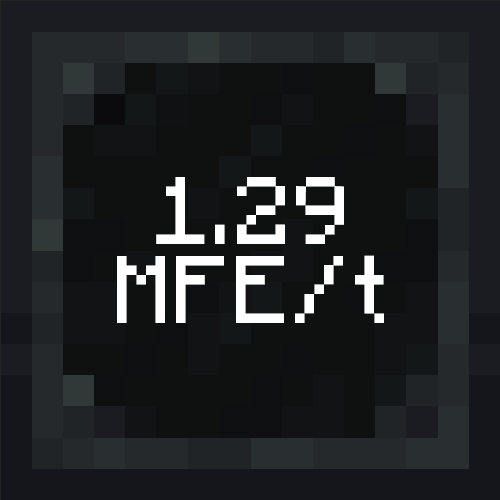
Energy Meter is a small utility mod that adds one block for measuring energy transfer rates. A screen on the block always shows the current rate, so you can check a power setup at a glance. It's a complete rewrite rather than an official update or port of the older Energy Meters mod, and the author credits the original author, vladmarica, for the idea.[1]
The pack includes version 1.21.1-0.5.2 for NeoForge. It has been in the pack since All the Mods 10 7.0 or earlier.[2]
How it works
The block acts like a cable. Incoming energy requests are forwarded to its outputs, and the values of those requests are stored. At a configurable interval, the mod uses them to calculate the flow rate. The display on the front can be rotated in any direction, including up and down.[3]
The front is reserved for the display, so only the other five sides can be set as input or output. Right-click the block to open its interface. A graph view there shows the last 10 intervals and can be paused.[3][4]
Who it's for
It's for anyone who wants to see how much power a generator line, cable run or machine bank is moving, or to find where a setup is bottlenecked. You can adjust the measurement interval and the calculation mode.[3]
- Transfer modes: Split is the default and divides incoming energy evenly across the outputs. Transfer lets you give outputs priorities. Consume deletes incoming energy, which is handy for testing how much can enter through your inputs.[4]
- Measuring modes: Instant is the default and only uses the current interval, which is good for exact values. Smoothed also factors in the previous interval, which reduces the impact of sudden spikes.[4]
Unverified The sources don't say where this mod fits in the pack's progression, and they don't show any quests or an ATM Star path involving it. Treat it as an optional monitoring tool you can add whenever you want to measure energy flow.
How do you get started with Energy Meter?
4 parts
Getting started with Energy Meter is quick, because the mod is built around one block. The Energy Meter measures energy flow rates, and it works like a cable. Incoming energy requests are forwarded to the outputs while the block records the values and uses them at a configurable interval to calculate a rate.[1][3]
Step 1: craft the Energy Meter
This is the only item you need to begin. Here is the exact in-pack recipe:[5]
Crafting Shaped
| any iron ingot | any iron ingot | |
| any redstone dust | any glass panes | any redstone dust |
| any iron ingot | any iron ingot |
Recipe id: energymeter:meter
This is a shaped crafting recipe in this pack.
Next: place it and set it up
- Place the block in your energy line. The front shows a digital display with the current rate. The display can be rotated in any direction, including upwards and downwards.[3]
- Interact with the block to open its interface. The left panel is always visible and shows the current rate, the total measured energy, the status and the I/O grid.[4]
- Use the I/O grid to set each side as an input, an output, or disabled. The front is reserved for the display, so only the other five sides can be configured. Left-click or right-click a side to change it.[3][4]
- Check the status. Disconnected means the settings required for the selected mode have not been configured, which in most cases means an input or output is missing. Idle means everything is configured correctly and the meter is waiting to transfer energy.[4]
If you only want to test how much energy can enter through your inputs, there is a Consume mode. It permanently deletes all incoming energy instead of forwarding it, and it disallows outputs in the I/O grid. It is meant for testing setups.[4]
Defaults worth knowing
- The default transfer mode is Split, which divides incoming energy evenly across all outputs. Transfer mode lets you assign priorities to outputs instead.[4]
- The default measuring mode is Instant, which only uses the values from the current interval. Smoothed also factors in the previous interval, which reduces the impact of sudden spikes.[4]
- The graph view in the interface shows the last 10 intervals and can be paused. The measurement interval and calculation mode are both adjustable.[3]
Optional: the External Monitor
The pack also has a recipe for the External Monitor. It builds on the Energy Meter, so get your first meter working before you make one.[5]
Crafting Shaped
| Empty slot | Empty slot | |
| Empty slot | Empty slot |
Recipe id: energymeter:monitor
This is a shaped crafting recipe in this pack.
How does Energy Meter work?
6 parts
The Energy Meter works like a cable. Energy requests that arrive at it are simply forwarded to its outputs. While that happens, it stores the values of those requests and uses them at a configurable interval to calculate the flow rate.[3]
Sides and the I/O grid
The front of the block is a digital display showing the current rate. You can rotate the display in any direction, including up and down. Because the front is reserved for the display, only the other five sides can be set up for energy.[3][4]
In the interface, the I/O grid lets you set each side as an input, an output, or disabled for energy requests. Left-click and right-click both change a side. You can also reset a single side or all sides at once. Which roles a side can take depends on the transfer mode you picked.[4]
Transfer modes
The transfer mode decides how requests arriving on your input sides are forwarded to the output sides. Split is the default.[4]
- Split: incoming requests are shared evenly across all outputs. If one output accepts less than its share, the leftover goes to the other outputs, so the split is not forced. If there are more outputs than available energy, the remainder goes to a randomly selected output.[4]
- Transfer: this mode changes the I/O grid so you can give outputs priorities. Higher-priority outputs get energy first, and it then flows down in descending priority order. Lower-priority outputs only receive what higher-priority ones cannot accept.[4]
- Consume: a testing mode that permanently deletes all incoming energy instead of forwarding it. It disallows outputs in the I/O grid. It is handy for measuring how much energy can enter through all your inputs when the outputs would normally limit the flow.[4]
Measuring modes
- Instant (default): only values measured during the current interval count and earlier intervals are ignored. Use it when you need exact values.[4]
- Smoothed: the previous interval is factored into the calculation. This gives a smoother graph and softens sudden spikes, which is good for watching average behavior over longer periods.[4]
Readouts, status and graph
The left-hand global panel is always visible. It shows the current flow rate and the total amount of measured energy. These values update once per configured interval, with one exception that involves the tolerance setting.[4]
The status updates whenever something that could affect it changes, such as the flow rate, neighboring blocks, or the input and output setup. Disconnected means the settings required by the current mode are not configured, usually because an input or output is missing. Idle means everything is set up correctly and the meter is waiting to transfer energy. The status shown while working depends on the transfer mode.[4]
The graph view shows the measurements of the last 10 intervals, and you can pause it.[3]
Settings fields
The Settings section of the Configuration tab uses text fields that always show the current value. While you edit, the shown value doesn't update. The button on the right becomes active, and pressing it or hitting Enter applies your entry. An invalid input turns the box red and can't be applied.[4]
The boxes also accept math: addition, subtraction, multiplication, division, exponentiation and parentheses. A small popup shows the calculated result so you can apply it. All values are integers, so results are rounded to the nearest whole number.[4]
The Limit setting defines how much energy the meter can transfer per tick, with 1 second being 20 ticks.[4]
Crafting
Crafting Shaped
| any iron ingot | any iron ingot | |
| any redstone dust | any glass panes | any redstone dust |
| any iron ingot | any iron ingot |
Recipe id: energymeter:meter
This is the pack's recipe for the Energy Meter.
Crafting Shaped
| Empty slot | Empty slot | |
| Empty slot | Empty slot |
Recipe id: energymeter:monitor
This is the pack's recipe for the External Monitor.
How do you progress through Energy Meter?
3 parts
Energy Meter doesn't have a long tier ladder. In this pack there are just the Energy Meter and the External Monitor. The sources I have don't describe any further tiers or upgrade levels, so I'm not going to invent any.[3][5]
Step 1: the Energy Meter
The Energy Meter is the core of the mod. It's a block that works like a cable, forwarding incoming energy requests to its outputs while it records them and uses a configurable interval to calculate the flow rate. The recipe in this pack is below.[3][5]
Crafting Shaped
| any iron ingot | any iron ingot | |
| any redstone dust | any glass panes | any redstone dust |
| any iron ingot | any iron ingot |
Recipe id: energymeter:meter
Once it's placed, the front shows a digital display of the current rate, and you can rotate that display in any direction, including up and down. The front is taken by the display, so only the other five sides can be set as inputs or outputs.[3]
Interact with the block to open its interface. There you'll find a graph of the last 10 intervals, which you can pause. You can also change the measurement method, the measurement interval and the calculation mode.[3][4]
Next: the External Monitor
The External Monitor is the second step, and it's crafted from the meter rather than from scratch. Here is the exact in-pack recipe.[5]
Crafting Shaped
| Empty slot | Empty slot | |
| Empty slot | Empty slot |
Recipe id: energymeter:monitor
Quests
Unverified No quests in this pack are known to involve this mod, and it is not known to be on the ATM Star quest path. If you find a quest that does, let John know.
What changed in Energy Meter between versions?
Here's how Energy Meter has moved through the pack's releases. The pack changelogs only record version bumps, so you get the version numbers but not what changed inside each one.[7][8][9][10]
- All the Mods 10 7.0: Energy Meter was added at version 1.21.1-0.4.0.[10]
- All the Mods 10 7.1: updated from 1.21.1-0.4.0 to 1.21.1-0.4.1.[9]
- All the Mods 10 7.3: updated from 1.21.1-0.4.1 to 1.21.1-0.5.0.[8]
- All the Mods 10 8.0: updated from 1.21.1-0.5.0 to 1.21.1-0.5.2.[7]
All the Mods 10 8.1 ships Energy Meter 1.21.1-0.5.2, so there's no change to the mod in this release compared with 8.0. The pack file lists it as first included in 7.0 or earlier, and the 7.0 changelog shows it was added there.[2][7][10]
Unverified What each Energy Meter update actually changed (features, fixes, or balance tweaks) is unverified, because no mod changelogs are stored for the shipped jars.
Sources
- Energy Meter project page (modrinth) · official mod data
- All the Mods 10 8.1 mod list · pack file
- In-game guide: Energy Meter (energymeter) · official docs
- In-game guide: Interface (energymeter) · official docs
- All the Mods 10 8.1 recipe dump: recipes making Energy Meter items · pack recipe dump
- energymeter tooltips and descriptions (English lang file) · official mod data
- All the Mods 10 changelog (All the Mods 10 8.0) · changelog
- All the Mods 10 changelog (All the Mods 10 7.3) · changelog
- All the Mods 10 changelog (All the Mods 10 7.1) · changelog
- All the Mods 10 changelog (All the Mods 10 7.0) · changelog
Where this guide comes from
Written from what All the Mods 10 itself ships: its files and recipes, the in-game guidebooks and the mods' own pages. Every statement links to the source it came from, and the numbers are checked against the pack before publishing.
Guide last verified Oct 17, 2026.
Guides for other versions: 7.0
Report wrong info
Version in each release
8 releases, first in 7.0
| All the Mods 10 | Version | Jar | Where it came from |
|---|---|---|---|
| 8.3 Oct 15, 2026 | 1.21.1-0.5.2 | energymeter-neoforge-1.21.1-0.5.2.jar | From the published release |
| 8.2 Sep 22, 2026 | 1.21.1-0.5.2 | energymeter-neoforge-1.21.1-0.5.2.jar | From pack files |
| 8.1 Aug 29, 2026 | 1.21.1-0.5.2 | energymeter-neoforge-1.21.1-0.5.2.jar | From pack files |
| 8.0 Aug 14, 2026 | 1.21.1-0.5.2 | energymeter-neoforge-1.21.1-0.5.2.jar | From pack files |
| 7.3 Aug 2, 2026 | 1.21.1-0.5.0 | energymeter-neoforge-1.21.1-0.5.0.jar | From pack files |
| 7.2 Jul 20, 2026 | 1.21.1-0.4.1 | energymeter-neoforge-1.21.1-0.4.1.jar | From pack files |
| 7.1 Jun 26, 2026 | 1.21.1-0.4.1 | energymeter-neoforge-1.21.1-0.4.1.jar | From pack files |
| 7.0 May 15, 2026 | 1.21.1-0.4.0 | energymeter-neoforge-1.21.1-0.4.0.jar | From pack files |
"From pack files" means the list came from the pack's own files; "from the published release" means ForgeBase read the jars of the release itself.
Comments and tips
Loading comments...