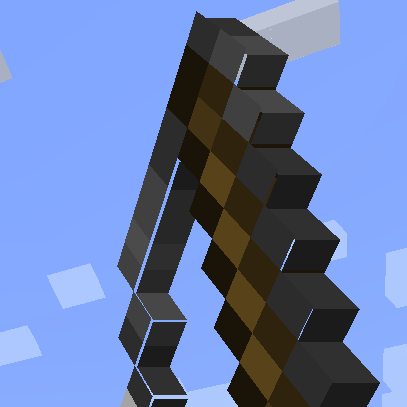
Model Gap Fix in All the Mons
All the Mons 1.3.0 ships version 1.21-1.10 · First seen in 0.3.0-beta
Model Gap Fix is a mod in All the Mons 1.3.0, where it is version 1.21-1.10. Fixes gaps in Block Models and Item Models (Summary from the mod's Modrinth page.)
Model Gap Fix guide for All the Mons
Last verified for All the Mons v1.3.0 on Oct 7, 2026 · text last changed Oct 5, 2026
Also applies to:All the Mods 10 0.32 to 8.3FTB Skies 2 1.0.1 to 1.24.0FTB Skies 2: Aero 1.0.3 to 1.10.0
- Sections
- 5
1 section is written for this pack; 4 are shared from another pack's guide.
Every recipe and number here was checked against All the Mons 1.3.0, read from the running game on Sep 18, 2026.
What is Model Gap Fix?
4 parts
Same as in the All the Mods 10 8.1 guide
Model Gap Fix is a small client-side mod that fixes a long-standing Mojang bug, MC-73186. That bug shows up as thin gaps in block models and item models, and possibly in other models too.[1]
The fix is simple. The mod removes texture zooming, so every model face uses 100% of its texture instead of a slightly zoomed-in part of it.[1]
Who it's for
Everyone who plays the pack benefits, and you don't have to do anything. The gaps were most noticeable on custom block models and on some 2D items, and the mod cleans those up automatically.[1]
What it does for 2D items
Removing zoom alone creates another kind of tiny, flickering gap in 2D item models, because they are generated quad by quad. To cover those, the mod changes the item model generator. It never makes a quad that covers a transparent pixel, and it builds multiple quads for each row of solid pixels instead. That lets it slightly enlarge the side quads without opening new gaps. According to the mod's page, this extra step only applies on Forge, because Fabric doesn't get those tiny lines.[1]
Will it hurt performance?
No. Removing texture zooming just removes some code and has no real impact. The item model tweak can add a couple more quads for concave item textures compared to vanilla. The author calls that negligible, and says it could only matter with high-resolution resource packs.[1]
In this pack
The pack ships Model Gap Fix version 1.21-1.10 as the file modelfix-1.21-1.10.jar. It was already included in earlier releases of the pack.[2]
Unverified The sources don't show any recipes, quests, configs or progression role for this mod, so there is nothing to unlock or craft. It is a background fix rather than part of the pack's progression.
How do you get started with Model Gap Fix?
2 parts
Same as in the All the Mods 10 8.1 guide
Good news: there's nothing to craft to get started with Model Gap Fix. It's a simple client-side mod that fixes the Mojang bug MC-73186, which causes gaps in block models and item models. It works on its own, so you don't need to set anything up.[1]
What it does for you
The mod removes texture zooming, so every model face uses 100% of its texture. That closes the gaps on items, where they're most noticeable, and on block models too. The gaps were especially visible on custom block models and some 2D items, which is handy in a pack with lots of modded content.[1]
For 2D item models, the mod also changes how the item model generator builds its quads. It no longer creates a quad that covers a transparent pixel, and instead makes multiple quads for each row of solid pixels. That covers the tiny flickering gaps that removing texture zooming alone would leave. The source says this last part only applies on Forge.[1]
What to do first
- Load into the world as usual. The fix applies to rendering automatically, so there's no item to make or quest to start.[1]
- Look closely at a 2D item or a custom block model. Any seams or gaps that vanilla rendering would show should no longer appear.[1]
Unverified The sources I have don't confirm any items, recipes, quests or config options for this mod in this pack, so there are no recipes to show here. If you see something different in game, treat it as unconfirmed.
How does Model Gap Fix work?
3 parts
Same as in the All the Mods 10 2.11 guide
This is a simple client-side mod, and its core mechanic is purely visual. It fixes a long-standing vanilla bug, tracked as MC-73186, that leaves tiny gaps in block models and item models, and possibly in other models too.[1]
You'll spot the problem most on items, especially some 2D items. It also shows up clearly on custom block models, which matters in a big pack where lots of mods bring their own models.[1]
The base fix: no more texture zooming
The main trick is simple. The mod removes texture zooming, so every model face uses 100% of its texture. That alone closes up the gaps on items, on block models and on anything else that uses the same rendering functions.[1]
The extra fix for 2D item models
Flat 2D item models needed more work. Vanilla builds them quad by quad, so removing texture zooming by itself leaves a different kind of gap: very thin lines that flicker.[1]
To fix that, the mod changes the item model generator. It never creates a quad that covers a transparent pixel. Instead it creates multiple quads for each row of solid pixels in the same direction. Because of this, it can make all the side quads slightly larger without opening new gaps, so the edges of your items look seamless.[1]
Unverified Which loader build of the mod this pack uses, and so whether the extra 2D item model fix is active here, is not confirmed by the available sources.
Performance impact
You don't need to worry about lag. Removing texture zooming just removes some code and has no impact. The only possible cost is the tweaked item models: concave item textures can end up with a couple more quads than in vanilla. The author calls this negligible and says it could only matter when running high resolution packs.[1]
Which Model Gap Fix config options matter?
Same as in the All the Mods 10 2.11 guide
There's nothing to configure here. The pack ships no config files for this mod, and the mod itself is a simple client-side fix that just works the moment it loads.[1]
What it does is remove texture zooming so every model face uses 100% of its texture, which closes the gaps you'd otherwise see in block models and item models. On Forge it also changes the item model generator so it never creates a quad covering a transparent pixel, instead making multiple quads per row of solid pixels, which lets those side quads grow slightly without opening new gaps.[1]
Performance isn't something you need to tune around either. Removing texture zooming just removes code and has no impact. The extra quads for concave item textures could in theory be very slightly worse than vanilla, but that's negligible and would only matter with high resolution resource packs.[1]
What changed in Model Gap Fix between versions?
There isn't much history to cover for this one, and that's a good thing for a small fix mod. All the Mons 1.3.0 ships Model Gap Fix version 1.21-1.10, and the mod has been in the pack since 0.3.0-beta or earlier.[3]
The only change note available for the version in the pack says it fixed an issue on NeoForge. The changelog doesn't give any more detail than that, so what exactly was fixed is unverified.[4]
The sources contain no pack changelog entries for this mod, so I can't tell you about any pack-specific changes to it across releases.[3]
Sources
- Model Gap Fix project page (modrinth) · official mod data
- All the Mods 10 8.1 mod list · pack file
- All the Mons 1.3.0 mod list · pack file
- Model Gap Fix 1.21-1.10 changelog · changelog
Where this guide comes from
Written from what All the Mons itself ships: its files and recipes, the in-game guidebooks and the mods' own pages. Every statement links to the source it came from, and the numbers are checked against the pack before publishing.
Guide last verified Oct 7, 2026.
Report wrong info
Version in each release
28 releases, first in 0.3.0-beta
| All the Mons | Version | Jar | Where it came from |
|---|---|---|---|
| 1.3.0 Sep 6, 2026 | 1.21-1.10 | modelfix-1.21-1.10.jar | From the published release |
| 1.2.0 Aug 3, 2026 | 1.21-1.10 | modelfix-1.21-1.10.jar | From the published release |
| 1.1.1 Jul 14, 2026 | 1.21-1.10 | modelfix-1.21-1.10.jar | From the published release |
| 1.1.0 Jul 14, 2026 | 1.21-1.10 | modelfix-1.21-1.10.jar | From the published release |
| 1.0.1 Jul 2, 2026 | 1.21-1.10 | modelfix-1.21-1.10.jar | From the published release |
| 1.0.0 Jul 2, 2026 | 1.21-1.10 | modelfix-1.21-1.10.jar | From the published release |
| 1.0.0-rc.7 Jun 14, 2026 | 1.21-1.10 | modelfix-1.21-1.10.jar | From the published release |
| 1.0.0-rc.6 May 20, 2026 | 1.21-1.10 | modelfix-1.21-1.10.jar | From the published release |
| 1.0.0-rc.5 May 14, 2026 | 1.21-1.10 | modelfix-1.21-1.10.jar | From the published release |
| 1.0.0-rc.4 Apr 21, 2026 | 1.21-1.10 | modelfix-1.21-1.10.jar | From the published release |
| 1.0.0-rc.2 Apr 19, 2026 | 1.21-1.10 | modelfix-1.21-1.10.jar | From the published release |
| 1.0.0-rc.1 Apr 18, 2026 | 1.21-1.10 | modelfix-1.21-1.10.jar | From the published release |
| 0.18.0-beta Apr 8, 2026 | 1.21-1.10 | modelfix-1.21-1.10.jar | From the published release |
| 0.17.0-beta Apr 7, 2026 | 1.21-1.10 | modelfix-1.21-1.10.jar | From the published release |
| 0.16.0-beta Apr 5, 2026 | 1.21-1.10 | modelfix-1.21-1.10.jar | From the published release |
| 0.15.0-beta Apr 2, 2026 | 1.21-1.10 | modelfix-1.21-1.10.jar | From the published release |
| 0.14.1-beta Mar 31, 2026 | 1.21-1.10 | modelfix-1.21-1.10.jar | From the published release |
| 0.14.0-beta Mar 18, 2026 | 1.21-1.10 | modelfix-1.21-1.10.jar | From the published release |
| 0.13.0-beta Mar 18, 2026 | 1.21-1.10 | modelfix-1.21-1.10.jar | From the published release |
| 0.12.0-beta Mar 6, 2026 | 1.21-1.10 | modelfix-1.21-1.10.jar | From the published release |
| 0.11.0-beta Feb 24, 2026 | 1.21-1.10 | modelfix-1.21-1.10.jar | From the published release |
| 0.10.0-beta Feb 6, 2026 | 1.21-1.10 | modelfix-1.21-1.10.jar | From the published release |
| 0.9.0-beta Jan 30, 2026 | 1.21-1.10 | modelfix-1.21-1.10.jar | From the published release |
| 0.8.0-beta Jan 30, 2026 | 1.21-1.10 | modelfix-1.21-1.10.jar | From the published release |
| 0.7.0-beta Jan 29, 2026 | 1.21-1.10 | modelfix-1.21-1.10.jar | From the published release |
| 0.6.0-beta Jan 26, 2026 | 1.21-1.10 | modelfix-1.21-1.10.jar | From the published release |
| 0.4.0-beta Jan 25, 2026 | 1.21-1.10 | modelfix-1.21-1.10.jar | From the published release |
| 0.3.0-beta Jan 22, 2026 | 1.21-1.10 | modelfix-1.21-1.10.jar | From the published release |
"From pack files" means the list came from the pack's own files; "from the published release" means ForgeBase read the jars of the release itself.
Items and blocks
We can't match this mod to the pack's item list: it registers as modelfix, and the pack's recipe dump has nothing under that name. That means we found nothing, not that the mod adds nothing. Search the item browser
Comments and tips
Loading comments...