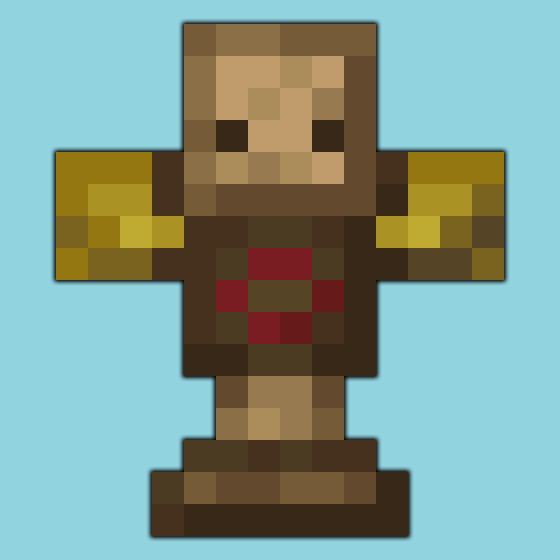
MmmMmmMmmMmm in All the Mons
All the Mons 1.3.0 ships version 1.21-2.1.0 · First seen in 0.3.0-beta
MmmMmmMmmMmm is a mod in All the Mons 1.3.0, where it is version 1.21-2.1.0. Target Dummy that show damage dealt and can be equipped with armor (Summary from the mod's Modrinth page.)
MmmMmmMmmMmm guide for All the Mons
Last verified for All the Mons v1.3.0 on Oct 16, 2026 · text last changed Oct 15, 2026
Also applies to:All the Mods 10 0.53 to 8.1FTB Skies 2 1.0.1 to 1.24.0FTB Skies 2: Aero 1.1.0 to 1.10.0FTB StoneBlock 4 1.1.1 to 1.23.0
- Sections
- 6
- Recipes shown
- 1
- Items named
- 1
2 sections are written for this pack; 4 are shared from another pack's guide.
Every recipe and number here was checked against All the Mons 1.3.0, read from the running game on Sep 18, 2026.
What is MmmMmmMmmMmm?
3 parts
MmmMmmMmmMmm is a small mod that adds exactly one item: a Target Dummy. You place it in the world, hit it, and it wiggles and shows you big damage numbers. It's perfect for testing weapons and checking your DPS.[1]
This pack ships version 1.21-2.1.0 of the mod, the NeoForge build. It has been in the pack since 0.3.0-beta or earlier.[2]
What the dummy does
- Right click a block with the dummy to place it. It can face 16 different directions depending on which way you face, similar to an armor stand.[1]
- Right click it with armor or equipment to dress it up. Click the matching body part to take a piece off again. Dressing it up makes the damage numbers smaller.[1]
- To remove it, shift left click it with an empty hand. You can also break it by removing the block under its feet.[1]
- A dispenser can place the dummy, which helps with automation.[1]
- Damage numbers change colour with the damage type. Critical hits are red and lightning damage is yellow. Several numbers can show at once, and they fade so you can tell which is newest.[1]
Mob types and scarecrows
Equip the dummy with an undead mob head and it becomes an undead target, so you can test a smite sword without hunting skeletons. A turtle helmet makes it a water mob, and a pillager banner makes it a pillager. Other mobs still won't attack it, but it takes extra damage from the matching enchantments.[1]
Put a pumpkin or jack o lantern on it and it works as a scarecrow, scaring nearby animals. Shearing the dummy gives it a different skin.[1]
Config
The mod has a config file. You can use it to change how much the dummy swings, change its skin, and pick static or dynamic DPS messages. You can also make the numbers show hearts instead of damage.[1]
How do you get started with MmmMmmMmmMmm?
3 parts
Same as in the All the Mods 10 8.1 guide
Good news: getting started with this mod is quick, because it adds exactly one item, the Target Dummy. Once you've made one, you can see how much damage your weapons and builds actually deal.[1]
Craft your Target Dummy
The dummy has a single crafting recipe in the pack, and it's the first thing to make. The block below shows the exact in-pack recipe.[3]
Crafting Shaped
Recipe id: dummmmmmy:dummy_crafting
Place it and start hitting
- Right click on a block with the dummy to place it. It can face 16 different directions depending on which way you face when you place it, just like an armor stand.[1]
- Hit it. It wiggles and shows the damage you dealt as large numbers, so it's a handy way to test a new weapon.[1]
- Dress it up if you like: right click the dummy with the armor or equipment you want to put on it. To take a piece off, click the matching body part. The mod's page says dressing it up makes the numbers smaller.[1]
- When you're done testing, remove it by shift left clicking it with an empty hand.[1]
Handy tricks once you have one
- Testing something like a smite sword? Equip the dummy with an undead mob head and it changes its type to match. A turtle helmet makes it a water mob, and a pillager banner makes it a pillager.[1]
- Mimicking a mob type doesn't make other mobs attack the dummy. It just takes more damage from the matching enchantments and similar effects.[1]
- Put a pumpkin or jack o lantern on it and it works as a scarecrow, scaring nearby animals.[1]
- You can shear the dummy to get a different skin.[1]
- For automation, a dispenser can place the dummy. You can also break it by removing the block under its feet.[1]
How does MmmMmmMmmMmm work?
8 parts
Same as in the All the Mods 10 2.11 guide
Don't expect machines, power or pipes here! MmmMmmMmmMmm is a small mod that adds exactly one item, the Target Dummy. Its mechanics are all about placing the dummy, hitting it to see your damage numbers, and dressing it up to change how it behaves.[1]
Getting a dummy
In this pack the Target Dummy has a shaped crafting recipe that uses an armor stand and a hay block. Check the grid below for the exact layout.[4]
Crafting Shaped
Recipe id: dummmmmmy:dummy_crafting
Placing, rotating and removing
- Right click on a block while holding the Target Dummy to place it.[1]
- The dummy faces one of 16 directions depending on which way you're looking when you place it, just like an armor stand.[1]
- When you're done testing, shift left click the dummy with an empty hand to remove it.[1]
Reading the damage numbers
Hit the dummy and it wiggles and shows the damage you dealt. It can show more than one damage number at a time, and older numbers fade out so you can always tell which one is the newest.[1]
The numbers are colour-coded by damage type. For example, critical hits show up red and lightning damage shows up yellow. The dummy reacts to all damage types, so it's handy for testing more than plain sword swings.[1]
Your DPS (damage per second) also shows up on the status bar, which makes it easy to compare weapons or setups.[1]
Equipping armor and gear
You can dress the dummy with all kinds of armor and equipment by right clicking it with the item you want to put on. To take a piece off, click the matching body part. Equipping and unequipping work a lot like an armor stand.[1]
Armor does more than change the look. A dressed-up dummy takes less damage, so the numbers get smaller. That makes the dummy a good way to see how your attacks hold up against armored targets.[1]
Changing the mob type
This is where the dummy gets really useful for testing enchantments. Certain items change what kind of mob the dummy counts as, so it takes extra damage from the matching enchantments.[1]
- Equip an undead mob head to turn it into an undead mob. That's perfect for testing a Smite sword without hunting for skeletons.[1]
- Equip a turtle helmet to make it count as a water mob.[1]
- Equip a pillager banner to turn it into a pillager mob.[1]
Scarecrows and skins
Put a pumpkin or jack o'lantern on the dummy and it becomes a scarecrow that scares away nearby animals. You can also shear a dummy to give it a different skin.[1]
Automation
There isn't much to automate, but the dummy does work with vanilla redstone tricks. A dispenser can place it, and you can break it by removing the block under its feet.[1]
Killing the dummy
The dummy survives normal hits, but the /kill command, withers and void damage can all kill it. Keep it away from your wither-fighting arena if you want it to stick around![1]
Unverified The mod's config is said to let you change how much the dummy swings, switch its skin, choose between static and dynamic DPS messages, and show hearts instead of damage numbers. This pack doesn't ship a config file for this mod, so the option names and the values this pack uses can't be confirmed.
How do you progress through MmmMmmMmmMmm?
Same as in the All the Mods 10 8.1 guide
The sources show only one recipe for this mod in the pack: the Target Dummy. It is a shaped crafting recipe, and no other recipe in the pack makes an item from this mod, so there are no tiers or upgrade steps to follow.[3]
Crafting Shaped
Recipe id: dummmmmmy:dummy_crafting
This is the only in-pack recipe that makes a Target Dummy.
Which MmmMmmMmmMmm config options matter?
Same as in the All the Mods 10 2.11 guide
This pack ships no config file for the mod, so everything runs on the mod's own defaults. That means there are no pack-changed values to watch out for here, whatever the dummy does out of the box is what you get.[1]
The mod does have a config file of its own if you ever want to generate and tweak one. It lets you change how much the dummy swings when you hit it, and it lets you swap the skin it uses.[1]
The same config also controls how damage is reported. You can choose between static and dynamic DPS messages, and you can make the floating numbers show hearts instead of raw damage, handy if you think in hearts rather than half-points.[1]
Unverified The exact key names, default values and file path for the mod's config are not documented in the sources used for this guide, so check the generated config file in your instance folder for the specific options.
What changed in MmmMmmMmmMmm between versions?
2 parts
All the Mons 1.3.0 ships MmmMmmMmmMmm 1.21-2.1.0 for NeoForge. The mod has been in the pack since All the Mons 0.3.0-beta or earlier. Here are the releases the mod's own changelogs cover.[2]
Recent releases
- 1.21-2.0.11: added critical strike mod compatibility, thanks to Daedelus.[5]
- 1.21-2.0.12: translations only.[6]
- 1.21-2.1.0: reworked the configs and added a punchable dummy on the config screen. Also includes more translations.[7]
What changed in 2.1.0
This is the biggest of the releases listed here. Config categories now have icons, and boss settings moved to their own category. The scarecrow and the damage numbers are now proper feature toggles, so you can switch each one off wholesale.[7]
There's also a fun extra on the config screen: a punchable dummy that watches your cursor, and hitting it makes straw fly.[7]
Sources
- MmmMmmMmmMmm project page (modrinth) · official mod data
- All the Mons 1.3.0 mod list · pack file
- All the Mods 10 8.1 recipe dump: recipes making MmmMmmMmmMmm items · pack recipe dump
- All the Mods 10 2.11 recipe dump: recipes making MmmMmmMmmMmm items · pack recipe dump
- MmmMmmMmmMmm 1.21-2.0.11 changelog · changelog
- MmmMmmMmmMmm 1.21-2.0.12 changelog · changelog
- MmmMmmMmmMmm 1.21-2.1.0 changelog · changelog
Where this guide comes from
Written from what All the Mons itself ships: its files and recipes, the in-game guidebooks and the mods' own pages. Every statement links to the source it came from, and the numbers are checked against the pack before publishing.
Guide last verified Oct 16, 2026.
Report wrong info
Version in each release
28 releases, first in 0.3.0-beta
| All the Mons | Version | Jar | Where it came from |
|---|---|---|---|
| 1.3.0 Sep 6, 2026 | 1.21-2.1.0 | dummmmmmy-neoforge-1.21-2.1.0.jar | From the published release |
| 1.2.0 Aug 3, 2026 | 1.21-2.1.0 | dummmmmmy-neoforge-1.21-2.1.0.jar | From the published release |
| 1.1.1 Jul 14, 2026 | 1.21-2.0.12 | dummmmmmy-1.21-2.0.12-neoforge.jar | From the published release |
| 1.1.0 Jul 14, 2026 | 1.21-2.0.12 | dummmmmmy-1.21-2.0.12-neoforge.jar | From the published release |
| 1.0.1 Jul 2, 2026 | 1.21-2.0.12 | dummmmmmy-1.21-2.0.12-neoforge.jar | From the published release |
| 1.0.0 Jul 2, 2026 | 1.21-2.0.12 | dummmmmmy-1.21-2.0.12-neoforge.jar | From the published release |
| 1.0.0-rc.7 Jun 14, 2026 | 1.21-2.0.12 | dummmmmmy-1.21-2.0.12-neoforge.jar | From the published release |
| 1.0.0-rc.6 May 20, 2026 | 1.21-2.0.12 | dummmmmmy-1.21-2.0.12-neoforge.jar | From the published release |
| 1.0.0-rc.5 May 14, 2026 | 1.21-2.0.12 | dummmmmmy-1.21-2.0.12-neoforge.jar | From the published release |
| 1.0.0-rc.4 Apr 21, 2026 | 1.21-2.0.11 | dummmmmmy-1.21-2.0.11-neoforge.jar | From the published release |
| 1.0.0-rc.2 Apr 19, 2026 | 1.21-2.0.11 | dummmmmmy-1.21-2.0.11-neoforge.jar | From the published release |
| 1.0.0-rc.1 Apr 18, 2026 | 1.21-2.0.11 | dummmmmmy-1.21-2.0.11-neoforge.jar | From the published release |
| 0.18.0-beta Apr 8, 2026 | 1.21-2.0.11 | dummmmmmy-1.21-2.0.11-neoforge.jar | From the published release |
| 0.17.0-beta Apr 7, 2026 | 1.21-2.0.11 | dummmmmmy-1.21-2.0.11-neoforge.jar | From the published release |
| 0.16.0-beta Apr 5, 2026 | 1.21-2.0.11 | dummmmmmy-1.21-2.0.11-neoforge.jar | From the published release |
| 0.15.0-beta Apr 2, 2026 | 1.21-2.0.11 | dummmmmmy-1.21-2.0.11-neoforge.jar | From the published release |
| 0.14.1-beta Mar 31, 2026 | 1.21-2.0.11 | dummmmmmy-1.21-2.0.11-neoforge.jar | From the published release |
| 0.14.0-beta Mar 18, 2026 | 1.21-2.0.11 | dummmmmmy-1.21-2.0.11-neoforge.jar | From the published release |
| 0.13.0-beta Mar 18, 2026 | 1.21-2.0.11 | dummmmmmy-1.21-2.0.11-neoforge.jar | From the published release |
| 0.12.0-beta Mar 6, 2026 | 1.21-2.0.11 | dummmmmmy-1.21-2.0.11-neoforge.jar | From the published release |
| 0.11.0-beta Feb 24, 2026 | 1.21-2.0.11 | dummmmmmy-1.21-2.0.11-neoforge.jar | From the published release |
| 0.10.0-beta Feb 6, 2026 | 1.21-2.0.11 | dummmmmmy-1.21-2.0.11-neoforge.jar | From the published release |
| 0.9.0-beta Jan 30, 2026 | 1.21-2.0.11 | dummmmmmy-1.21-2.0.11-neoforge.jar | From the published release |
| 0.8.0-beta Jan 30, 2026 | 1.21-2.0.11 | dummmmmmy-1.21-2.0.11-neoforge.jar | From the published release |
| 0.7.0-beta Jan 29, 2026 | 1.21-2.0.11 | dummmmmmy-1.21-2.0.11-neoforge.jar | From the published release |
| 0.6.0-beta Jan 26, 2026 | 1.21-2.0.11 | dummmmmmy-1.21-2.0.11-neoforge.jar | From the published release |
| 0.4.0-beta Jan 25, 2026 | 1.21-2.0.11 | dummmmmmy-1.21-2.0.11-neoforge.jar | From the published release |
| 0.3.0-beta Jan 22, 2026 | 1.21-2.0.11 | dummmmmmy-1.21-2.0.11-neoforge.jar | From the published release |
"From pack files" means the list came from the pack's own files; "from the published release" means ForgeBase read the jars of the release itself.
Comments and tips
Loading comments...