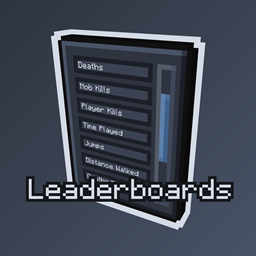
Leaderboards in FTB Skies 2: Aero
FTB Skies 2: Aero 1.13.0 ships version 2.0.4 · First seen in 1.0.3
Leaderboards is a mod in FTB Skies 2: Aero 1.13.0, where it is version 2.0.4. Brings Back the Old Leaderboard from FTB Utilities. Now with More Features! (Summary from the mod's Modrinth page.)
Leaderboards guide for FTB Skies 2: Aero
Last verified for FTB Skies 2: Aero v1.10.0 on Oct 7, 2026 · text last changed Oct 7, 2026
This is the newest guide. It hasn't been checked against 1.13.0 yet.
Also applies to:FTB StoneBlock 4 1.14.0 to 1.14.2
- Sections
- 4
2 sections are written for this pack; 2 are shared from another pack's guide.
Every recipe and number here was checked against FTB Skies 2: Aero 1.10.0, read from the running game on Sep 22, 2026.
What is Leaderboards?
Same as in the FTB StoneBlock 4 1.14.2 guide
This pack ships with Leaderboards, version 2.0.3. The file is leaderboards-1.21.1-NeoForge-2.0.3.jar, so it's the NeoForge build for Minecraft 1.21.1. It has been in the pack since 1.0.0 or earlier, so it isn't a recent addition.[1]
Unverified The sources I have don't describe what Leaderboards actually does, who it's meant for, or how it fits into the pack's progression, so I won't guess. I also couldn't confirm any quests, recipes or config options for it, or any place on the ATM Star path.
How do you get started with Leaderboards?
Good news: there is nothing to craft to get going with Leaderboards. In this pack no recipes produce items from the mod, no quests involve it, and no config files for it are present, so there is no first-items checklist to follow.[2]
The one thing the sources do confirm is a sidebar button. Its tooltip reads "View server leaderboards", so that is where you look to see the server's leaderboards.[2]
Unverified Where exactly the sidebar button appears on screen, which leaderboards exist and how scores are tracked could not be confirmed from the sources for this pack.
How does Leaderboards work?
Leaderboards works as a screen you open from a sidebar button, not as a machine or multiblock. The button's tooltip reads "View server leaderboards", so that is where you go to see the server's leaderboards.[2]
Unverified How leaderboards are tracked, what they rank, and how the screen is laid out are not confirmed for this pack. The mod has no machines, multiblocks, power, fluid or item handling that the available sources describe.
Which Leaderboards config options matter?
Same as in the FTB StoneBlock 4 1.14.2 guide
There's only one Leaderboards config option confirmed for this pack, and it lives in the client config file. It's a quick one, but it affects whether you see the Leaderboards button in your menu.[3]
hideButtonWhenOnlyOnePlayerExist is set to false in this pack. In plain terms, the button is not hidden just because only one player exists, so you should still see it when you're playing solo.[3]
Unverified Whether this value differs from the mod's default is unconfirmed, since no default was provided. Server-side or other Leaderboards options are also not covered by the available sources.
Sources
- FTB StoneBlock 4 1.14.2 mod list · pack file
- leaderboards names, screen text and descriptions (English lang file) · official mod data
- FTB StoneBlock 4 1.14.2 config: config/leaderboards-client.json · pack file
Where this guide comes from
Written from what FTB Skies 2: Aero itself ships: its files and recipes, the in-game guidebooks and the mods' own pages. Every statement links to the source it came from, and the numbers are checked against the pack before publishing.
Guide last verified Oct 7, 2026.
Report wrong info
Version in each release
21 releases, first in 1.0.3
| FTB Skies 2: Aero | Version | Jar | Where it came from |
|---|---|---|---|
| 1.13.0 Sep 28, 2026 | 2.0.4 | leaderboards-1.21.1-NeoForge-2.0.4.jar | From the published release |
| 1.12.1 Sep 22, 2026 | 2.0.4 | leaderboards-1.21.1-NeoForge-2.0.4.jar | From the published release |
| 1.12.0 Sep 21, 2026 | 2.0.4 | leaderboards-1.21.1-NeoForge-2.0.4.jar | From the published release |
| 1.10.0 Sep 8, 2026 | 2.0.4 | leaderboards-1.21.1-NeoForge-2.0.4.jar | From the published release |
| 1.9.1 Sep 2, 2026 | 2.0.4 | leaderboards-1.21.1-NeoForge-2.0.4.jar | From the published release |
| 1.9.0 Sep 1, 2026 | 2.0.4 | leaderboards-1.21.1-NeoForge-2.0.4.jar | From the published release |
| 1.8.0 Aug 25, 2026 | 2.0.4 | leaderboards-1.21.1-NeoForge-2.0.4.jar | From the published release |
| 1.7.3 Aug 19, 2026 | 2.0.4 | leaderboards-1.21.1-NeoForge-2.0.4.jar | From the published release |
| 1.7.2 Aug 18, 2026 | 2.0.4 | leaderboards-1.21.1-NeoForge-2.0.4.jar | From the published release |
| 1.7.1 Aug 18, 2026 | 2.0.4 | leaderboards-1.21.1-NeoForge-2.0.4.jar | From the published release |
| 1.6.1 Aug 13, 2026 | 2.0.4 | leaderboards-1.21.1-NeoForge-2.0.4.jar | From the published release |
| 1.6.0 Aug 11, 2026 | 2.0.4 | leaderboards-1.21.1-NeoForge-2.0.4.jar | From the published release |
| 1.5.1 Aug 8, 2026 | 2.0.4 | leaderboards-1.21.1-NeoForge-2.0.4.jar | From the published release |
| 1.4.1 Aug 4, 2026 | 2.0.4 | leaderboards-1.21.1-NeoForge-2.0.4.jar | From the published release |
| 1.4.0 Aug 3, 2026 | 2.0.4 | leaderboards-1.21.1-NeoForge-2.0.4.jar | From the published release |
| 1.3.0 Jul 30, 2026 | 2.0.4 | leaderboards-1.21.1-NeoForge-2.0.4.jar | From the published release |
| 1.2.1 Jul 28, 2026 | 2.0.4 | leaderboards-1.21.1-NeoForge-2.0.4.jar | From the published release |
| 1.2.0 Jul 28, 2026 | 2.0.4 | leaderboards-1.21.1-NeoForge-2.0.4.jar | From the published release |
| 1.1.1 Jul 25, 2026 | 2.0.4 | leaderboards-1.21.1-NeoForge-2.0.4.jar | From the published release |
| 1.1.0 Jul 24, 2026 | 2.0.4 | leaderboards-1.21.1-NeoForge-2.0.4.jar | From the published release |
| 1.0.3 Jul 17, 2026 | 2.0.4 | leaderboards-1.21.1-NeoForge-2.0.4.jar | From the published release |
"From pack files" means the list came from the pack's own files; "from the published release" means ForgeBase read the jars of the release itself.
Items and blocks
We can't match this mod to the pack's item list: it registers as leaderboards, and the pack's recipe dump has nothing under that name. That means we found nothing, not that the mod adds nothing. Search the item browser
Config options (how FTB Skies 2: Aero sets them)
1 settings this pack ships for the mod. We don't have the mod's own defaults to compare them against yet.
Show settings
| Setting | FTB Skies 2: Aero value |
|---|---|
hideButtonWhenOnlyOnePlayerExist config/leaderboards-client.json | false |
Comments and tips
Loading comments...