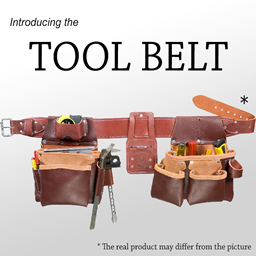
Tool Belt in FTB Skies 2
FTB Skies 2 1.24.0 ships version 2.2.10 · First seen in 1.0.1
Tool Belt is a mod in FTB Skies 2 1.24.0, where it is version 2.2.10. A utility belt that holds your tools (Summary from the mod's Modrinth page.)
Tool Belt guide for FTB Skies 2
Last verified for FTB Skies 2 v1.24.0 on Oct 15, 2026 · text last changed Oct 15, 2026
Also applies to:FTB Skies 2: Aero 1.0.3 to 1.10.0
- Sections
- 6
- Recipes shown
- 2
- Items named
- 3
- Quests covered
- 1
Every recipe and number here was checked against FTB Skies 2 1.24.0, read from the running game on Oct 13, 2026.
What is Tool Belt?
Tool Belt is included in this pack at version 2.2.10, and its item is Tool Belt.[1]
In the pack's quest book, Tool Belt appears in the "useful_items_tips" chapter. The quest for it, "Tool Belt" quest, has no title, and its task is to have the Tool Belt.[2]
How do you get started with Tool Belt?
3 parts
Tool Belt has a belt and a pouch with their own crafting recipes in this pack. Start with the belt, then make the pouch.[3]
First: craft the Tool Belt
The pack changes the recipe for the Tool Belt, so follow the one below rather than relying on what you remember from other modpacks.[3]
Crafting Shaped
| Empty slot | ||
| any iron ingot |
Recipe id: toolbelt:belt
This is the pack's changed version of the belt recipe.
The pack's quest book also has a quest in the "useful_items_tips" chapter whose task is to obtain the Tool Belt: "Tool Belt" quest.[2]
Next: craft the Belt Pouch
After the belt, make the Belt Pouch. The pack changes this recipe too, so use the one below.[3]
Crafting Shaped
| any gold ingot | ||
| Empty slot | ||
Recipe id: toolbelt:pouch
This is the pack's changed version of the pouch recipe.
Checking your gear
The mod's tooltip text includes an Upgrades line that shows the upgrades and how many slots they give, so keep an eye on the item tooltip as you build up your belt.[4]
How does Tool Belt work?
4 parts
Tool Belt is a small utility mod, so there are no machines, multiblocks, power or fluids to set up. What the sources confirm is the controls, the belt slot, the rules for what the belt accepts, and the pack's recipes for the Tool Belt and the Belt Pouch. They don't explain how swapping works in finer detail, so this section sticks to those parts.[3][4]
Controls
The mod adds a Tool Belt category to your key bindings. Check the controls menu and bind these actions to something comfortable:[4]
The belt's tooltip reads "Upgrades: %s (%s slots)", so it shows which upgrades the belt has and how many slots it offers. The sources don't say which upgrades exist or how many slots each gives, so check the tooltip on your own belt in game.[4]
The belt slot
This pack sets general.customBeltSlotMode to ON. For reference, AUTO disables the belt slot if Curios is present, and OFF disables it permanently.[5]
What can go in the belt
The server config has a rule about stackable items. In this pack general.allowAllNonStackableItems is true. Setting it to false would mean stackable items are no longer allowed by default.[6]
On top of that there is a blacklist and a whitelist. The pack's general.blacklist contains Backpack, so you can't put a Sophisticated Backpack in your belt. The general.whitelist is empty. Anything you add to it is force-allowed and takes precedence over the blacklist.[6]
Crafting and upgrading
The pack has its own versions of the belt and pouch recipes. Both are shaped crafting recipes that the pack changed from the mod's defaults.[3]
Crafting Shaped
| Empty slot | ||
| any iron ingot |
Recipe id: toolbelt:belt
The pack's changed recipe for the Tool Belt.
Crafting Shaped
| any gold ingot | ||
| Empty slot | ||
Recipe id: toolbelt:pouch
The pack's changed recipe for the Belt Pouch.
Some common-config options control how crafting and upgrading behave alongside the Sewing Kit mod. Here they are with the values the pack uses:[5]
- general.enableGridCraftingRecipes is AUTO. With AUTO, the belt and pouch crafting recipes are disabled if the Sewing Kit mod is present, and sewing recipes are used instead.[5]
- general.anvilUpgrading is AUTO. With AUTO, the crafting and upgrade recipes use the Sewing mechanics if the Sewing Kit mod is present. OFF disables anvil upgrading regardless.[5]
- general.enableSewingKitSupport is true. Setting it to false would turn off sewing recipe support even if the Sewing Kit mod is installed.[5]
How do you progress through Tool Belt?
2 parts
The sources for this pack cover only a small part of Tool Belt, so this is a short section. The mod adds the Tool Belt and the Belt Pouch, and the pack has changed the crafting recipe for each of them.[3]
Quest
The quest book places the mod in the useful_items_tips chapter, in the untitled quest "Tool Belt" quest. Its task is to obtain the Tool Belt.[2]
Recipes
Here is the in-pack recipe for the belt. The pack changed it, so rely on this one rather than the mod's default.[3]
The Belt Pouch also has a pack-changed recipe.[3]
Both are shaped crafting recipes, so a normal crafting table is all you need. Check the recipe blocks above to see exactly what each one asks for.[3]
Which FTB Skies 2 quests use Tool Belt?
Tool Belt only shows up in one quest in the pack, so this section is short. It sits in the "useful_items_tips" chapter, which is a collection of handy items rather than a step-by-step progression.[2]
- "Tool Belt" quest has no title in the quest book. Its task is an item task asking you to hold a Tool Belt.[2]
Since this is the only Tool Belt quest in the sources, there is no ordering to follow: you can pick up the quest whenever you get your hands on the belt.[2]
Unverified The sources don't show any reward for this quest, any quest dependencies, or how the belt is obtained, so those details are unconfirmed.
Which Tool Belt config options matter?
3 parts
Tool Belt splits its settings across a client, a common and a server config file. Here is how this pack sets the options you are most likely to touch. The only value the sources compare with a mod default is display.beltItemScale, and the pack leaves it at the default.[5][6][7]
Client options: how the belt looks and the radial menu feels
- display.beltItemScale is 0.5 in this pack, the same as the mod default. It changes the scale of items on the belt and accepts values from 0.1 to 2.0.[7]
- display.showBeltOnPlayers is true. If you set it to false, belts and tools are no longer drawn on players.[7]
- menu.releaseToSwap is false, so you need a click to confirm a swap. Set it to true and releasing the menu key (R) activates the swap instead.[7]
- menu.displayEmptySlots is false. Set it to true and the radial menu always shows every slot, even empty ones, and lets you pick which empty slot to insert into.[7]
- menu.clipMouseToCircle is false. Set it to true and the menu tries to keep your mouse inside the outer circle.[7]
- menu.allowClickOutsideBounds is false. Set it to true and you can click outside the outer circle to activate items.[7]
Common options: belt slot, crafting and upgrades
- general.customBeltSlotMode is ON. The allowed values are OFF, AUTO and ON. AUTO disables the belt slot if Curios is present, and OFF disables it permanently.[5]
- general.enableSewingKitSupport is true. Setting it to false turns off support for sewing recipes regardless of the Sewing Kit mod's presence.[5]
- general.enableGridCraftingRecipes is AUTO. With AUTO, the belt and pouch crafting recipes are disabled if the Sewing Kit mod is present, and sewing recipes are used instead.[5]
- general.anvilUpgrading is AUTO. With AUTO, the crafting and upgrade recipes use the Sewing mechanics if the Sewing Kit mod is present. OFF disables anvil upgrading regardless.[5]
Server options: what can go on the belt
- general.blacklist contains Backpack, so that item is not allowed in the belt. The whitelist takes precedence over the blacklist.[6]
- general.whitelist is empty, so nothing is force-allowed. Anything you add there overrides the blacklist.[6]
- general.allowAllNonStackableItems is true. If you set it to false, stackable items are no longer allowed by default.[6]
Sources
- FTB Skies 2 1.22.0 mod list · pack file
- FTB Skies 2 1.22.0 quests: "useful_items_tips" · pack file
- FTB Skies 2 1.22.0 recipe dump: recipes making Tool Belt items · pack recipe dump
- toolbelt tooltips and descriptions (English lang file) · official mod data
- FTB Skies 2 1.22.0 config: config/toolbelt-common.toml · pack file
- FTB Skies 2 1.22.0 config: config/toolbelt-server.toml · pack file
- FTB Skies 2 1.22.0 config: config/toolbelt-client.toml · pack file
Where this guide comes from
Written from what FTB Skies 2 itself ships: its files and recipes, the in-game guidebooks and the mods' own pages. Every statement links to the source it came from, and the numbers are checked against the pack before publishing.
Guide last verified Oct 15, 2026.
Report wrong info
Version in each release
44 releases, first in 1.0.1
| FTB Skies 2 | Version | Jar | Where it came from |
|---|---|---|---|
| 1.24.0 Oct 12, 2026 | 2.2.10 | ToolBelt-1.21.1-2.2.10.jar | From the published release |
| 1.23.0 Sep 24, 2026 | 2.2.10 | ToolBelt-1.21.1-2.2.10.jar | From the published release |
| 1.22.0 Sep 3, 2026 | 2.2.10 | ToolBelt-1.21.1-2.2.10.jar | From the published release |
| 1.21.1 Jul 29, 2026 | 2.2.10 | ToolBelt-1.21.1-2.2.10.jar | From the published release |
| 1.20.1 Jul 29, 2026 | 2.2.10 | ToolBelt-1.21.1-2.2.10.jar | From the published release |
| 1.20.0 Jul 27, 2026 | 2.2.10 | ToolBelt-1.21.1-2.2.10.jar | From the published release |
| 1.19.0 Jul 24, 2026 | 2.2.10 | ToolBelt-1.21.1-2.2.10.jar | From the published release |
| 1.18.2 Jun 21, 2026 | 2.2.9 | ToolBelt-1.21.1-2.2.9.jar | From the published release |
| 1.18.1 Jun 16, 2026 | 2.2.9 | ToolBelt-1.21.1-2.2.9.jar | From the published release |
| 1.18.0 May 31, 2026 | 2.2.9 | ToolBelt-1.21.1-2.2.9.jar | From the published release |
| 1.17.0 May 27, 2026 | 2.2.9 | ToolBelt-1.21.1-2.2.9.jar | From the published release |
| 1.16.0 May 13, 2026 | 2.2.9 | ToolBelt-1.21.1-2.2.9.jar | From the published release |
| 1.15.0 May 1, 2026 | 2.2.9 | ToolBelt-1.21.1-2.2.9.jar | From the published release |
| 1.14.3 Apr 1, 2026 | 2.2.7 | ToolBelt-1.21.1-2.2.7.jar | From the published release |
| 1.14.2 Apr 1, 2026 | 2.2.7 | ToolBelt-1.21.1-2.2.7.jar | From the published release |
| 1.14.1 Mar 27, 2026 | 2.2.7 | ToolBelt-1.21.1-2.2.7.jar | From the published release |
| 1.14.0 Mar 21, 2026 | 2.2.7 | ToolBelt-1.21.1-2.2.7.jar | From the published release |
| 1.13.4 Feb 27, 2026 | 2.2.7 | ToolBelt-1.21.1-2.2.7.jar | From the published release |
| 1.13.3 Feb 19, 2026 | 2.2.7 | ToolBelt-1.21.1-2.2.7.jar | From the published release |
| 1.13.2 Feb 17, 2026 | 2.2.7 | ToolBelt-1.21.1-2.2.7.jar | From the published release |
| 1.13.1 Feb 13, 2026 | 2.2.7 | ToolBelt-1.21.1-2.2.7.jar | From the published release |
| 1.13.0 Feb 12, 2026 | 2.2.7 | ToolBelt-1.21.1-2.2.7.jar | From the published release |
| 1.12.0 Jan 6, 2026 | 2.2.7 | ToolBelt-1.21.1-2.2.7.jar | From the published release |
| 1.11.0 Dec 10, 2025 | 2.2.7 | ToolBelt-1.21.1-2.2.7.jar | From the published release |
| 1.10.2 Nov 24, 2025 | 2.2.7 | ToolBelt-1.21.1-2.2.7.jar | From the published release |
| 1.10.1 Nov 20, 2025 | 2.2.7 | ToolBelt-1.21.1-2.2.7.jar | From the published release |
| 1.9.2 Oct 7, 2025 | 2.2.6 | ToolBelt-1.21.1-2.2.6.jar | From the published release |
| 1.9.1 Sep 29, 2025 | 2.2.6 | ToolBelt-1.21.1-2.2.6.jar | From the published release |
| 1.9.0 Sep 22, 2025 | 2.2.6 | ToolBelt-1.21.1-2.2.6.jar | From the published release |
| 1.8.0 Aug 27, 2025 | 2.2.6 | ToolBelt-1.21.1-2.2.6.jar | From the published release |
| 1.7.0 Aug 23, 2025 | 2.2.6 | ToolBelt-1.21.1-2.2.6.jar | From the published release |
| 1.6.1 Aug 8, 2025 | 2.2.6 | ToolBelt-1.21.1-2.2.6.jar | From the published release |
| 1.6.0 Aug 6, 2025 | 2.2.6 | ToolBelt-1.21.1-2.2.6.jar | From the published release |
| 1.5.2 Jul 24, 2025 | 2.2.6 | ToolBelt-1.21.1-2.2.6.jar | From the published release |
| 1.5.1 Jul 23, 2025 | 2.2.6 | ToolBelt-1.21.1-2.2.6.jar | From the published release |
| 1.5.0 Jul 22, 2025 | 2.2.6 | ToolBelt-1.21.1-2.2.6.jar | From the published release |
| 1.4.1 Jul 15, 2025 | 2.2.6 | ToolBelt-1.21.1-2.2.6.jar | From the published release |
| 1.4.0 Jul 15, 2025 | 2.2.6 | ToolBelt-1.21.1-2.2.6.jar | From the published release |
| 1.3.1 Jul 9, 2025 | 2.2.6 | ToolBelt-1.21.1-2.2.6.jar | From the published release |
| 1.3.0 Jul 8, 2025 | 2.2.6 | ToolBelt-1.21.1-2.2.6.jar | From the published release |
| 1.2.0 Jul 6, 2025 | 2.2.6 | ToolBelt-1.21.1-2.2.6.jar | From the published release |
| 1.1.1 Jul 2, 2025 | 2.2.6 | ToolBelt-1.21.1-2.2.6.jar | From the published release |
| 1.1.0 Jul 1, 2025 | 2.2.6 | ToolBelt-1.21.1-2.2.6.jar | From the published release |
| 1.0.1 Jul 1, 2025 | 2.2.6 | ToolBelt-1.21.1-2.2.6.jar | From the published release |
"From pack files" means the list came from the pack's own files; "from the published release" means ForgeBase read the jars of the release itself.
Items and blocks
2 items from the 1.24.0 recipe dump.
FTB Skies 2 quests (1)
Quests from the pack's FTB Quests book that ask for this mod's items.
Useful Items & Tips (1)
- Tool Belt
Config options (how FTB Skies 2 sets them)
13 settings shipped in the pack's config files; 0 differ from the mod's documented default.
Show settings
| Setting | FTB Skies 2 value | Mod default |
|---|---|---|
display.showBeltOnPlayers If set to FALSE, the belts and tools will NOT draw on players. config/toolbelt-client.toml | true | not documented |
menu.allowClickOutsideBounds If set to TRUE, the radial menu will allow clicking outside the outer circle to activate the items. config/toolbelt-client.toml | false | not documented |
menu.clipMouseToCircle If set to TRUE, the radial menu will try to prevent the mouse from leaving the outer circle. config/toolbelt-client.toml | false | not documented |
menu.displayEmptySlots If set to TRUE, the radial menu will always display all the slots, even when empty, and will allow choosing which empty slot to insert into. config/toolbelt-client.toml | false | not documented |
menu.releaseToSwap If set to TRUE, releasing the menu key (R) will activate the swap. Requires a click otherwise (default). config/toolbelt-client.toml | false | not documented |
general.anvilUpgrading If AUTO, the crafting and upgrade recipes will use the Sewing mechanics if the Sewing Kit mod is present. Off disables anvil upgrading regardless. config/toolbelt-common.toml | AUTO | not documented |
Comments and tips
Loading comments...