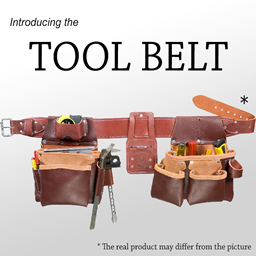
Tool Belt in FTB Evolution 2
FTB Evolution 2 1.4.0 ships version 2.9.5 · First seen in 1.0.2
Tool Belt is a mod in FTB Evolution 2 1.4.0, where it is version 2.9.5. A utility belt that holds your tools (Summary from the mod's Modrinth page.)
Tool Belt guide for FTB Evolution 2
Last verified for FTB Evolution 2 v1.4.0 on Oct 17, 2026 · text last changed Oct 17, 2026
Also applies to:All the Mods 11 0.1.0 to 0.12.0-beta
- Sections
- 5
- Recipes shown
- 3
- Items named
- 2
1 section is written for this pack; 4 are shared from another pack's guide.
Every recipe and number here was checked against FTB Evolution 2 1.4.0, read from the running game on Oct 17, 2026.
What is Tool Belt?
Same as in the All the Mods 11 0.8.0-beta guide
Tool Belt is part of the pack. This version of the pack ships Tool Belt 2.9.5, in the file ToolBelt-26.1.2-2.9.5.jar, and the mod list shows it was already included in this version or an earlier one.[1]
Unverified The sources I have don't describe what Tool Belt does, who it is best suited for, or how the pack changes it. I haven't confirmed any recipes, config options, or where it fits in the pack's progression, so I'm not guessing at them. Check the in-game item tooltips or the mod's own documentation until this page is expanded.
How do you get started with Tool Belt?
4 parts
Same as in the All the Mods 11 0.8.0-beta guide
Tool Belt only adds a couple of items in this pack, so getting started is quick. The pack has crafting recipes for the Tool Belt and the Belt Pouch, plus a dye recipe for recoloring the belt.[2]
First, craft the Tool Belt
Start with the Tool Belt, since it is the main item of the mod. This is the exact in-pack recipe:[2]
Crafting Shaped
| String | Leather | String |
| Leather | Empty slot | Leather |
| Leather | Iron Ingot | Leather |
Recipe id: toolbelt:belt
Next, craft the Belt Pouch
Next, make the Belt Pouch. It has its own shaped crafting recipe in the pack:[2]
Crafting Shaped
| String | Gold Ingot | String |
| Leather | Empty slot | Leather |
| String | Leather | String |
Recipe id: toolbelt:pouch
Last, dye your belt (optional)
If you want your belt in a different color, the pack has a dye crafting recipe that outputs the Tool Belt. It is a cosmetic extra, so it's fine to do it last.[2]
Checking your belt
The mod's tooltip text reads "Upgrades: %s (%s slots)", so hovering over your gear should show which upgrades it has and how many slots they use.[3]
Unverified The sources don't say what the Belt Pouch does, how many tools the belt holds, which upgrades exist, or how to open or equip the belt. No quests in this pack involve the mod either. Check these in-game before relying on them.
How does Tool Belt work?
2 parts
Same as in the All the Mods 11 0.8.0-beta guide
The sources for this pack only cover Tool Belt's items, their recipes and one tooltip line. They don't describe machines, multiblocks, power, fluids or automation for this mod, so this section stays short.[2][3]
What you can craft
The Tool Belt and the Belt Pouch each have a shaped crafting recipe added by the mod.[2]
Crafting Shaped
| String | Leather | String |
| Leather | Empty slot | Leather |
| Leather | Iron Ingot | Leather |
Recipe id: toolbelt:belt
The shaped crafting recipe for the Tool Belt.
Crafting Shaped
| String | Gold Ingot | String |
| Leather | Empty slot | Leather |
| String | Leather | String |
Recipe id: toolbelt:pouch
The shaped crafting recipe for the Belt Pouch.
There is also a dye crafting recipe that produces the Tool Belt.[2]
The dye crafting recipe that produces the Tool Belt.
Upgrades and slots
The mod's tooltip text follows the pattern "Upgrades: %s (%s slots)", so a belt's tooltip can show its upgrades together with a slot count.[3]
How do you progress through Tool Belt?
4 parts
Same as in the All the Mods 11 0.8.0-beta guide
The recipe data for Tool Belt in this pack lists a belt recipe, a pouch recipe and a dye recipe for the belt. It shows no tiered upgrade ladder, so progression here means crafting the gear and then dyeing the belt.[2]
Step 1: Craft the Tool Belt
The Tool Belt has a shaped crafting recipe. Here is the exact in-pack recipe:[2]
Crafting Shaped
| String | Leather | String |
| Leather | Empty slot | Leather |
| Leather | Iron Ingot | Leather |
Recipe id: toolbelt:belt
Step 2: Craft the Belt Pouch
The Belt Pouch also has its own shaped crafting recipe. It is a separate item from the belt, so it gets its own recipe:[2]
Crafting Shaped
| String | Gold Ingot | String |
| Leather | Empty slot | Leather |
| String | Leather | String |
Recipe id: toolbelt:pouch
Optional: Dye your belt
There is also a dye crafting recipe that produces the Tool Belt, so you can change the belt's color by crafting it with dye.[2]
What the sources do not show
Unverified No quests in this pack involve Tool Belt, and no in-jar guidebook or reusable documentation was available for it. Details such as slot counts, what the pouch is needed for, or whether further upgrade tiers exist are not shown in the sources here.
Which Tool Belt config options matter?
2 parts
Tool Belt (Tool Belt) has a handful of options that decide what the belt accepts and how it is crafted. Here is exactly how this pack sets them. The sources here show the pack's values, not the mod's defaults, so I won't claim any of them were changed.[4][5]
What can go in the belt (server config)
- general.allowAllNonStackableItems is true. Set to false, stackable items would no longer be allowed by default.[4]
- general.blacklist is set to Tool Belt, so the belt itself can't be placed inside the belt.[4]
- general.whitelist is empty. Anything you add there is force-allowed in the belt and takes precedence over the blacklist.[4]
Belt slot and crafting (common config)
- general.customBeltSlotMode is "ON". The allowed values are OFF, AUTO and ON. With AUTO the belt slot is disabled if Curios is present, and with OFF it is disabled permanently.[5]
- general.enableGridCraftingRecipes is "AUTO". In AUTO, the belt and pouch crafting recipes are disabled if the Sewing Kit mod is present, and sewing recipes are used instead.[5]
- general.anvilUpgrading is "AUTO". In AUTO, the crafting and upgrade recipes use the Sewing mechanics if the Sewing Kit mod is present. OFF disables anvil upgrading regardless.[5]
- general.enableSewingKitSupport is true. Set to false, sewing recipe support would not be enabled even if the Sewing Kit mod is present.[5]
Sources
- All the Mods 11 0.8.0-beta mod list · pack file
- All the Mods 11 0.8.0-beta recipe dump: recipes making Tool Belt items · pack recipe dump
- toolbelt tooltips and descriptions (English lang file) · official mod data
- FTB Evolution 2 1.1.0 config: config/toolbelt-server.toml · pack file
- FTB Evolution 2 1.1.0 config: config/toolbelt-common.toml · pack file
Where this guide comes from
Written from what FTB Evolution 2 itself ships: its files and recipes, the in-game guidebooks and the mods' own pages. Every statement links to the source it came from, and the numbers are checked against the pack before publishing.
Guide last verified Oct 17, 2026.
Report wrong info
Version in each release
9 releases, first in 1.0.2
| FTB Evolution 2 | Version | Jar | Where it came from |
|---|---|---|---|
| 1.4.0 Oct 17, 2026 | 2.9.5 | ToolBelt-26.1.2-2.9.5.jar | From the published release |
| 1.3.2 Oct 16, 2026 | 2.9.5 | ToolBelt-26.1.2-2.9.5.jar | From the published release |
| 1.3.1 Oct 15, 2026 | 2.9.5 | ToolBelt-26.1.2-2.9.5.jar | From the published release |
| 1.3.0 Oct 14, 2026 | 2.9.5 | ToolBelt-26.1.2-2.9.5.jar | From the published release |
| 1.2.2 Oct 13, 2026 | 2.9.5 | ToolBelt-26.1.2-2.9.5.jar | From the published release |
| 1.2.1 Oct 12, 2026 | 2.9.5 | ToolBelt-26.1.2-2.9.5.jar | From the published release |
| 1.2.0 Oct 12, 2026 | 2.9.5 | ToolBelt-26.1.2-2.9.5.jar | From the published release |
| 1.1.0 Oct 10, 2026 | 2.9.5 | ToolBelt-26.1.2-2.9.5.jar | From the published release |
| 1.0.2 Oct 8, 2026 | 2.9.5 | ToolBelt-26.1.2-2.9.5.jar | From the published release |
"From pack files" means the list came from the pack's own files; "from the published release" means ForgeBase read the jars of the release itself.
Items and blocks
2 items from the 1.4.0 recipe dump.
Config options (how FTB Evolution 2 sets them)
7 settings this pack ships for the mod. We don't have the mod's own defaults to compare them against yet.
Show settings
| Setting | FTB Evolution 2 value |
|---|---|
general.anvilUpgrading If AUTO, the crafting and upgrade recipes will use the Sewing mechanics if the Sewing Kit mod is present. Off disables anvil upgrading regardless. config/toolbelt-common.toml | AUTO |
general.customBeltSlotMode If AUTO, the belt slot will be disabled if Curios is present. If OFF, the belt slot will be disabled permanently. config/toolbelt-common.toml | ON |
general.enableGridCraftingRecipes If AUTO, the belt and pouch crafting recipes will be disabled if the Sewing Kit mod is present, sewing recipes will be used instead. config/toolbelt-common.toml | AUTO |
general.enableSewingKitSupport If set to FALSE, support for sewing recipes will not be enabled regardless of the mod's presence. config/toolbelt-common.toml | true |
general.allowAllNonStackableItems When set to false, stackable items will no longer be allowed by default. config/toolbelt-server.toml | true |
general.blacklist List of items to disallow from placing in the belt. (whitelist takes precedence) config/toolbelt-server.toml | ["toolbelt:belt"] |
Comments and tips
Loading comments...