NBT Autocomplete in FTB StoneBlock 4
FTB StoneBlock 4 1.23.0 ships version 2.1+mc1.21.1 · First seen in 1.0.0
NBT Autocomplete is a mod in FTB StoneBlock 4 1.23.0, where it is version 2.1+mc1.21.1. Adds suggestions for NBT tags in commands (Summary from the mod's Modrinth page.)
NBT Autocomplete guide for FTB StoneBlock 4
Last verified for FTB StoneBlock 4 v1.23.0 on Oct 8, 2026 · text last changed Oct 8, 2026
- Sections
- 4
Every recipe and number here was checked against FTB StoneBlock 4 1.23.0, read from the running game on Oct 13, 2026.
What is NBT Autocomplete?
2 parts
NBT Autocomplete is a client-side mod that adds suggestions for NBT tags in commands. If you've ever tried to remember the exact tag name for an entity, block or item while typing a command, this mod is made for you.[1]
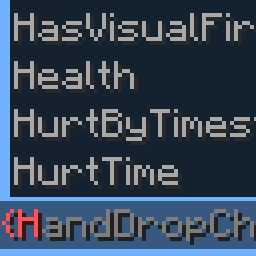
When you type the NBT of an entity, block or item, it shows a list of the available tags and their types. You don't have to look tags up elsewhere, and you can see what kind of value each tag expects while you type.[1]
Who it's for
It's aimed at anyone who writes commands by hand, such as players who use commands to build custom setups or test things in the world. Because it only adds suggestions while you type, it's a helper for command users rather than a gameplay feature.[1]
In this pack
The pack includes NBT Autocomplete 2.0.1+mc1.21.1, the NeoForge build for Minecraft 1.21.1. It was first included in this pack's 1.21.0 release or earlier.[2]
Unverified The sources I have don't show any quests, progression steps or ATM Star path entries involving this mod, so I can't say where it fits in the pack's progression. Treat it as a standalone command-typing helper until that's confirmed.
How do you get started with NBT Autocomplete?
1 part
NBT Autocomplete is a client-side mod that adds suggestions for NBT tags in commands. Its project page describes no items to make, so there is no crafting step to start with.[1]
When you type the NBT tag of an entity, a block or an item in a command, the mod shows you a list of the available tags and their types. That saves you from remembering tag names by heart.[1]
What to expect
- It is client-side, so the suggestions show up for the commands you type yourself.[1]
- It suggests tags for entities, blocks and items.[1]
- Each suggestion comes with the tag's type.[1]
Unverified The sources here do not show any quests or crafting recipes involving this mod in this pack, so none are listed. Check the pack's quest book and recipe viewer if you want to confirm. This site does hold FTB StoneBlock 4's own recipes, read from the pack itself: look the item up in the item browser.
How does NBT Autocomplete work?
2 parts
NBT Autocomplete is a client-side mod, so it doesn't add machines, multiblocks, power, fluids or item handling to the pack. There is nothing to build or automate with it. Its whole job is to help you while you type commands.[1]
What it does
When you type the NBT tag of an entity, a block or an item in a command, the mod shows you a list of the available tags and their types. That saves you from remembering exact tag names or looking them up elsewhere.[1]
What the sources don't cover
Unverified Details such as which commands trigger the suggestions, any keybinds or settings, and how the suggestions behave in this pack are not confirmed. The pack has no config files for this mod, and no recipes produce its items.
What changed in NBT Autocomplete between versions?
4 parts
FTB StoneBlock 4 1.21.0 ships NBT Autocomplete 2.0.1+mc1.21.1, and the mod has been in the pack since 1.0.0 or earlier. The notes below come from the mod's own changelogs.[2]
2.0.1 (the version in this pack)
This is a big internal overhaul, so it's worth knowing what moved around if you've tweaked the mod's settings before.[3]
- The tag parser was rewritten, and suggestions got general improvements.[3]
- The disassembler and cache are gone. All tags are now predefined instead of being generated at startup.[3]
- New suggestions for particle data, including in the /particle command, and for "item_model" entries coming from resource packs.[3]
- Suggestion files use a new format. The mod now loads them itself, and they're no longer treated as part of a resource pack.[3]
- A basic mod API was added.[3]
- The mod ID changed from "nbt_ac" to "nbtac".[3]
- Block entity type extraction and suggestion saving were removed.[3]
- The "Finished in" message now only shows when "debug_mode" is enabled.[3]
Setting changes in 2.0.1
- New setting "update_on_cursor_movement" restores the Minecraft suggestion behavior from before 26.1. It's true by default.[3]
- New setting "unknown_item_components" sets how relevant unknown (modded) item data components are. Its default is "relevand_by_default", spelled exactly like that in the changelog.[3]
- "json_string_suggestion" and "placing_of_irrelevant" changed type from integer to enum.[3]
- "default_quotation_mark_type" was renamed to "default_quotation_mark" and changed from integer to enum.[3]
- Removed because the disassembler and cache are gone: "use_disassembler", "load_from_resources", "use_cache", "max_cached_instances" and "max_stack_traces".[3]
- "hide_forge_tags" was removed because Forge/NeoForge tags are no longer present. "allow_block_entity_extraction" and "save_suggestions" were removed along with the features they controlled.[3]
2.0.1 fixes
- Item data component suggestions now work for some partial IDs, for example note_block_sound.[3]
- Item component id suggestions no longer include the equal sign when you remove a component with "hide_mc_namespace_in_components" disabled or with modded components.[3]
- Various issues caused by Java localization were fixed.[3]
Earlier: 1.3.10
Version 1.3.10 was a small fix release. It corrected the structure of the potion_contents item component and fixed an entity argument compatibility issue with Paper servers.[4]
Sources
- NBT Autocomplete project page (modrinth) · official mod data
- FTB StoneBlock 4 1.21.0 mod list · pack file
- NBT Autocomplete 2.0.1+mc1.21.1 changelog · changelog
- NBT Autocomplete 1.3.10 changelog · changelog
Where this guide comes from
Written from what FTB StoneBlock 4 itself ships: its files and recipes, the in-game guidebooks and the mods' own pages. Every statement links to the source it came from, and the numbers are checked against the pack before publishing.
Guide last verified Oct 8, 2026.
Report wrong info
Version in each release
48 releases, first in 1.0.0
| FTB StoneBlock 4 | Version | Jar | Where it came from |
|---|---|---|---|
| 1.23.0 Oct 12, 2026 | 2.1+mc1.21.1 | NBTac-NEOFORGE-1.21.1-2.1.jar | From the published release |
| 1.22.0 Sep 22, 2026 | 2.1+mc1.21.1 | NBTac-NEOFORGE-1.21.1-2.1.jar | From the published release |
| 1.21.0 Sep 9, 2026 | 2.0.1+mc1.21.1 | NBTac-NEOFORGE-1.21.1-2.0.1.jar | From the published release |
| 1.20.1 Sep 1, 2026 | 1.3.10 | NBTac-NEOFORGE-1.21.1-1.3.10.jar | From the published release |
| 1.20.0 Aug 26, 2026 | 1.3.10 | NBTac-NEOFORGE-1.21.1-1.3.10.jar | From the published release |
| 1.19.1 Aug 12, 2026 | 1.3.10 | NBTac-NEOFORGE-1.21.1-1.3.10.jar | From the published release |
| 1.19.0 Aug 11, 2026 | 1.3.10 | NBTac-NEOFORGE-1.21.1-1.3.10.jar | From the published release |
| 1.18.0 Aug 9, 2026 | 1.3.10 | NBTac-NEOFORGE-1.21.1-1.3.10.jar | From the published release |
| 1.17.2 Jul 29, 2026 | 1.3.10 | NBTac-NEOFORGE-1.21.1-1.3.10.jar | From the published release |
| 1.17.1 Jul 28, 2026 | 1.3.10 | NBTac-NEOFORGE-1.21.1-1.3.10.jar | From the published release |
| 1.17.0 Jul 24, 2026 | 1.3.10 | NBTac-NEOFORGE-1.21.1-1.3.10.jar | From the published release |
| 1.16.0 Jul 2, 2026 | 1.3.10 | NBTac-NEOFORGE-1.21.1-1.3.10.jar | From the published release |
| 1.15.3 Jun 17, 2026 | 1.3.10 | NBTac-NEOFORGE-1.21.1-1.3.10.jar | From the published release |
| 1.15.2 Jun 16, 2026 | 1.3.10 | NBTac-NEOFORGE-1.21.1-1.3.10.jar | From the published release |
| 1.15.0 Jun 13, 2026 | 1.3.10 | NBTac-NEOFORGE-1.21.1-1.3.10.jar | From the published release |
| 1.14.2 Jun 3, 2026 | 1.3.10 | NBTac-NEOFORGE-1.21.1-1.3.10.jar | From the published release |
| 1.14.1 May 31, 2026 | 1.3.10 | NBTac-NEOFORGE-1.21.1-1.3.10.jar | From the published release |
| 1.14.0 May 27, 2026 | 1.3.10 | NBTac-NEOFORGE-1.21.1-1.3.10.jar | From the published release |
| 1.13.1 May 12, 2026 | 1.3.10 | NBTac-NEOFORGE-1.21.1-1.3.10.jar | From the published release |
| 1.13.0 May 12, 2026 | 1.3.10 | NBTac-NEOFORGE-1.21.1-1.3.10.jar | From the published release |
| 1.12.0 May 7, 2026 | 1.3.10 | NBTac-NEOFORGE-1.21.1-1.3.10.jar | From the published release |
| 1.11.1 Apr 24, 2026 | 1.3.10 | NBTac-NEOFORGE-1.21.1-1.3.10.jar | From the published release |
| 1.11.0 Apr 16, 2026 | 1.3.10 | NBTac-NEOFORGE-1.21.1-1.3.10.jar | From the published release |
| 1.10.0 Apr 8, 2026 | 1.3.10 | NBTac-NEOFORGE-1.21.1-1.3.10.jar | From the published release |
| 1.9.6 Apr 3, 2026 | 1.3.10 | NBTac-NEOFORGE-1.21.1-1.3.10.jar | From the published release |
| 1.9.5 Apr 1, 2026 | 1.3.10 | NBTac-NEOFORGE-1.21.1-1.3.10.jar | From the published release |
| 1.9.4 Mar 25, 2026 | 1.3.10 | NBTac-NEOFORGE-1.21.1-1.3.10.jar | From the published release |
| 1.9.3 Mar 23, 2026 | 1.3.10 | NBTac-NEOFORGE-1.21.1-1.3.10.jar | From the published release |
| 1.9.1 Mar 19, 2026 | 1.3.10 | NBTac-NEOFORGE-1.21.1-1.3.10.jar | From the published release |
| 1.9.0 Mar 17, 2026 | 1.3.10 | NBTac-NEOFORGE-1.21.1-1.3.10.jar | From the published release |
| 1.8.1 Mar 11, 2026 | 1.3.10 | NBTac-NEOFORGE-1.21.1-1.3.10.jar | From the published release |
| 1.8.0 Feb 10, 2026 | 1.3.10 | NBTac-NEOFORGE-1.21.1-1.3.10.jar | From the published release |
| 1.7.3 Feb 3, 2026 | 1.3.10 | NBTac-NEOFORGE-1.21.1-1.3.10.jar | From the published release |
| 1.7.2 Feb 3, 2026 | 1.3.10 | NBTac-NEOFORGE-1.21.1-1.3.10.jar | From the published release |
| 1.7.0 Jan 30, 2026 | 1.3.10 | NBTac-NEOFORGE-1.21.1-1.3.10.jar | From the published release |
| 1.6.0 Jan 7, 2026 | 1.3.10 | NBTac-NEOFORGE-1.21.1-1.3.10.jar | From the published release |
| 1.5.0 Dec 16, 2025 | 1.3.10 | NBTac-NEOFORGE-1.21.1-1.3.10.jar | From the published release |
| 1.4.0 Dec 9, 2025 | 1.3.10 | NBTac-NEOFORGE-1.21.1-1.3.10.jar | From the published release |
| 1.3.0 Dec 4, 2025 | 1.3.10 | NBTac-NEOFORGE-1.21.1-1.3.10.jar | From the published release |
| 1.2.1 Nov 26, 2025 | 1.3.10 | NBTac-NEOFORGE-1.21.1-1.3.10.jar | From the published release |
| 1.2.0 Nov 25, 2025 | 1.3.10 | NBTac-NEOFORGE-1.21.1-1.3.10.jar | From the published release |
| 1.1.2 Nov 18, 2025 | 1.3.10 | NBTac-NEOFORGE-1.21.1-1.3.10.jar | From the published release |
| 1.1.1 Nov 17, 2025 | 1.3.10 | NBTac-NEOFORGE-1.21.1-1.3.10.jar | From the published release |
| 1.0.8 Nov 6, 2025 | 1.3.10 | NBTac-NEOFORGE-1.21.1-1.3.10.jar | From the published release |
| 1.0.7 Nov 4, 2025 | 1.3.10 | NBTac-NEOFORGE-1.21.1-1.3.10.jar | From the published release |
| 1.0.3 Nov 1, 2025 | 1.3.10 | NBTac-NEOFORGE-1.21.1-1.3.10.jar | From the published release |
| 1.0.1 Oct 30, 2025 | 1.3.10 | NBTac-NEOFORGE-1.21.1-1.3.10.jar | From the published release |
| 1.0.0 Oct 29, 2025 | 1.3.10 | NBTac-NEOFORGE-1.21.1-1.3.10.jar | From the published release |
"From pack files" means the list came from the pack's own files; "from the published release" means ForgeBase read the jars of the release itself.
Items and blocks
We can't match this mod to the pack's item list: it registers as nbtac, nbt_ac, and the pack's recipe dump has nothing under that name. That means we found nothing, not that the mod adds nothing. Search the item browser
Comments and tips
Loading comments...